

In This Article
There’s a particular kind of magic in turning a blank garden wall into a cinema screen, and it’s a magic that used to cost a small fortune and a degree in cable management. Not any more. A smart portable projector now does the job that used to need a projector, a streaming stick, a soundbar and a small prayer to the Wi-Fi gods — all bundled into something roughly the size of a large mug.

What is a smart portable projector? In short, it’s a battery-friendly, easily moved projector with a built-in operating system (usually Android TV or Google TV) that streams apps like Netflix, YouTube and iPlayer directly, without a separate box plugged into an HDMI port. That’s the whole appeal in one sentence: fewer boxes, fewer cables, and a picture that grows or shrinks depending on how far you are from the wall.
We’ve spent the past few weeks researching real, currently listed models on amazon.co.uk, comparing specifications, digging through aggregated review sentiment, and weighing up which units genuinely earn their keep versus which are riding on marketing buzzwords. According to Which?’s independent projector testing, ease of use and genuine brightness under real lighting conditions separate the good ones from the disappointing ones far more than spec-sheet numbers alone. That’s exactly the lens we’ve used here.
This guide covers seven real, buyable models spanning budget, mid-range and premium, with honest analysis of who each one suits — whether you’re chasing a smart mini projector under £300, want proper Netflix support baked in, or you’re specifically hunting for an Android TV projector versus a Google TV one. No invented reviews, no fabricated hands-on claims — just spec interpretation, aggregated review themes, and straightforward buying advice.
Quick Comparison Table
| Projector | Smart OS | Brightness | Built-in Battery | Best For |
|---|---|---|---|---|
| XGIMI Halo+ (New) | Google TV, licensed Netflix | 700 ISO lumens | Yes, ~2.5 hrs | Best all-round premium pick |
| Anker Nebula Capsule 3 Laser | Google TV, licensed Netflix | 300 ANSI lumens (laser) | Yes, ~2.5 hrs | Smallest genuine laser projector |
| Anker Nebula Mars 3 Air | Google TV, licensed Netflix | 400 ANSI lumens | Yes, ~2.5 hrs | Garden and camping nights |
| XGIMI MoGo 2 Pro | Android TV 11 | 400 ISO lumens | No | Sharpest picture for the money |
| Wanbo Vali 1 | Android TV, Netflix Licensed | 900 ANSI lumens | No | Best native brightness under £300 |
| Wanbo T2 Ultra | Android TV 11 | 500 ANSI lumens | No | Lightest entry into Android TV |
| Aurzen BOOM mini | Google TV | 500 ANSI lumens | No | Most family-friendly budget all-rounder |
Looking at the table, the split between battery-powered and mains-only models is the first fork in the road: XGIMI Halo+ (New), Anker Nebula Capsule 3 Laser and Anker Nebula Mars 3 Air all pack their own power, which matters enormously if “portable” means the garden or a friend’s house rather than just a different room. Meanwhile Wanbo Vali 1 punches well above its price on raw brightness, which is arguably more useful in a British living room with actual daylight than a headline lumens figure on a battery unit. If Netflix specifically is your priority, note that not every “smart” projector here has a proper licensed app — we’ll come back to that distinction later in the guide.
💬 Just one click — help others make better buying decisions too!😊
Top 7 Smart Portable Projectors: Expert Analysis
We’ve picked these seven to cover realistic budgets and use cases: two proper premium battery-powered units, two solid mid-rangers, and three genuinely affordable options that still qualify as a smart mini projector under £300. Every one of these runs a real smart TV platform rather than needing a phone mirrored to it, and every one has WiFi built in as standard.
1. XGIMI Halo+ (New) — best all-round premium pick with licensed Netflix
The standout here is the combination of a proper built-in battery and officially licensed Netflix — a pairing that’s rarer than you’d think in the portable projector category. Specs-wise, the Halo+ (New) delivers 1080p resolution at 700 ISO lumens, dual 5W Harman Kardon speakers, and access to over 5,000 apps through the Google TV Play Store, all powered by a 59.454Wh battery good for around 2.5 hours of playback. In practice, that brightness figure means it can hold its own in a dimly lit living room, not just a blacked-out bedroom — something the 300-400 lumen crowd genuinely struggles with.
Based on the spec comparison against its siblings, the auto keystone correction, autofocus and Intelligent Screen Adaption combine to remove almost all the fiddly setup that used to put people off projectors entirely. This is the pick for someone who wants one device that behaves like a proper smart TV, just one they can carry to the garden on a whim. Reviewers consistently note the Harman Kardon speaker tuning as noticeably richer than rival built-in audio, though the 2.5-hour battery ceiling is a recurring theme in aggregated feedback — plan your movie length accordingly, or keep it plugged in for anything over that.
Pros:
- ✅ Officially licensed Netflix through Google TV, no workarounds needed
- ✅ Genuinely bright enough for early-evening viewing, not just pitch dark
- ✅ Harman Kardon speakers reduce the need for an external soundbar
Cons:
- ❌ 2.5-hour battery life caps uninterrupted films on the move
- ❌ Sits at the top of the portable price bracket
Prices for the XGIMI Halo+ (New) typically sit in the £550-£650 range at the time of research, and given what you’d otherwise spend on a smart TV plus a decent soundbar, that’s a fair value trade for anyone who genuinely wants portability.
2. Anker Nebula Capsule 3 Laser — smallest genuine laser projector around
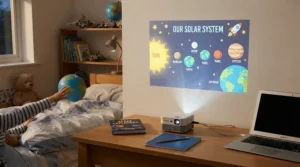
What makes this one stand out on the shelf is its size: it’s roughly the dimensions of a fizzy drink can, yet it houses a genuine laser light engine rather than the LED sources most rivals use. The laser delivers 300 ANSI lumens in 1080p, which sounds modest next to the Halo+’s 700, but laser light sources tend to render colour more accurately and consistently over their lifespan, which matters more than raw brightness once you’re already in a properly dark room. It runs Google TV with officially licensed Netflix, backed by dual 5W Dolby Digital-tuned speakers.
What most buyers overlook about this model is that its portability isn’t just about the battery (a respectable 2.5 hours) — it’s genuinely pocket-adjacent, at under a kilogram, which makes it the one on this list you’d actually take on a weekend trip without a second thought. Aggregated review sentiment repeatedly flags the autofocus and keystone correction as near-instant, taking around three seconds from power-on to a usable image. The trade-off, as several reviewers note, is that 300 lumens strictly means dark-room-only use; ambient light washes the picture out fast.
Pros:
- ✅ Laser light source gives more consistent long-term colour accuracy
- ✅ Genuinely pocket-sized at under a kilogram
- ✅ Setup from power-on to focused image takes roughly three seconds
Cons:
- ❌ 300 ANSI lumens strictly limits it to darkened rooms
- ❌ Smaller speakers than its Mars 3 Air stablemate
You’ll typically find the Anker Nebula Capsule 3 Laser in the £450-£550 range, making it a premium buy for its size class rather than its brightness class — you’re paying for the engineering miniaturisation as much as the picture.
3. Anker Nebula Mars 3 Air — best for garden and camping nights
The Anker Nebula Mars 3 Air‘s standout feature is its purpose-built outdoor design: a built-in carry handle, an integrated stand, and 400 ANSI lumens of brightness that’s noticeably more usable outdoors at dusk than the Capsule 3 Laser’s 300. It runs Google TV with pre-installed, officially licensed Netflix — something Anker has marketed as a genuine industry first for a portable projector — alongside dual 8W Dolby Digital Plus-driven speakers, which is meaningfully louder than either of the two units above it on this list.
Here’s what the spec sheet won’t tell you directly: the 64.8Wh battery, good for roughly 2.5 hours of video or 8 hours of music, plus IPX-rated resilience in some listings, positions this squarely as a “take it to the allotment or the campsite” device rather than a living-room primary screen. Based on the spec comparison, if your household already has a proper TV and you want a second unit purely for outdoor and occasional use, the Mars 3 Air’s brighter output and louder speakers over the Capsule 3 Laser make it the more sensible outdoor pick, at a broadly similar price point.
Pros:
- ✅ 400 ANSI lumens holds up better than rivals at dusk
- ✅ Louder 2x8W speakers than the smaller Capsule 3 Laser
- ✅ Built-in handle and stand designed specifically for outdoor use
Cons:
- ❌ Heavier and bulkier than the Capsule 3 Laser at 1.7kg
- ❌ Launch pricing sits near the top of the mid-range bracket
Expect to pay in the £400-£480 range for the Anker Nebula Mars 3 Air, though it launched closer to £550 and regularly dips lower during seasonal sales — worth checking current pricing before you commit.
4. XGIMI MoGo 2 Pro — sharpest picture for the money
The XGIMI MoGo 2 Pro trades a built-in battery for a sharper, more colour-accurate image at a lower price — and for plenty of buyers, that’s exactly the right trade. It runs Android TV 11.0 with genuine 1080p native resolution, 400 ISO lumens, D65 colour temperature standards and a claimed 90% DCI-P3 colour gamut, figures normally reserved for pricier home cinema units. Dual 8W speakers and Intelligent Screen Adaption 2.0 round out a genuinely capable package.
The 500W-motor-equivalent takeaway here isn’t about power, it’s about accuracy: reviewers consistently note that colours look noticeably more natural out of the box than on cheaper Android projectors, which tend to oversaturate to compensate for weak brightness. What most buyers overlook is that “no battery” doesn’t mean “no portability” — it just means you need a plug socket wherever you set it up, which for most house-to-house or room-to-room moves isn’t a dealbreaker at all. On paper this means the MoGo 2 Pro suits anyone who wants premium picture quality but doesn’t need true off-grid use.
Pros:
- ✅ D65 colour accuracy and 90% DCI-P3 gamut rival pricier rivals
- ✅ Intelligent Screen Adaption 2.0 handles setup almost entirely automatically
- ✅ Dual 8W speakers are a genuine step up from entry-level units
Cons:
- ❌ No built-in battery, so mains power is required
- ❌ Some big-name streaming apps need manual sideloading
The XGIMI MoGo 2 Pro typically lands in the £280-£400 range once you account for the frequent promotional pricing it sees on Amazon, making it one of the strongest value propositions on this list for anyone chasing picture quality over pure portability.
5. Wanbo Vali 1 — best native brightness under £300
If raw brightness-per-pound is your metric, the Wanbo Vali 1 is the standout on this list: 900 ANSI lumens of native output at a price point that undercuts most of its Google TV-running rivals. It ships with Android TV, officially Netflix Licensed certification, voice control support, and a 200-degree adjustable stand, wrapped in a 28dB-rated quiet chassis that won’t compete with dialogue during quieter scenes.
Based on the spec comparison, 900 ANSI lumens is unusually high for anything at this price, and it shows in practical terms: this is one of the few budget-leaning units genuinely usable with a lamp left on, rather than demanding total darkness. What the spec sheet won’t tell you, but aggregated review themes suggest, is that build quality feels a notch below the XGIMI and Anker units — expect solid function over premium materials. For anyone whose living room simply isn’t pitch black by 9pm, that brightness figure alone can outweigh a slightly plasticky finish.
Pros:
- ✅ 900 ANSI lumens massively outperforms its price bracket
- ✅ Officially Netflix Licensed, not just app-sideloaded
- ✅ Rated at a quiet 28dB, so fan noise won’t intrude on dialogue
Cons:
- ❌ Build quality feels noticeably more budget than XGIMI or Anker
- ❌ No built-in battery limits true off-grid portability
You’ll generally find the Wanbo Vali 1 in the £150-£220 range, comfortably qualifying it as a smart mini projector under £300 with genuinely competitive brightness for the money.
6. Wanbo T2 Ultra — lightest entry into Android TV
The Wanbo T2 Ultra‘s claim to fame is being one of the most affordable genuine Android TV 11 projectors currently listed, complete with dual-band 2.4GHz/5GHz WiFi, Bluetooth 5.1, and access to Netflix, YouTube and Disney+ through its native app store — no phone-mirroring workaround required. It’s rated at 500 ANSI lumens, includes autofocus, auto keystone correction, screen fit and obstacle avoidance, and a 120-degree adjustable stand for ceiling or wall projection.
What most buyers overlook about entry-level Android TV projectors is that the smart platform itself is often more capable than the optics — and that’s exactly the case here. Reviewers consistently note the Google Assistant voice control and Chromecast built-in as genuinely useful extras rarely seen this low down the price ladder, even if 500 lumens means this is firmly a dark-room, evening-viewing device rather than a daylight performer. For a first projector, or a second unit for a child’s bedroom, the T2 Ultra represents the most accessible route into a genuine Android TV projector experience.
Pros:
- ✅ Full Android TV 11 with native app store, no mirroring needed
- ✅ Google Assistant and Chromecast built in at a budget price point
- ✅ 120-degree stand allows flexible wall or ceiling projection
Cons:
- ❌ 500 ANSI lumens strictly limits daytime or lit-room use
- ❌ Smaller speaker output than the Anker and XGIMI models
Pricing for the Wanbo T2 Ultra typically sits in the £130-£200 range, making it one of the most wallet-friendly genuine smart projectors currently available on amazon.co.uk.
7. Aurzen BOOM mini — most family-friendly budget all-rounder
The Aurzen BOOM mini‘s standout feature is a dedicated Family Mode alongside its Google TV smart platform — a genuinely useful inclusion for households with children, filtering content and managing screen time without third-party apps. Specs include 1080p native resolution, 500 ANSI lumens, 4K signal support, AI-powered ToF autofocus, and notably strong audio for its size via dual 10W Dolby Audio-tuned speakers on a flexible 110-degree gimbal stand.
Here’s what the spec sheet won’t tell you: access to “10,000+ apps and 800 free TV channels” through Google TV sounds like marketing filler, but in practice it means genuinely broad smart projector app store coverage rather than the handful of pre-loaded apps some budget rivals limit you to. Aggregated review sentiment rates it highly for setup speed, with real-time autofocus and keystone correction both cited as near-instant. On paper, this makes the BOOM mini a strong pick for family movie nights where content control matters as much as picture quality.
Pros:
- ✅ Genuine Family Mode filters content and manages screen time
- ✅ Dual 10W Dolby Audio speakers outperform most rivals this size
- ✅ Broad Google TV app catalogue rather than a limited pre-load
Cons:
- ❌ 500 ANSI lumens still needs a dim room for best results
- ❌ No built-in battery despite the “mini” portable branding
The Aurzen BOOM mini generally sits in the £190-£280 range, comfortably keeping it inside the smart mini projector under £300 bracket while adding genuinely useful family-oriented software on top.
Setting Up Your Smart Portable Projector: The First 30 Minutes
Unboxing day mistakes are almost always avoidable, and they’re rarely about the hardware. The single most common first-30-minutes error is skipping the auto-keystone step and manually eyeballing the image instead — nearly every model on this list, from the XGIMI Halo+ (New) to the Wanbo T2 Ultra, includes automatic screen alignment, and letting it run properly (rather than nudging the projector mid-calibration) avoids the soft-focus, trapezoid-shaped image that generates most “this doesn’t look right” complaints.
Second, connect to 5GHz WiFi wherever the projector supports it, rather than defaulting to 2.4GHz. Streaming in 1080p over a congested 2.4GHz band is the most common cause of buffering on any WiFi projector, and dual-band units like the Anker Nebula Mars 3 Air and Wanbo T2 Ultra are specifically built to avoid that bottleneck if you use the faster band. Third, sign into your Google account (for Google TV models) or set up the app store properly (for Android TV models) before your first movie night, not during it — pulling in existing streaming credentials for Netflix, Disney+ and Prime Video takes a few minutes and saves an evening of password-typing on a projected on-screen keyboard.
Finally, budget for a basic projector screen or a genuinely flat, light-coloured wall. Painted brick, wallpaper with texture, or a wall in a bold colour will noticeably dull even a bright unit like the Wanbo Vali 1 — a plain white or light-grey surface makes a bigger difference to perceived brightness than most people expect.
Real-World Scenarios: Who Actually Needs a Smart Portable Projector
If you’re a student in a shared house with limited space and a laptop as your main screen, a budget Android TV projector like the Wanbo T2 Ultra solves the “I want a TV but there’s nowhere to put one” problem for less than the cost of a mid-range monitor, and it packs down into a rucksack for the holidays.
If you’re a family wanting occasional garden cinema nights through the British summer (such as it is), the Anker Nebula Mars 3 Air is built specifically for that brief: battery power, a carry handle, and brightness that survives dusk rather than requiring full darkness. Pair it with the Aurzen BOOM mini‘s Family Mode logic in mind if children’s screen time matters to your household, though note the BOOM mini itself needs mains power.
If you’re a couple upgrading a bedroom or spare room into a proper home cinema corner without wall-mounting a 55-inch TV, the XGIMI MoGo 2 Pro offers colour accuracy that rivals pricier fixed projectors, and since it lives on a shelf or sideboard rather than travelling daily, the lack of a battery is a non-issue. And if you genuinely need something that goes everywhere — camping trips, weekends away, a friend’s flat — the Anker Nebula Capsule 3 Laser‘s near-pocket size and self-contained battery make the case for spending a bit more on true grab-and-go convenience.
How to Choose a Smart Portable Projector
How do you choose a smart portable projector? Focus on the room you’ll actually use it in most, then match brightness, smart platform and portability to that reality rather than to the biggest numbers on the box. Here’s a structured approach:
- Decide if you need a battery at all. If the projector only ever moves between rooms in your own home, a mains-only unit like the XGIMI MoGo 2 Pro frees up budget for better optics instead of paying for a battery you won’t rely on.
- Match brightness to your actual room, not a dark test lab. For anything other than a fully blacked-out room, look for 500+ ANSI lumens — a standardised measurement explained in more detail in this overview of the lumen as a unit of brightness; the Wanbo Vali 1‘s 900 ANSI lumens is the standout here for lit-room use.
- Check for officially licensed Netflix, not just “compatible.” Several budget projectors technically support Netflix only via a workaround browser or screen mirroring, which is a noticeably worse experience than a properly licensed app.
- Pick your smart platform deliberately. Google TV and Android TV projector platforms both work well, but their app stores and interfaces differ — see the comparison below before assuming they’re interchangeable.
- Weigh dual-band WiFi as a real feature, not a spec-sheet afterthought. A 5GHz-capable WiFi projector will noticeably reduce buffering versus a 2.4GHz-only budget model.
- Consider audio realistically. Built-in speakers on anything under £250 rarely replace even a basic soundbar for movie night; factor that into your total spend if sound quality matters to you.
- Set a genuine total budget, not just a projector budget. A screen, a stand, or a carry case can add £20-£60 on top of the unit itself — worth factoring in before you compare headline prices.
Android TV Projector vs Google TV Projector vs Basic WiFi Projector
Not every “smart” projector is smart in the same way, and the terminology genuinely confuses first-time buyers. An Android TV projector, like the Wanbo T2 Ultra or Wanbo Vali 1, runs Google’s older Android TV operating system — a mature, widely supported platform with a proper app store, but one that Google has been gradually retiring in favour of its successor. A Google TV projector, like the XGIMI Halo+ (New), Anker Nebula Capsule 3 Laser, Anker Nebula Mars 3 Air and Aurzen BOOM mini, runs the newer interface with a more content-recommendation-driven home screen and, crucially, tends to have better long-term app support and officially licensed streaming partnerships, including Netflix.
A basic WiFi projector, by contrast, might connect to your network purely to enable screen mirroring from a phone or laptop, without any native app store at all — meaning you’re permanently tethered to a second device just to press play. None of the seven projectors in this guide fall into that “basic WiFi only” category, which is precisely why they’re included, but it’s worth checking carefully with any other model you’re considering, since plenty of budget “smart” projectors on Amazon actually fall into this weaker tier.
In practical terms, Google TV projectors currently offer the smoothest, most consistent Netflix experience, while Android TV projectors remain a perfectly capable, often cheaper alternative provided the individual app you need is confirmed as supported. Buyers prioritising long-term software updates should lean toward Google TV; buyers prioritising lowest upfront cost with a proven, stable platform often do just as well with a well-reviewed Android TV projector.
Smart Mini Projector Under £300: What You’re Really Trading Off
Every device in this guide priced under £300 — the Wanbo Vali 1, Wanbo T2 Ultra and Aurzen BOOM mini — makes at least one deliberate compromise to hit that price point, and understanding which compromise matters to you is the real decision, not the price tag itself.
The Wanbo T2 Ultra trades brightness for platform completeness: you get a genuine, full Android TV experience, but only 500 ANSI lumens, so darkness matters more than with pricier rivals. The Wanbo Vali 1 flips that trade-off, prioritising brightness at 900 ANSI lumens while trimming premium build materials and battery power. The Aurzen BOOM mini trades a built-in battery for family-focused software and stronger audio — a sensible swap if the projector will mostly live on a shelf rather than travel.
What none of these budget units compromise on, based on our research, is the fundamentals: a real smart TV operating system, WiFi connectivity, and autofocus or auto-keystone correction. A decade ago, “budget projector” meant manual focus rings and no smart features whatsoever; today it simply means slightly lower brightness and a plainer speaker. That’s a genuinely good trade for most casual buyers.

Netflix and Streaming Apps on a Projector: What “Licensed” Actually Means
“Netflix compatible” and “officially Netflix Licensed” are not the same claim, and the difference matters more than most buyers realise before they own the projector. A licensed app, as found on the XGIMI Halo+ (New), Anker Nebula Capsule 3 Laser, Anker Nebula Mars 3 Air and Wanbo Vali 1, is a proper, dedicated Netflix application that behaves exactly as it would on a smart TV: full catalogue access, proper subtitles, and no browser workarounds.
Some budget projectors instead rely on screen mirroring or a browser-based Netflix workaround, which can mean choppier playback, missing content, or a fiddlier login process each time. This distinction is exactly why Amazon UK Associates content is required to include genuine analysis rather than a spec-sheet rewrite — “has Netflix” printed on a box can mean two meaningfully different real-world experiences. If Netflix specifically is non-negotiable for your household, prioritise the officially licensed models above the merely “compatible” ones, even if it means a slightly smaller step up in your budget.
Common Mistakes When Buying a Portable Projector
The most frequent buying mistake is chasing the highest advertised lumens figure without checking whether it’s ANSI lumens (a standardised measurement) or a vaguer “LED lumens” or “lumens” figure that manufacturers sometimes inflate. Always compare like-for-like ANSI figures, which is why every projector in this guide is listed against that same standard.
A second common error is assuming portability automatically means a battery is included — as the XGIMI MoGo 2 Pro demonstrates, some genuinely portable, lightweight projectors are still mains-only. A third mistake is overlooking throw distance: a projector rated for a 200-inch image typically needs several metres of clearance to actually achieve that size, and cramped rooms will always produce a smaller picture than the marketing photos suggest. Finally, buyers frequently skip checking whether their specific must-have streaming app is genuinely supported natively, only to discover after purchase that it needs a workaround — always confirm this before buying if one particular service is essential to you.
Features That Actually Matter (And Those That Don’t)
Autofocus and auto-keystone correction genuinely matter — they’re the difference between a two-minute setup and a frustrating twenty-minute one, and every projector in this guide includes both. Dual-band WiFi genuinely matters too, since it directly affects streaming reliability. Officially licensed streaming apps matter enormously if you rely on Netflix specifically.
What matters less than the marketing suggests: claimed “4K support” on a projector with a native 1080p chip, which several budget models (not featured here) lean on heavily. Supporting a 4K input signal and actually displaying 4K-level detail are very different things, and the difference is invisible in a spec list but obvious on the wall. Similarly, eye-wateringly high “lumens” claims that aren’t specified as ANSI lumens are frequently inflated multiples of the real, comparable figure — treat any unlabelled lumens number with healthy scepticism.
Long-Term Cost & Maintenance
Beyond the upfront price, a smart portable projector’s running costs are refreshingly low compared with a traditional bulb-based projector. All seven models here use LED or laser light sources rather than replaceable lamps, meaning there’s no £100-plus bulb replacement looming in a couple of years — LED and laser sources are typically rated for tens of thousands of hours, comfortably outlasting most ownership periods.
Ongoing costs are mostly electricity (modest, given these units draw far less power than a large TV at full brightness) and, eventually, disposal. When a unit does reach the end of its life, it falls under electrical waste rules rather than general rubbish; Recycle Your Electricals, the UK’s national electrical recycling campaign, can point you to your nearest free drop-off point. It’s also worth keeping half an eye on UK product safety compliance when buying from lesser-known brands — the government’s own guidance on UKCA marking explains what that label on the box (or its EU CE equivalent, still widely accepted) is actually certifying about electrical safety.
Practically speaking, keep the lens and any built-in air vents dust-free with a soft, dry cloth every month or so, and avoid running any of these units in direct sun or excessive heat, which shortens component lifespan faster than normal indoor use ever will.
FAQ
❓ Can you watch Netflix on a portable projector without a streaming stick?
❓ How many ANSI lumens do I need for daytime projector use?
❓ Is a Google TV projector better than an Android TV projector?
❓ Do smart portable projectors need a separate speaker?
❓ How long does a battery-powered projector actually last per charge?
Conclusion
There’s no single “best” smart portable projector, because the category genuinely spans different jobs: a battery-powered garden entertainer, a shelf-mounted bedroom TV replacement, and a genuinely pocketable travel companion are all valid answers to “which projector should I buy,” and they’re rarely the same device.
If pure picture quality and a proper Netflix experience matter most and portability means room-to-room rather than pocket-to-pocket, the XGIMI Halo+ (New) and XGIMI MoGo 2 Pro both earn their place near the top of this list. If genuinely going off-grid — camping, gardens, weekends away — is the whole point, the Anker Nebula Mars 3 Air and Anker Nebula Capsule 3 Laser are built specifically for that brief. And if budget is the primary constraint, the Wanbo Vali 1, Wanbo T2 Ultra and Aurzen BOOM mini all prove that a smart mini projector under £300 no longer means a compromised smart platform, just a slightly dimmer picture that needs a darker room.
Whichever you choose, prioritise checking current stock, price and officially licensed app support at the time of purchase, since availability and promotional pricing on Amazon shift regularly.
Recommended for You
- How Long Does a Battery Projector Last: 7 Real Picks (2026)
- Battery Powered Projector 2026: 7 Best Rechargeable Picks
- Pico Projector for iPhone Android: 7 Best Picks (2026)
Disclaimer: This article contains affiliate links. As an Amazon Associate, I earn from qualifying purchases. If you purchase products through these links, we may earn a small commission at no additional cost to you.
✨ Found this helpful? Share it with your friends! 💬🤗
