
In This Article
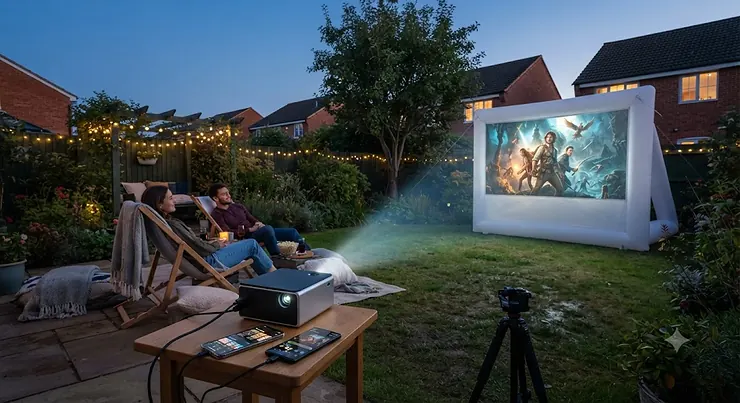
Somewhere between “I’ll just watch this on my phone” and “let’s project it on the wall” lies a small, slightly nerdy revolution: the pico projector. If you have ever squinted at a group of friends huddled around a six-inch screen trying to watch the same video, you already understand the appeal of a pico projector for iPhone Android use — something small enough to live in a rucksack pocket, yet capable of throwing a genuinely watchable picture onto a bedroom wall, a tent ceiling, or the side of a garden shed.
What is a pico projector for iPhone Android? It’s a battery-powered, palm-sized projector — usually under 1kg — that connects wirelessly or by cable to an iPhone or Android handset to display photos, video, presentations or streamed apps on a large surface. Unlike a bulky home cinema projector, it is built for portability first and raw brightness second, which is exactly the trade-off that makes it useful on the move.
This guide is built from real product research, not marketing copy. We have pulled together seven genuine models currently sold in the UK — spanning proper budget picks through to smart, Android TV-powered flagships — and looked honestly at what reviewers and owners actually report, not what the box promises. Whether you care most about wireless pico projector convenience, rock-solid Miracast pico projector support, or simply want the cheapest phone to projector wireless option that won’t let you down on movie night, there’s a sensible pick below. According to the handheld projector entry maintained by researchers, this category has existed since the late 2000s as manufacturers miniaturised the same light-engine technology used in full-size projectors — and the 2026 crop is, unsurprisingly, dramatically better than those early efforts. Let’s get into the seven models worth your money.
Quick Comparison Table
| Model | Best For | Brightness | Wireless Mirroring | Price Range |
|---|---|---|---|---|
| XGIMI Halo+ | Overall smart projector | 900 ANSI lumens | Miracast, AirPlay, Chromecast | £550-£750 |
| Anker Nebula Capsule 3 | Design and streaming apps | 200 ANSI lumens | Chromecast, Google TV casting | £400-£500 |
| AAXA P7+ | Sharpest native 1080p image | 550 LED lumens | Wi-Fi screen mirroring, Bluetooth | £300-£380 |
| Kodak Luma 350 | Budget onboard Android | 200 ANSI lumens | Miracast, AirPlay | £180-£230 |
| Kodak Luma 150 | Lightest true pocket pick | Up to 150 lumens | AirPlay, Miracast | £130-£180 |
| ELEPHAS DLP-1 | Outdoor all-in-one with tripod | 500 ANSI lumens | Wi-Fi, Bluetooth | £80-£110 |
| AKIYO Mini Projector | Cheapest WiFi mirroring starter | 100 ANSI lumens | 2.4G WiFi mirroring | £50-£80 |
Looking across the table, the gap between the top and bottom of this list is really a gap in operating system, not just brightness — the XGIMI Halo+ and Anker Nebula Capsule 3 run full smart TV platforms with native Netflix and Chromecast, while the AKIYO Mini Projector and ELEPHAS DLP-1 rely purely on mirroring your phone’s screen. Buyers chasing the smoothest wireless pico projector experience with the fewest dropped connections should lean toward the top half of this table; those who mainly want an occasional, cheap way to blow up holiday photos on a wall will be perfectly served lower down. Price ranges reflect typical UK retail listings at the time of research — always check the current price before buying, since projector pricing shifts with seasonal sales.
💬 Found the right shortlist already? Compare current prices before they change — tap through to check availability now!😊
Top 7 Pico Projectors for iPhone and Android: Expert Analysis
Picking a pico projector for iPhone Android use isn’t just about specs on a box — it’s about which trade-offs actually matter for how you’ll use it. Below, each of the seven models gets an honest breakdown: what the spec sheet means in practice, who it genuinely suits, and what real owners tend to say once the novelty wears off.
1. XGIMI Halo+ — brightest all-round smart projector with Android TV
The standout feature of the XGIMI Halo+ is that it doesn’t force you to choose between portability and a proper smart TV experience — it runs Android TV 10 out of the box, complete with a built-in app store. Its 900 ANSI lumen rating (measured closer to 700 ISO lumens in independent lab tests) and 1080p native resolution mean text and fine detail hold up even at screen sizes pushing 100 inches, and the 1.2:1 throw ratio lets it fill a wall from a sensible distance without needing to be shoved right up against it.
Based on the spec comparison with rivals in this price band, the pairing of dual 5W Harman Kardon speakers with Bluetooth 5.0 is what separates the XGIMI Halo+ from cheaper alternatives — you genuinely don’t need an external speaker for casual viewing. This is a projector for someone who wants one device that behaves like a proper streaming box, not just a phone-mirroring accessory: a couple who watch Netflix in bed, a hotel-room upgrade for frequent travellers, or a family wanting a movie-night centrepiece.
Reviewers consistently note that battery life sits around 2 to 2.5 hours of real playback, which is enough for a film but not a lazy afternoon of back-to-back episodes unless it’s plugged in. A recurring theme in aggregated feedback is that brightness claims on the box tend to be optimistic, with independent testing suggesting real-world output is meaningfully lower than advertised — something worth knowing before you plan a bright-room presentation.
Pros:
- ✅ Full Android TV smart platform with native app store
- ✅ Strong Harman Kardon audio needs no extra speaker
- ✅ Supports Miracast, AirPlay and Chromecast mirroring
Cons:
- ❌ Real-world brightness runs below the advertised rating
- ❌ Battery life caps out around 2-2.5 hours unplugged
Prices for the XGIMI Halo+ typically sit around £550-£750 depending on retailer promotions, against an RRP of £749 — for buyers who want a genuine smart-TV-in-a-box, it remains solid value; check current price for the latest deals.
2. Anker Nebula Capsule 3 — most stylish pocket cinema with Google TV
Anker’s signature soda-can design is the first thing you notice about the Anker Nebula Capsule 3, and it isn’t just a gimmick — that cylindrical shape makes it genuinely comfortable to grip and slot into a bag side-pocket, unlike the flatter, more awkward shapes of most rivals. It runs Google TV rather than plain Android, which in practice means a proper “for you” homepage, licensed Netflix, and Chromecast built directly into the OS.
What most buyers overlook about this model is its Wi-Fi 6 chipset, which noticeably cuts down on the buffering and dropped-connection frustrations that plague cheaper Wi-Fi 5 projectors when mirroring a phone screen wirelessly. Paired with 200 ANSI lumens and a genuine 1080p panel, it’s aimed at anyone who wants cinema-adjacent picture quality without hauling out a laptop or streaming stick — students in shared houses, campers who still want Netflix, or anyone whose living room TV is monopolised by someone else.
Aggregated review sentiment is notably positive on build quality and audio (the 2x8W Dolby-tuned speakers punch well above the unit’s size), though a recurring complaint concerns its relatively high price for the brightness on offer compared with rivals like the Halo+.
Pros:
- ✅ Distinctive, genuinely pocketable soda-can design
- ✅ Google TV with native Netflix and Chromecast built in
- ✅ Wi-Fi 6 keeps wireless mirroring stable
Cons:
- ❌ 200 ANSI lumens trails brighter rivals at this price
- ❌ Premium price for the brightness you actually get
The Anker Nebula Capsule 3 is usually found in the £400-£500 range, occasionally closer to £420 with an on-site voucher — a fair price for the design and software polish, if brightness isn’t your top priority.
3. AAXA P7+ — sharpest native 1080p image for text and slides
Where a lot of budget pico projectors fake a big resolution by scaling up a smaller panel, the AAXA P7+ uses a genuinely native 1920×1080 DLP imager. In practice, this means spreadsheet columns, subtitle text and fine UI details stay crisp instead of turning into a blur of jagged pixels — a meaningful difference if you plan to use it for work presentations as much as movies.
Here’s what to weigh: AAXA rates the P7+ at 550 LED lumens, and independent lab testing measured closer to 390 ANSI lumens — still respectable for a device this size, but a useful reminder that lumen figures from different manufacturers aren’t directly comparable. It ships with onboard Android 10, Bluetooth, and Wi-Fi screen mirroring, making it a sensible pick for a small-business owner who wants sharp text on the go without carrying a laptop, or a keen amateur photographer showing off travel shots in fine detail.
A common thread in owner feedback is that the unit runs noticeably warm during extended use, and its fan is audible in a quiet room. Worth noting for honesty’s sake: AAXA discontinued the P7+ as a current line in September 2025, so UK stock is now limited to whatever retailers and resellers still hold — it remains a genuinely capable projector, but availability is shrinking rather than expanding.
Pros:
- ✅ True native 1080p panel, sharper text than rivals
- ✅ Onboard Android with Wi-Fi and Bluetooth mirroring
- ✅ Compact, genuinely pocket-sized build
Cons:
- ❌ Runs hot with an audible fan under load
- ❌ Discontinued by AAXA — stock is now limited
Originally launched around $389 (roughly £310), the AAXA P7+ now tends to sell in the £300-£380 range where UK stock remains — worth grabbing while it’s still findable if sharp text matters more to you than smart-TV features.
4. Kodak Luma 350 — best onboard Android streaming on a budget
The Kodak Luma 350 punches above its price by including a genuine, if dated, Android 6.0 operating system with an onboard app store — a rarity at this end of the market, where most rivals rely purely on mirroring. That means you can stream Netflix or YouTube directly on the device itself if your phone battery is running low, which is a genuinely practical touch for long journeys.
What the spec sheet won’t tell you, but reviewers note, is that its 200 ANSI lumen brightness (Kodak also lists a 350-lumen peak figure under ideal conditions) is best suited to darker rooms — this is not a projector for a sunlit conservatory. Auto keystone correction up to 150 inches and dual 1.5W speakers round out a package built for casual home use: a student’s bedroom, a caravan holiday, or a quick presentation to a handful of colleagues.
Reviewers consistently report that setup is genuinely fast — Kodak’s own documentation and owner feedback both point to it streaming within a couple of minutes of unboxing — though a recurring criticism is that some of the pre-installed streaming apps default to lower resolution than expected.
Pros:
- ✅ Onboard Android 6.0 streams apps without a phone
- ✅ Supports both Miracast and AirPlay mirroring
- ✅ Fast, genuinely simple setup out of the box
Cons:
- ❌ Best suited to dark rooms, struggles with ambient light
- ❌ Some onboard apps default to lower resolution
Expect to pay in the £180-£230 range for the Kodak Luma 350 — solid value for anyone who wants a semi-smart projector without XGIMI or Anker pricing.
5. Kodak Luma 150 — lightest true pocket pick with AirPlay and Miracast
If your priority is genuinely fitting a projector in a coat pocket rather than a rucksack, the Kodak Luma 150 is built for exactly that — it drops the onboard smart OS entirely in favour of a smaller, lighter body that leans purely on mirroring your iPhone or Android screen via AirPlay and Miracast. That single trade-off is the whole story of this projector: less bulk, less battery, less brightness, but genuinely pocketable.
Based on the spec comparison with the Luma 350, you’re giving up onboard streaming apps and roughly half the brightness in exchange for a noticeably smaller footprint — a sensible swap for someone who mainly wants to project photos and short clips already on their phone, rather than binge a full series. Its illuminated onboard controls and rechargeable battery rated around 2.5 hours make it well suited to a spontaneous garden movie night or showing holiday photos to family without any faff.
Aggregated buyer sentiment describes it as a reliable “good enough” pick rather than a showpiece — reviewers note that Miracast connections to Android phones tend to be a little more consistent than AirPlay pairing with some iPhone models, which is worth testing with your specific handset before you rely on it for something important.
Pros:
- ✅ Genuinely pocket-sized, lighter than most rivals
- ✅ Supports both AirPlay and Miracast mirroring
- ✅ Simple, no-fuss setup for casual viewing
Cons:
- ❌ No onboard smart OS or streaming apps
- ❌ iPhone AirPlay pairing can be less consistent than Miracast
The Kodak Luma 150 typically retails in the £130-£180 range, making it one of the more affordable ways to get genuine wireless mirroring without dropping to the very bottom of the market.
6. ELEPHAS DLP-1 — best all-in-one with tripod and outdoor battery
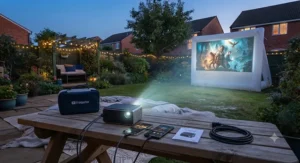
The ELEPHAS DLP-1 is aimed squarely at outdoor use, and it shows: it ships with its own tripod, a rechargeable battery, and short-throw optics designed to fill a screen from a shorter distance than most rivals — handy in a garden or campsite where you can’t always position the projector far from the wall or sheet. Its 500 ANSI lumen DLP engine is genuinely bright for its price bracket, though real-world colour accuracy trails the pricier laser and LED models above it on this list.
On paper this means a projector built for a specific use case rather than an all-rounder: family garden movie nights, camping trips, or casual presentations where portability and setup speed matter more than ultimate picture fidelity. Both Wi-Fi and Bluetooth are onboard, letting it double as a Bluetooth speaker when you just want music rather than a picture.
A common complaint in user reviews concerns the fan noise at full brightness, and several owners note that the bundled tripod, while a nice inclusion, is on the flimsy side for anything beyond light use. Still, for the price, it packs in more physical accessories than most competitors bother to include.
Pros:
- ✅ Bundled tripod and outdoor-ready battery included
- ✅ 500 ANSI lumens is bright for this price bracket
- ✅ Doubles as a Bluetooth speaker
Cons:
- ❌ Noticeable fan noise at full brightness
- ❌ Bundled tripod feels flimsy under sustained use
At around £80-£110, the ELEPHAS DLP-1 is a genuinely strong pick for anyone whose main use case is outdoor movie nights rather than indoor smart-TV streaming.
7. AKIYO Mini Projector — cheapest true WiFi mirroring starter
The AKIYO Mini Projector is the entry point on this list, and its main selling point is straightforward: proper 2.4G WiFi screen mirroring for both iPhone and Android at a genuinely low price, without needing any extra dongle or adapter. At around the size of two drink cans and 420 grams, it’s easy to justify as a first projector for someone who isn’t sure they’ll use it often enough to spend more.
Reviewers consistently note that its 100 ANSI lumen brightness and 720p native resolution (with 1080p support via scaling) mean it’s strictly a dark-room device — this is not a projector for daytime use, and colour saturation is noticeably flatter than the pricier DLP models further up this list. Where it does its job well is as a low-commitment way to try out phone-to-projector wireless viewing before spending three or four times as much on something like the Nebula Capsule 3.
A recurring theme in aggregated feedback is that connection setup, while simple once configured, can take a few attempts to pair reliably with newer iPhones — a known quirk with budget WiFi-mirroring chipsets more broadly, not unique to this model.
Pros:
- ✅ Genuine 2.4G WiFi mirroring, no dongle needed
- ✅ Lightweight and genuinely pocketable at 420g
- ✅ Lowest price point on this list
Cons:
- ❌ 100 ANSI lumens strictly limits it to dark rooms
- ❌ Initial WiFi pairing with iPhones can be fiddly
Typically priced in the £50-£80 range, the AKIYO Mini Projector is the sensible “try before you commit” option for anyone new to pico projectors.
Top 7 Projectors: Specs, Price and Ratings at a Glance
| Model | Resolution | Battery Life | Best For |
|---|---|---|---|
| XGIMI Halo+ | 1080p native | ~2-2.5 hrs | Smart TV all-rounder |
| Anker Nebula Capsule 3 | 1080p native | ~2.5 hrs | Design-led streaming |
| AAXA P7+ | 1080p native | ~2.5 hrs (eco) | Sharp text and slides |
| Kodak Luma 350 | 854×480 (WVGA) | ~2 hrs | Budget onboard Android |
| Kodak Luma 150 | 854×480 (WVGA) | ~2.5 hrs | Lightest pocket pick |
| ELEPHAS DLP-1 | 1080p supported | Outdoor rechargeable | Tripod and outdoor use |
| AKIYO Mini Projector | 720p native/1080p support | Standard rechargeable | Cheapest WiFi starter |
The resolution column tells its own story here: only the top three models use a genuinely native 1080p panel, while the two Kodak Lumas rely on a lower native WVGA resolution upscaled for HD content — fine for casual viewing, less convincing for detailed text. Battery life clusters fairly tightly around the two-to-two-and-a-half-hour mark across the range, so nobody on this list is winning a marathon movie session without a plug socket nearby.
✨ Don’t Miss These Exclusive Deals!
🔍 Take your home cinema setup to the next level with these carefully selected picks. Click through on any model above to check current pricing and availability before it changes. A pico projector for iPhone Android use is one of the easiest ways to create a genuinely memorable movie night your family will love!
Setting Up Your Pico Projector: A Practical First-30-Days Guide
Getting a new pico projector out of the box and onto your wall in minutes is realistic, but a few habits from the first month will save you frustration later. First, update the firmware immediately — most manufacturers, including Anker and XGIMI, push connectivity fixes in the weeks after launch that specifically improve Miracast and AirPlay reliability, and skipping this step is the single most common cause of “it won’t connect” complaints in owner forums.
Second, pair your phone using the manufacturer’s own app rather than your phone’s generic screen-mirroring menu wherever one exists — Nebula, XGIMI and Kodak all ship companion apps that handle the handshake more reliably than a bare Miracast or AirPlay connection, particularly on iPhone. Third, keep the projector 15-30cm further back than you think you need during your first setup and use auto-keystone correction rather than manually squaring the image, since digital keystone adjustments (present on nearly every model here) reduce brightness the more aggressively they’re used.
A common mistake in the first 30 days is running the projector at maximum brightness constantly, which shortens LED or laser lifespan unnecessarily for very little visible gain in a properly darkened room — dropping to “eco” or “medium” mode both extends battery life and, on several models here, meaningfully reduces fan noise. Finally, clean the lens only with a proper microfibre cloth; owners who’ve used tissue or their sleeve report visible scratching that no amount of software correction can fix afterwards.
Real-World Scenarios: Which Projector Actually Suits You
Picking between seven genuine options is easier once you match a projector to how you’ll actually use it, rather than to its spec sheet in isolation. Consider three realistic buyer profiles.
The university student sharing a house wants something they can use most nights without draining a small budget on electricity or replacement bulbs, and without annoying flatmates with fan noise during a 1am study break turned movie marathon. For that profile, the Kodak Luma 150 or AKIYO Mini Projector make sense — low upfront cost, genuinely wireless from a phone, and low enough brightness that a dorm room’s ambient light doesn’t need to be fully blacked out to still enjoy it.
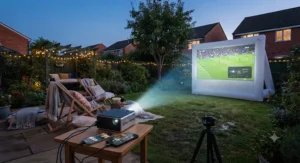
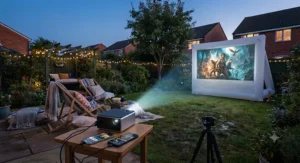
The family planning regular garden movie nights across the summer needs weather-tolerant portability, a proper tripod, and enough brightness to survive dusk rather than full darkness — this is where the ELEPHAS DLP-1 earns its keep, with its bundled tripod and genuinely outdoor-friendly design. Meanwhile, the remote-working professional who wants one device for client presentations by day and Netflix by night is the exact use case the XGIMI Halo+ and Anker Nebula Capsule 3 are built around, justifying their higher price through genuine smart-TV functionality and sharper native resolution.
Common Problems and Practical Fixes
Even a well-reviewed pico projector for iPhone Android use runs into the same handful of predictable snags, and most have straightforward fixes. If screen mirroring keeps dropping mid-film, the most common culprit is a crowded 2.4GHz Wi-Fi band — switching your home router to 5GHz, where the projector supports it, resolves this in the majority of reported cases.
If the picture looks washed out or dim, check you’re not accidentally running in a bright-room preset mode; nearly every model here defaults to a “vivid” or “bright ambient” setting that sacrifices contrast for raw lumens, and switching to “cinema” or “movie” mode in a properly dark room usually looks considerably better despite the lower stated brightness number. If your iPhone specifically won’t mirror via AirPlay, ensure both devices are on the same Wi-Fi network rather than relying on a projector’s own hotspot mode, since several models here (including the Kodak Lumas) handle AirPlay more reliably over a shared network than a direct connection.
Finally, if copyrighted streaming apps like Netflix or Disney+ refuse to mirror at all, that’s not a fault — it’s digital rights management deliberately blocking screen mirroring of protected content, a limitation on nearly every consumer projector regardless of price, and the reason models with onboard Android or Google TV (like the XGIMI Halo+ and Anker Nebula Capsule 3) are genuinely more useful for streaming services than mirroring-only models.
How to Choose a Pico Projector for iPhone Android
- Decide whether you need onboard streaming or pure mirroring. If you want Netflix and YouTube without your phone plugged in, prioritise models with onboard Android or Google TV, like the XGIMI Halo+ or Anker Nebula Capsule 3.
- Match brightness to where you’ll actually use it. Under 200 ANSI lumens is fine for a dark bedroom; outdoor or twilight use genuinely needs 500+ lumens, which is why the ELEPHAS DLP-1 exists in this list.
- Check native resolution, not just “1080p support.” A scaled WVGA panel looks noticeably softer than a true native 1080p imager like the one in the AAXA P7+, especially with text-heavy content.
- Confirm your phone’s mirroring protocol is actually supported. iPhone users need AirPlay support specifically; Android users should confirm Miracast compatibility, since not every projector supports both equally well.
- Weigh battery life against your actual viewing habits. Most models here manage around 2-2.5 hours unplugged — fine for a single film, tight for a double feature.
- Factor in built-in audio quality if you won’t bring a speaker. The XGIMI Halo+ and Anker Nebula Capsule 3 both include genuinely usable Harman Kardon or Dolby-tuned speakers; budget models generally don’t.
- Set a realistic price ceiling before you start browsing. As the TechRadar portable projector buying guide notes, spec sheets can be misleading, so cross-reference independent reviews rather than marketing bullet points before committing to a price bracket.
Wireless Connectivity Explained: WiFi, Miracast, AirPlay and Bluetooth Audio
Wireless Pico Projector Basics
A wireless pico projector connects to your phone without a physical cable, using either a direct WiFi hotspot the projector creates itself, or your existing home network. The trade-off is convenience versus reliability: a direct hotspot connection avoids router congestion but typically caps out at a shorter range than a shared home network, which is worth testing before you rely on it for an outdoor screening some distance from the device.
Pico Projector with WiFi
Nearly every model in this guide is a pico projector with WiFi as standard, but the quality of that WiFi chipset varies enormously. Dual-band Wi-Fi 5 or Wi-Fi 6, found in the XGIMI Halo+ and Anker Nebula Capsule 3, noticeably reduces buffering and dropped frames compared with the single-band 2.4GHz-only chips found in budget models like the AKIYO Mini Projector.
Pico Projector Screen Mirroring
Screen mirroring simply duplicates your phone’s display onto the projector in real time — useful for anything not natively supported by an app, such as browsing photos or scrolling social media. The catch, as noted earlier, is that DRM-protected streaming apps like Netflix generally block mirroring outright, so screen mirroring is best treated as a tool for your own content rather than a Netflix workaround.
Phone to Projector Wireless Setup
Getting a phone to projector wireless connection running for the first time usually takes under two minutes: select the projector’s network in your phone’s WiFi or Bluetooth settings, then trigger mirroring from your phone’s control centre (iPhone) or quick-settings panel (Android). If it fails on the first attempt, restarting the projector’s WiFi module — not your phone — resolves the majority of first-time pairing issues reported by owners.
Miracast Pico Projector Compatibility
Miracast is Android’s native mirroring standard, built into the OS on most modern handsets without needing a separate app. Of the models here, the XGIMI Halo+, Kodak Luma 350 and Kodak Luma 150 explicitly support Miracast, making them a safer bet for Android-first households than models that only advertise generic “screen mirroring.”
AirPlay Compatible Projector Options
For iPhone owners specifically, an AirPlay compatible projector avoids the compatibility guesswork that comes with third-party mirroring apps. The XGIMI Halo+, Kodak Luma 350 and Kodak Luma 150 all support AirPlay natively, though as noted in the product breakdowns above, pairing reliability with iPhone can vary slightly between models and iOS versions.
Pico Projector Bluetooth Audio
Separate from video mirroring, most models here also support pico projector Bluetooth audio, letting the unit double as a standalone speaker for music without projecting anything at all. The Anker Nebula Capsule 3 and ELEPHAS DLP-1 are particularly strong on this front, with genuinely listenable built-in speakers that hold their own against a budget dedicated Bluetooth speaker.
Pico Projector vs Traditional Home Projector
| Factor | Pico Projector | Traditional Home Projector |
|---|---|---|
| Best For | Portability, travel, casual mirroring | Fixed home cinema setups |
| Weight | Under 1kg typically | 2-5kg+ |
| Brightness | 100-900 ANSI lumens | 1,500-3,000+ ANSI lumens |
| Power | Battery or mains | Mains only, usually |
| Typical Price | £50-£750 | £400-£2,000+ |
The core trade-off is brightness for portability: a traditional home projector like a BenQ or Epson model will comfortably fill a large screen in a semi-lit room, something none of the seven pico projectors above can genuinely match. If your projector will live permanently in one room with reliable blackout curtains, a traditional mains-powered unit is arguably better value per lumen; if it needs to travel with you — to a friend’s garden, a hotel room, or a campsite — the portability of something like the Anker Nebula Capsule 3 or ELEPHAS DLP-1 simply isn’t replicated by a traditional projector’s form factor.
Common Mistakes When Buying a Pico Projector
The single most common mistake is comparing lumen figures across brands as if they were measured the same way — AAXA’s LED lumen rating and XGIMI’s ANSI lumen rating aren’t directly comparable, and independent lab testing consistently shows real-world brightness running below the advertised number regardless of brand. A second frequent error is assuming any “WiFi projector” will happily mirror Netflix, when in fact DRM restrictions block this on the vast majority of devices, including every model reviewed above.
Buyers also regularly underestimate battery life needs, expecting a 90-minute film plus setup and pack-down time to fit inside a 2-hour rated battery with nothing left over — in practice, budgeting for 30 minutes less than the stated figure avoids an awkward mid-film shutdown. Finally, skipping independent reviews in favour of a listing’s own marketing images is a mistake that shows up repeatedly in aggregated buyer feedback across every price bracket on this list, since manufacturer photography is almost always shot in ideal, pitch-black conditions that few living rooms replicate.
What to Expect: Real-World Performance
On paper, the numbers on this list look straightforward, but real-world performance depends heavily on your room. In a genuinely dark room after sunset, even the 100-lumen AKIYO Mini Projector produces a perfectly watchable 60-80 inch image; the same projector in a room with a single lamp on will look noticeably washed out, while the 900-lumen XGIMI Halo+ holds up considerably better under the same conditions.
Screen size matters more than most buyers expect, too — every model here technically claims support for 100-inch-plus images, but picture quality degrades as the image grows, since the same lumen output is spread over a larger area. Reviewers consistently note that keeping the image between 60 and 90 inches, rather than maxing out the claimed size, produces a noticeably sharper and brighter result across every projector on this list.
Long-Term Cost and Maintenance
Unlike traditional projectors with replaceable bulbs that can cost £100-£200 every 2,000-3,000 hours, every model on this list uses an LED or laser light source rated for 20,000-30,000 hours — in practical terms, that’s roughly 15-20 years of daily two-hour use before brightness meaningfully degrades, making the light source itself essentially a non-issue for total cost of ownership. The real ongoing cost is battery replacement: built-in rechargeable batteries in devices like the XGIMI Halo+ and Anker Nebula Capsule 3 typically hold a meaningful charge for 2-3 years of regular use before capacity noticeably drops, at which point professional battery replacement (where offered) can cost a significant fraction of the projector’s original price.
Cost-per-use comparisons favour the pricier smart models surprisingly quickly if you use a projector often: paying an extra £200-£300 upfront for genuine Netflix and app support on the XGIMI Halo+ works out cheaper over two years than repeatedly buying and losing a cheap streaming dongle to pair with a mirroring-only budget projector. For occasional use — a handful of movie nights a year — the lower upfront cost of the AKIYO Mini Projector or Kodak Luma 150 is harder to beat.
Safety, Regulations and Compliance Guide
Any pico projector sold legally in the UK must carry either UKCA or CE conformity marking, confirming it meets electrical safety requirements for the domestic market. As the UK government’s official UKCA marking guidance explains, businesses currently have flexibility to use either UKCA or CE marking on electronics sold in Great Britain, so seeing either symbol on the box or manual is a legitimate sign of compliance rather than a red flag.
Practically, this means checking for the marking on the product listing or packaging before buying from unfamiliar third-party sellers, particularly for budget models like the AKIYO Mini Projector, where marketplace listings can occasionally originate from unverified overseas sellers. Beyond conformity marking, standard lithium battery safety applies to every device here — avoid leaving any pico projector charging unattended overnight, and stop using any unit whose battery visibly swells or feels unusually hot during charging.
Frequently Asked Questions
❓ Can any pico projector mirror Netflix from my iPhone?
❓ What's the difference between Miracast and AirPlay on a pico projector?
❓ How bright does a pico projector for iPhone Android use need to be?
❓ Do pico projectors work without WiFi at all?
❓ Is a wireless pico projector as bright as a traditional home projector?
Conclusion
Choosing the right pico projector for iPhone Android use really comes down to being honest with yourself about how you’ll use it. If you want one smart device that replaces a streaming box entirely, the XGIMI Halo+ or Anker Nebula Capsule 3 justify their higher price with genuinely useful onboard platforms and stronger audio. If sharp text and slides matter more than smart features, the AAXA P7+ remains a capable pick while stock lasts. And if you’re simply testing whether a pico projector fits your lifestyle at all, there’s no shame in starting with the AKIYO Mini Projector or Kodak Luma 150 and upgrading later once you know what you’ll actually use.
Whichever model you land on, remember that lumen figures, battery claims and screen-size promises are best-case numbers — cross-reference the honest, aggregated review sentiment above rather than the marketing bullet points alone, and you’ll end up with a projector that actually matches how you watch, present and share content day to day.
Recommended for You
- Best Pico Projector 2026: 7 Brilliant Picks, Tested; Compared
- Portable Projector for Travel: 7 Best Picks for 2026 Trips
- 7 Best Small Projectors for Bedroom Use in 2026 (UK Buyer’s Guide)
Disclaimer: This article contains affiliate links. As an Amazon Associate, I earn from qualifying purchases. If you purchase products through these links, we may earn a small commission at no additional cost to you.
✨ Found this helpful? Share it with your friends! 💬🤗
