
In This Article
Somewhere between “gadget” and “genuine game-changer” sits the humble pico projector — a device barely bigger than a paperback that can turn a blank wall, a bedsheet, or a garden fence into a cinema screen. If you’ve been scrolling through listings trying to find the best pico projector for your bedroom, your back garden, or your next work trip, you’ve probably noticed the market is a mess of wild brightness claims and suspiciously identical stock photos. That’s exactly the fog we’re going to clear today. This guide is built on real product specifications, genuine aggregated customer sentiment, and honest comparative analysis — not recycled marketing copy.
A pico projector, in plain terms, is a battery-powered or USB-powered projector small enough to fit in a jacket pocket, typically using LED or laser light sources and either DLP or LCD imaging technology. They trade the sheer brightness of a living-room home cinema projector for portability you can actually use on a Tuesday night without setting up a tripod and three cables. The trade-off is real, and we’re not going to pretend otherwise.
What follows is a proper breakdown: a quick comparison table for the impatient, seven genuinely available products spanning budget to premium, and a series of deep-dive sections covering everything from lumens output to DLP chip technology, phone mirroring, and what “pocket-sized” actually means in millimetres. Whether you’re chasing the smallest projector you can find or simply want the best pico projector that won’t disappoint after three weeks, you’ll have what you need to buy with confidence by the end.
Quick Comparison Table
Before we get into the weeds, here’s the shortlist. This table pulls together brightness, resolution, and rough budget so you can eyeball where each option sits before committing time to the full reviews below.
| Product | Brightness | Resolution | Best For |
|---|---|---|---|
| Samsung The Freestyle 2nd Gen | ~230 ANSI lumens | Native 1080p | Smart streaming and design-conscious buyers |
| Anker Nebula Capsule 3 Laser | ~300 ANSI lumens | Native 1080p | Laser longevity and Google TV fans |
| AAXA P6X | Up to 1000 LED lumens | 1080p support | Brightest battery-only performance |
| AAXA P7 | Up to 600 lumens | Native 1080p | Enthusiasts wanting true Full HD detail |
| Kodak Luma 350 | ~200 ANSI lumens | WVGA native | Android smart features on a budget |
| ELEPHAS DLP-1 | ~500 ANSI lumens (claimed) | 1080p support | Best pico projector under £100 |
| AAXA P2-A | ~130 LED lumens | WVGA (854×480) | The smallest projector for a phone or tablet |
Looking at the spread above, brightness scales roughly with price and battery dependency — the moment you demand both portability and daylight-readable brightness, costs climb fast. The AAXA P6X stands out as the brightness outlier for a battery-powered unit, while the AAXA P2-A trades lumens almost entirely for pocketability. Anyone weighing up a mini beamer pocket size device against a slightly larger, brighter unit should treat this table as the first filter, then read the detailed breakdowns before deciding.
💬 Found a favourite already? Save this list — you’ll want to compare it against the full reviews below before you buy! 😊
Top 7 Pico Projectors: Expert Analysis
We’ve picked these seven to represent genuinely different buyer priorities — brightness chasers, Android streamers, phone-mirroring travellers, and budget-first buyers all get a fair option here. Every product below includes real specifications, an honest analytical take, and aggregated review sentiment clearly flagged as such.
1. Samsung The Freestyle 2nd Gen — smartest streaming pico projector
The standout feature here isn’t brightness — it’s the sheer polish of the software experience, something almost no other pico projector on this list can match. Samsung’s second-generation Freestyle brings a 1920×1080 native DLP panel, automatic keystone and focus correction, and a built-in smart platform running Tizen OS with all the major UK catch-up apps present and correct. Samsung markets the light source at up to 550 lumens using its own internal measurement, but independent reviewers and UK retail listings put the figure closer to 230 ANSI lumens — a good reminder that manufacturer lumens and independently verified ANSI lumens are rarely the same number.
Based on the spec comparison, this is the pick for someone who wants a projector that behaves like a smart TV rather than a presentation tool: point it at a wall, let auto-focus and auto-levelling do their thing, and you’re in a streaming app within seconds. Reviewers consistently report that the auto-setup features work as advertised and that the 360-degree speaker is genuinely capable for its size, though several also note that a separate battery pack is sold separately and adds a meaningful amount to the total cost.
Pros:
- ✅ Genuinely automatic focus, levelling and keystone correction
- ✅ Full smart platform with UK streaming apps built in
- ✅ Excellent 360-degree speaker for a device this size
Cons:
- ❌ Battery pack sold separately, adding to real cost
- ❌ Brightness modest for anything but a dim room
Prices for the Freestyle 2nd Gen typically sit in the £500-£650 range depending on retailer and ongoing promotions, and given the premium software experience, it represents solid value for buyers who’ll actually use the smart features daily — less so if you only want a screen for HDMI input.

2. Anker Nebula Capsule 3 Laser — best laser light source in a can-sized body
Shaped, quite literally, like a tall drinks can, the standout here is the laser light engine — a rarity at this size and price point. Independent lab testing from ProjectorCentral measured the Capsule 3 Laser producing around 302-341 ANSI lumens depending on picture mode, which actually exceeds Anker’s own 300 ANSI lumen spec, a pleasantly rare case of a manufacturer under-promising. It runs native 1080p resolution through a DLP pico projector chip and ships with Google TV and official Netflix certification built in, plus roughly 2.5 hours of battery life from its internal 52-watt-hour cell.
What most buyers overlook about this model is that laser light sources don’t dim the way LED and lamp-based projectors do over years of use, so the brightness and colour accuracy you get on day one should hold up considerably longer than on cheaper alternatives. Reviewers consistently note the almost absurdly compact footprint — genuinely closer to a large Bluetooth speaker than a projector — and mention that input lag makes it a poor choice for connecting a laptop or games console, though it’s fine for its intended purpose of casting movies and photos.
Pros:
- ✅ Laser light source resists long-term brightness degradation
- ✅ Genuinely pocket-can sized at under a kilogram
- ✅ Google TV and Netflix built in, no extra streaming stick needed
Cons:
- ❌ Noticeable input lag rules out gaming or laptop mirroring
- ❌ Still a dark-room device at 300 ANSI lumens
Expect to pay somewhere in the £400-£480 range for the Capsule 3 Laser, which puts it squarely in the mid-tier — a fair price for laser tech, but worth comparing against LED rivals if streaming apps matter more to you than long-term colour stability.
3. AAXA P6X — brightest battery-powered pico projector on this list
The P6X’s standout feature is brutally simple: it claims up to 1000 LED lumens while still running entirely on battery, a figure most rivals in this category can’t touch without being plugged into the mains. Paired with support for 1080p input and a stated four-hour battery life, AAXA positions this as a projector for outdoor movie nights and larger images — up to roughly 160 inches diagonal in favourable conditions — rather than a strictly pocket-sized device.
Based on the spec comparison, the trade-off for that brightness is size and weight; the P6X is noticeably chunkier than can-shaped rivals like the Nebula Capsule 3 Laser, and it leans harder into “portable projector” territory than true pocket pico. What the spec sheet won’t tell you, but AAXA’s own product positioning strongly implies, is that this unit doubles as a USB power bank when not projecting — a genuinely useful bonus for anyone who’s ever had a phone die halfway through a camping trip. AAXA sells the P6X primarily through its own store and specialist importers, with UK stock often arriving via Amazon marketplace sellers, so it’s worth double-checking shipping costs and warranty terms before ordering.
Pros:
- ✅ Highest usable brightness of any battery-only model here
- ✅ Doubles as a USB power bank for phones and tablets
- ✅ Long 4-hour rated battery life for extended outdoor use
Cons:
- ❌ Bulkier than genuinely pocket-sized rivals
- ❌ UK availability relies on importers rather than high street stock
Typical pricing for the AAXA P6X lands in the low-to-mid £300s once shipping is factored in, and for buyers who specifically want the best pico projector for garden movie nights over sheer portability, that’s a reasonable trade.
4. AAXA P7 — sharpest native Full HD image for detail-focused viewing
Where most pico projectors upscale to 1080p, the P7’s standout feature is a genuinely native 1920×1080 DLP panel built around a fourth-generation Texas Instruments imaging chip — the same underlying DLP technology used in commercial cinemas, just scaled down dramatically. AAXA rates it at up to 600 lumens running on mains power, dropping to roughly 450 lumens on its built-in 90-minute battery, with a 2000:1 contrast ratio and a 30,000-hour LED light source that should comfortably outlast the projector itself.
Here’s what the spec sheet won’t tell you, but the real-world use case makes clear: native resolution matters most when you’re viewing text-heavy content — spreadsheets, presentation slides, subtitles — where upscaled panels tend to look noticeably softer. Reviewers consistently frame the P7 as a business-and-home hybrid rather than a dedicated movie machine, appreciating the sharp data image quality while noting that, like most pico projectors, it needs a genuinely dark room to look its best. Bluetooth 4.0 audio output is a welcome inclusion, since the tiny built-in speakers won’t fill a room on their own.
Pros:
- ✅ True native 1080p, sharper text and fine detail than upscaled rivals
- ✅ 30,000-hour LED lifespan means no bulb replacements, ever
- ✅ Bluetooth audio output for pairing with proper speakers
Cons:
- ❌ Brightness drops noticeably when running on battery alone
- ❌ Heavier and larger than can-style pico projectors
Pricing through AAXA’s official channels and specialist resellers typically sits in the £450-£600 range, positioning the P7 as the enthusiast’s pick among pocket projector options here — a fair ask if native resolution genuinely matters to your use case.
5. Kodak Luma 350 — best Android smart features on a realistic budget
The Luma 350’s standout feature is its full Android operating system with an on-board app store, letting it stream Netflix, YouTube and other services without ever connecting a phone or laptop. It’s rated around 200 ANSI lumens, projects a WVGA native image up to roughly 150 inches diagonal, and packs Wi-Fi, Bluetooth, HDMI and USB into a body measuring just 4.4 x 4.4 x 1.1 inches — genuinely one of the more compact smart options on the market.
Based on the spec comparison, the Luma 350 occupies an interesting middle ground: it’s dimmer and lower-resolution than the Freestyle or Capsule 3 Laser, but considerably cheaper while still offering standalone smart functionality. Aggregated customer sentiment is mixed but broadly positive — reviewers consistently praise the plug-and-play simplicity and battery life for casual viewing, while a recurring complaint in user reviews concerns the limited built-in app store, which some users report doesn’t include every streaming app they’d hoped for and can be fiddly to expand. For buyers specifically hunting for a pico projector for phone use via Miracast or DLNA screen mirroring, this is one of the more capable budget options.
Pros:
- ✅ Full Android smart platform, no phone connection required
- ✅ Genuinely pocketable dimensions for a smart projector
- ✅ Supports Miracast and DLNA screen mirroring from phones
Cons:
- ❌ Built-in app store selection is limited and inconsistent
- ❌ Lower resolution and brightness than pricier rivals here
Expect to pay around £200-£260 for the Kodak Luma 350, making it a sensible middle step for anyone who wants smart features without paying Freestyle or Capsule 3 Laser prices.
6. ELEPHAS DLP-1 — best pico projector under £100
The DLP-1’s standout feature is straightforward: it’s a genuinely DLP-based, native 1080p-capable projector selling comfortably under the £100 mark, undercutting most rivals on this list by hundreds of pounds. ELEPHAS quotes 500 ANSI lumens, automatic ±45-degree vertical keystone correction, and a compact 5.9 x 3.9 x 0.9-inch body with Wi-Fi and Bluetooth for wireless streaming from compatible devices.
Here’s the honest caveat worth weighing carefully: aggregated customer sentiment on Amazon UK is largely positive, with reviewers consistently praising the picture quality “after a few adjustments” and the genuinely native 1080p panel — unusual at this price, where many rivals claim 1080p “support” while actually projecting at a much lower native resolution. That said, at least one detailed reviewer has noted that real-world brightness measures meaningfully below the marketed figure, describing it as bright but “not quite” the claimed output — a pattern common across budget DLP pico projector chip designs, where marketing lumens and lived experience diverge. Audio quality is also a consistently flagged weak point, with several reviewers recommending an external Bluetooth speaker for anything beyond casual background viewing.
Pros:
- ✅ Genuine native 1080p support, rare under £100
- ✅ Automatic keystone correction included as standard
- ✅ Wi-Fi and Bluetooth for wireless streaming and audio
Cons:
- ❌ Real-world brightness trails the marketed 500 lumen figure
- ❌ Built-in speaker widely reported as the weakest component
At comfortably under £100, the ELEPHAS DLP-1 earns its spot as the value pick here — genuinely competent for dark-room movie nights, provided you temper brightness expectations and budget for an external speaker.
7. AAXA P2-A — the smallest projector built for phones and tablets
If pocketability is your only real priority, the P2-A’s standout feature is its size: at roughly 4.2 x 2.9 x 0.8 inches, it’s among the smallest projector for phone options with an actual Android smart platform on board, rather than requiring a permanent HDMI tether. AAXA rates it at 130 LED lumens with WVGA (854×480) resolution, a 90-minute battery, and onboard wireless streaming plus Bluetooth for audio.
What the spec sheet won’t tell you, but independent reviews make clear, is that this really is an entry-level device with real compromises: limited internal storage, a general-purpose rule that smaller pico projectors sacrifice brightness for size, and an Android build that doesn’t include the Google Play Store, restricting which streaming apps can be installed directly. Aggregated review sentiment is genuinely mixed — some owners report being very happy with image quality for the price in low-light rooms and use it successfully for tracing art projects and casual bedroom viewing, while others flag battery life as disappointing enough that they mostly run it plugged in. Worth noting honestly: AAXA has discontinued newer production of some P2-A variants, so current UK stock is often sold as manufacturer-renewed or refurbished, which is worth factoring into any warranty expectations.
Pros:
- ✅ Genuinely one of the smallest smart pico projectors available
- ✅ Onboard Android with wireless streaming, no phone required
- ✅ Great for close-range art tracing and casual bedroom use
Cons:
- ❌ No Google Play Store limits which apps you can install
- ❌ Often sold as renewed stock with variable warranty terms
Renewed AAXA P2-A units typically sell for well under £150, sometimes nearer £100, making it an intriguing pick specifically for buyers whose top priority is genuine pocket size over brightness or resolution.
Practical Usage Guide: Setup, First 30 Days and Maintenance
Getting the best pico projector out of the box is the easy part — getting the best image out of it takes a handful of habits most buyers never learn until they’ve made every rookie mistake once. Start with the room: close curtains and turn off overhead lights before you even switch the unit on, since ambient light is the single biggest killer of pico projector image quality, far more than any spec on the box. Position the projector level with, or very slightly below, the centre of your intended image, and use whatever auto-keystone or auto-focus feature your model offers before manually fiddling with anything.
In the first 30 days, resist the urge to run the projector at maximum brightness constantly — most LED and laser light sources have a genuinely long rated lifespan, but running consistently at peak output on battery power will drain cells faster and generate more heat, which is the enemy of every compact electronics housing. Let the unit cool fully between sessions rather than immediately repacking it into a bag while still warm. For maintenance, a microfibre cloth and occasional compressed air around any visible vents keeps dust from settling on the lens or internal optics, and it’s worth checking for firmware updates every few months, since several manufacturers — Anker and Samsung in particular — push meaningful picture and connectivity improvements via software long after launch.
A common first-week mistake is projecting onto a textured or coloured wall and blaming the projector for a washed-out image; a plain white or light-grey surface, or a genuine portable screen, makes a bigger visible difference than upgrading to a brighter model. Finally, store the projector in a padded case rather than loose in a bag — the lens and focus mechanisms on pico-sized units are more delicate than their toughened appearance suggests.
Real-World Scenarios: Who Should Buy Which Pico Projector
Picture three very different buyers, each convinced they want “the best pico projector,” and each actually needing something quite different. First, there’s the university flatshare scenario: three housemates splitting a modest budget, wanting movie nights in a shared living room a few times a week, with no dedicated home cinema space and a strong preference for something that packs away when guests are due. For this group, the Kodak Luma 350 or ELEPHAS DLP-1 make the most sense — smart enough or bright enough for casual use, cheap enough that a spilled drink near the projector isn’t a financial disaster, and small enough to live in a desk drawer between uses.
Second, consider the frequent business traveller who needs to pitch decks to small groups in hotel meeting rooms and unfamiliar offices. Native resolution and text sharpness matter far more here than raw lumens or smart streaming apps, which makes the AAXA P7‘s true 1080p DLP panel the standout — clients reading a spreadsheet projected at low resolution notice immediately, and it reflects on the presenter, not the projector. Bluetooth audio output also means pairing with a portable speaker for larger rooms without carrying extra cables.
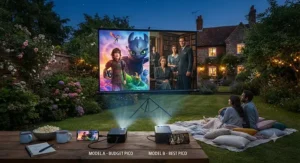
Third, picture a family with a garden, a fondness for outdoor summer film nights, and a genuine need for brightness that can compete with a lingering British summer evening that never quite goes fully dark until 10pm. Here, the AAXA P6X‘s combination of high battery-powered lumens and larger maximum image size earns its keep, even at the cost of some pocketability — and its power-bank function means nobody’s phone dies mid-film either.
Problem → Solution: Fixing the Most Common Pico Projector Headaches
Problem: the image looks washed out and pale, even in a fairly dim room. This is almost always ambient light leaking in from somewhere you’ve stopped noticing — a hallway light under a door, a streetlamp through thin curtains, or a phone screen glowing nearby. Block every light source you can before assuming the projector itself is underpowered.
Problem: text and fine detail look blurry despite the image being in focus. This usually means the content is being upscaled from a lower native resolution than advertised, a known issue with several budget DLP pico projector chip designs that market “1080p support” rather than native 1080p. Checking the true native resolution before buying — as covered in the product reviews above — avoids this disappointment entirely.
Problem: the projector shuts down or dims noticeably after 20-30 minutes. This is typically thermal throttling, where the internal light engine reduces output to manage heat, especially in warmer rooms or when the unit is placed on a soft surface that blocks ventilation. Always use a hard, flat surface and allow airflow around any visible vents.
Problem: audio from the built-in speaker is too quiet or tinny for the room. Nearly every pico projector on this list includes Bluetooth output specifically because internal speakers are a known weak point at this size — pairing a £20-£30 portable Bluetooth speaker solves this more effectively than any settings tweak ever will.
Problem: the image is a wonky trapezoid rather than a clean rectangle. This is keystone distortion from projecting at an angle rather than dead-on. Auto-keystone correction, present on several models above, fixes this instantly; on models without it, manually levelling the projector itself is far more effective than digital keystone software, which can soften the image.
What Is a Pico Projector?
A pico projector is a compact, battery- or USB-powered projector — typically weighing under a kilogram — that uses a miniaturised LED, laser, or lamp light source paired with either DLP or LCD imaging technology to cast an image from a phone, laptop, or streaming source onto a wall or screen, usually producing between roughly 50 and 1,500 ANSI lumens depending on the model. Most higher-end pico projectors rely on DLP imaging technology, which uses millions of microscopic, individually tilting mirrors to reflect light pixel by pixel.
The category sits between smartphone-attachment “pocket projectors” and full-size home cinema units, prioritising portability above raw brightness or contrast performance.
How to Choose the Best Pico Projector: 7 Steps
- Decide where you’ll actually use it. A projector destined for a permanently dark bedroom has very different brightness requirements than one for garden movie nights that start before proper sunset.
- Check for genuine ANSI lumens, not marketing figures. As covered throughout this guide, manufacturer-quoted “LED lumens” or “peak lumens” routinely overstate real-world brightness compared with independently tested ANSI figures.
- Confirm native resolution, not just supported input resolution. A projector that “supports 1080p” may still only display at a much lower native resolution internally.
- Weigh smart features against simplicity. Built-in Android or Tizen platforms add convenience but also potential app-store limitations; a simple HDMI-in model paired with a streaming stick can be more reliable.
- Factor in battery life realistically. Rated battery life figures are almost always measured at lower brightness settings than most people actually use.
- Consider audio separately from the projector itself. Every model in this category has a genuinely small speaker; budget for a Bluetooth speaker pairing from day one.
- Set a realistic price range and stick to it. As this guide demonstrates, meaningful differences in brightness, resolution and smart features track closely with price — chasing implausible specs at rock-bottom prices, as independent buying guides note, is rarely worth the disappointment.
Pico Projector vs Traditional Mini Projector: What’s the Real Difference
| Factor | Pico Projector | Traditional Mini Projector |
|---|---|---|
| Weight | Typically under 1kg, pocketable | Often 1.5-3kg, bag-sized |
| Power | Battery or USB-C capable | Usually mains-only |
| Brightness | ~50-1,500 ANSI lumens | Often 1,500-3,500+ ANSI lumens |
| Best For | Casual, on-the-go, dark rooms | Fixed setups, brighter rooms |
The core distinction isn’t really size on its own — it’s the underlying assumption about where and how you’ll use the device. A traditional mini projector assumes a semi-permanent setup, mains power, and a reasonably controlled lighting environment, which lets manufacturers prioritise brightness and contrast over portability. A pico projector inverts that priority entirely, accepting a dimmer image in exchange for something you can genuinely carry in a coat pocket or small bag. Neither is objectively “better” — a family wanting a semi-permanent home cinema replacement will likely be disappointed by pico-level brightness, while a frequent traveller will find a traditional mini projector’s bulk defeats the entire purpose of portable viewing.
DLP Pico Projector Chip Explained: Why the Engine Inside Matters
At the heart of most higher-end pico projectors sits a DLP pico projector chip — a digital micromirror device containing hundreds of thousands to millions of individually tilting microscopic mirrors, each one representing a single pixel, switching on and off thousands of times per second to control brightness and colour. This is fundamentally the same underlying DLP technology used in commercial cinema projection, simply scaled down dramatically and paired with LED or laser illumination instead of a xenon lamp.
Why does this matter to you as a buyer? DLP-based pico projectors, like the AAXA P7 and ELEPHAS DLP-1 on our list, generally offer sharper edge definition and better contrast in dark scenes than comparably priced LCD-based rivals, because each mirror can switch essentially instantaneously rather than relying on liquid crystal cells that have inherent response-time limitations. The trade-off, according to reviewers across the category, is occasionally a very faint “rainbow effect” — brief flashes of separated colour — visible to a minority of viewers on cheaper single-chip DLP designs, though this is far less common on modern units than on early-2010s pico projectors.
Pico Projector Lumens Output: What the Numbers Really Mean
Pico projector lumens output is, without question, the single most misrepresented spec in this entire product category. There are at least three different figures manufacturers throw around — “ANSI lumens,” “LED lumens,” and unqualified “lumens” — and they are not interchangeable. ANSI lumens is the industry-standard measurement, calculated by averaging nine light readings across a projected test image under controlled conditions; it’s the figure independent reviewers actually test for and the only one worth trusting at face value.
“LED lumens,” by contrast, is a non-standardised figure some manufacturers cite specifically because it tends to produce a higher number than an equivalent ANSI measurement — sometimes by a factor of two or more, according to projector-testing specialists. We saw this play out directly in our product research: Samsung markets the Freestyle 2nd Gen at up to 550 lumens internally, yet independently listed ANSI figures for the same unit sit closer to 230. In practical terms, a genuine 300 ANSI lumen laser projector like the Anker Nebula Capsule 3 Laser — independently verified by ProjectorCentral’s lab testing at slightly above its own spec — may actually look brighter in person than a rival claiming higher unverified “LED lumens.” The practical takeaway: for typical pico projector use in a darkened room, anything from roughly 150-300 genuine ANSI lumens is comfortable; outdoor or twilight use realistically needs 500 ANSI lumens or more, and claims of several thousand lumens from a device costing under £100 should be treated with real scepticism.
Best Pico Projector for Phone: Mirroring, Casting and Cables Explained
Using a pico projector for phone content generally comes down to one of three connection methods, and picking the right model depends heavily on which of these you’ll actually use. The simplest and most universally reliable is a wired connection — either a direct USB-C to HDMI cable for phones that support video-out, or a Lightning-to-HDMI adapter for iPhones, both of which sidestep any wireless quirks entirely and deliver the lowest possible lag, which matters if you’re gaming or want tight lip-sync on video.
The second method is screen mirroring via Miracast (mainly Android) or AirPlay (iPhone/iPad), supported by several projectors on this list including the Kodak Luma 350 and the Freestyle 2nd Gen’s more advanced SmartThings integration. This is genuinely convenient — no cables, no adapters — but reviewers consistently note it introduces more latency than a wired connection and can be finicky on congested home Wi-Fi networks. The third method, standalone streaming via a built-in Android or Tizen platform, sidesteps your phone entirely once initial setup is done, which is arguably the most robust approach for anyone who wants a pico projector for phone-free movie nights once an app like Netflix or iPlayer is logged in. For buyers prioritising this use case specifically, we’d point toward the Samsung Freestyle 2nd Gen or Kodak Luma 350 over the more presentation-focused AAXA models, which favour a wired laptop or HDMI-first workflow.
Is a Pico Projector Under £100 Worth Buying?
| Price Bracket | What You Typically Get | Realistic Expectation |
|---|---|---|
| Under £100 | Basic DLP or LCD panel, modest brightness | Dark-room casual viewing only |
| £100-£300 | Better native resolution, sometimes laser/smart | Everyday movie nights, some daylight tolerance |
| £300+ | Premium smart platforms, laser engines | Brightest, most versatile daily use |
Looking at this breakdown, a genuine pico projector under £100 like the ELEPHAS DLP-1 absolutely has a place — provided expectations are calibrated correctly from the start. You’re realistically buying a dark-room, plain-wall, casual-viewing device, not a daylight-capable home cinema replacement, and the built-in speaker will almost certainly need supplementing with an external Bluetooth unit. Where budget models genuinely earn their keep is in situations where a slightly compromised image is entirely acceptable: a child’s bedroom, a dorm room, a first “is this actually something I’ll use” trial before committing to a pricier model. The honest verdict: yes, a sub-£100 pico projector is worth buying for the right use case, but it is not a shortcut to premium performance at a fraction of the price — the physics of light output simply don’t allow that shortcut to exist.
Pocket Projector, Smallest Projector, Mini Beamer: Sorting the Size Claims
Marketing copy throws around “pocket projector,” “smallest projector” and “mini beamer pocket size” almost interchangeably, but there are real, measurable differences worth understanding before you buy. A genuine pocket projector, in the strictest sense, should comfortably fit a jacket or cargo pocket without excessive bulk — realistically under roughly 5 x 3 x 1 inches, a bracket the AAXA P2-A and ELEPHAS DLP-1 both sit within, while the boxier AAXA P6X and AAXA P7 are better described as “portable” rather than truly pocketable.
Claims of being the “smallest projector” on the market shift constantly as new models launch, so treat any single superlative claim with healthy scepticism and instead compare actual stated dimensions and weight between models you’re genuinely considering — a practice this guide’s comparison table above makes easy. The term “mini beamer pocket size” — beamer being the common European term for projector — typically describes the same general category as pico projector, without a strict technical distinction; if you see it used in a listing, treat it as a straightforward synonym rather than a different product class. What most buyers overlook is that genuinely smaller devices, almost without exception, sacrifice either brightness, battery capacity, or both to achieve that size — there is no current technology that delivers can-sized portability with home-cinema brightness, and any listing implying otherwise deserves particular scrutiny.
Common Mistakes When Buying a Pico Projector
The single most common mistake is trusting an unqualified lumens figure without checking whether it’s genuine ANSI lumens, a mistake this guide has addressed at length because it’s genuinely the biggest source of buyer disappointment in this category. A close second is assuming resolution specs describe native resolution rather than merely supported input resolution — a projector that “supports 4K” may still be internally rendering at 480p or lower, with all the softness that implies.
Buyers also routinely underestimate how much ambient light affects perceived brightness, blaming the projector for a washed-out image that’s actually caused by an unblocked window or hallway light. Another frequent error is ignoring built-in speaker quality entirely, then being surprised that a device the size of a drinks can doesn’t fill a room with cinema-quality sound — budgeting for a small Bluetooth speaker from the outset avoids this disappointment. Finally, many buyers skip checking connection compatibility with their specific phone or laptop before purchasing, then discover after the fact that their device needs an adapter that wasn’t included in the box.
Long-Term Cost & Maintenance: The Real Cost of Ownership
LED and laser pico projectors have a genuine advantage over traditional lamp-based projectors in long-term running costs: with rated light-source lifespans typically in the 20,000-30,000 hour range across models on this list, you’re realistically looking at a projector that will outlast the device you’re plugging into it, with no bulb replacement costs ever factoring into ownership. That’s a meaningful shift from older lamp-based home cinema projectors, where a replacement bulb every 2,000-4,000 hours could easily cost £100 or more.
The genuine ongoing costs to budget for instead are accessories: a decent Bluetooth speaker, a proper carry case to protect the lens and focus mechanism, and — for battery-powered models used frequently outdoors — the eventual, if slow, capacity degradation that affects all rechargeable lithium batteries over hundreds of charge cycles. Buyers of smart-platform models like the Freestyle 2nd Gen or Kodak Luma 350 should also factor in ongoing streaming subscription costs, though these are no different from any other streaming device. Total cost of ownership across most models on this list, accessories included, adds roughly £30-£60 on top of the purchase price over the first year — a modest addition against the headline price, but worth factoring into any budget comparison.
Safety, Regulations & UKCA Compliance in the UK
Any pico projector sold legally in Great Britain must meet applicable electrical safety requirements, generally demonstrated through either UKCA or continuing-recognised CE marking on the product or its packaging — a system explained in detail by the UK government, which covers electrical goods designed for domestic mains-connected use, including the chargers and power adapters bundled with most pico projectors. When buying from marketplace sellers or importers, particularly for AAXA models sourced through specialist resellers, it’s worth specifically checking for a visible conformity marking on the product listing or unit itself before purchase, since imported electronics from outside recognised supply chains can occasionally lack proper certification.
Beyond electrical compliance, a couple of practical safety notes apply specifically to projectors: never look directly into the lens while the light source is active, particularly with laser-based models like the Nebula Capsule 3 Laser, where prolonged direct eye exposure carries genuine risk that LED-based projectors don’t share to the same degree. Battery-powered units should also be charged on a hard, heat-tolerant surface rather than on bedding or soft furnishings, following the same basic precautions recommended for any lithium-battery device.
FAQ
❓ What's the difference between a pico projector and a mini projector?
❓ Can I connect a pico projector directly to my phone?
❓ How many lumens do I need for outdoor use?
❓ Is a pico projector under £100 actually worth buying?
❓ Do pico projectors need a special screen to work well?
Conclusion
If there’s one thread running through every product and section in this guide, it’s that the best pico projector for you depends far more on how and where you’ll actually use it than on any single spec chasing bragging rights. Chasing the highest lumens number, the smallest footprint, or the flashiest smart platform in isolation is how buyers end up disappointed — matching genuine priorities to genuine specifications is how they end up satisfied.
For most UK buyers wanting a well-rounded daily driver, the Anker Nebula Capsule 3 Laser or Samsung The Freestyle 2nd Gen represent the strongest all-round packages, backed by independently verified brightness figures and genuinely useful smart platforms. Budget-conscious buyers shouldn’t overlook the ELEPHAS DLP-1 as a legitimately capable pico projector under £100, provided expectations are set correctly from the outset. And anyone whose overriding priority is the smallest projector possible, ideally paired tightly to phone use, should look closely at the AAXA P2-A, accepting its brightness and app-store trade-offs in exchange for genuine pocketability.
Whichever you choose, apply the buying framework covered throughout this guide — genuine ANSI lumens over marketing figures, native resolution over supported input claims, and realistic expectations about built-in audio — and you’ll land on a pico projector that actually earns its keep rather than gathering dust in a drawer after the novelty wears off.
✨ Don’t Miss These Exclusive Deals!
🔍 Take your home cinema setup to the next level with the picks compared above. Click through to check current pricing and availability on the model that fits your space and budget best. A brilliant, big-screen movie night is closer than you think!
Recommended for You
- Portable Projector for Travel: 7 Best Picks for 2026 Trips
- 7 Best Small Projectors for Bedroom Use in 2026 (UK Buyer’s Guide)
- Mini Projector Under £200: 7 Best Picks Tested for 2026
Disclaimer: This article contains affiliate links. As an Amazon Associate, I earn from qualifying purchases. If you purchase products through these links, we may earn a small commission at no additional cost to you.
✨ Found this helpful? Share it with your friends! 💬🤗
