
In This Article
A premium projector for gaming is a home projector that pairs a high-quality 4K image (native or pixel-shifted) with a laser or LED light engine, HDMI 2.1 connectivity, an automatic low-latency mode and input lag ideally under 20ms. Expect to spend from roughly £1,600 upwards, and expect it to replace your TV rather than sit beside it.

Picture it: a 120-inch boss fight looming over your sofa, no bezel, no glare, no apology. Ten years ago that was a fantasy with a nasty lag problem. Today it’s a shopping decision. GamesRadar+ reported in early 2026 that new 4K 120Hz projectors are arriving faster than ever, with prices creeping towards high-end TV territory.
But there’s a catch. The HDMI 2.1 standard lifted bandwidth to 48Gbps, yet “HDMI 2.1” on a projector’s box doesn’t guarantee a 120Hz picture. Some models accept the signal and quietly display it at 60Hz. Others nail the refresh rate but skip VRR support. Choosing the right premium projector for gaming means reading past the badge.
That’s what this guide does. I’ve compared seven very different options, from a roughly £16,000 Sony flagship to an ultra short throw that can dip under £2,000. The comparison rests on published specs and independent measurements from outlets such as What Hi-Fi?, Projector Central and AVS Forum. I haven’t personally tested these projectors, so you’ll get reasoning rather than invented war stories. Along the way we’ll cover 4K 120Hz gaming, VRR support, a high-end console setup and what a high end projector for home theatre really buys you.
Quick Comparison: Premium Projector for Gaming at a Glance
| Projector | Standout trait | Price range | Best For |
|---|---|---|---|
| Sony Bravia Projector 8 | Native 4K, 4K/120Hz, motorised lens | £15,000–£16,000 | Money-no-object dedicated rooms |
| Sony Bravia Projector 7 | Native 4K at about half the price | Around £7,000 | Serious cinema-plus-console rooms |
| Epson EH-LS12000B | 2,700 lumens, 4K/120Hz | Around £4,500 at launch | Rooms with some ambient light |
| AWOL Vision Aetherion Max | UST with VRR and deep blacks | Around £3,500 | Living rooms, no ceiling mount |
| XGIMI Horizon 20 Max | 5,700 ISO lumens plus VRR | Mid-£2,000s | Bright rooms, flexible placement |
| BenQ X3100i | 4.2ms lag at 1080p/240Hz | £1,700–£2,000 | Competitive, high-frame-rate play |
| Hisense PX3-PRO | Xbox-designed UST, falling price | £1,600–£2,500 | Value-minded UST buyers |
Looking at the table, the two Sony Bravia Projector models are the only ones here with truly native 4K panels and confirmed 4K/120Hz output. The Epson EH-LS12000B offers the same refresh rate at a far friendlier price, though it has no VRR support. If VRR matters most, the XGIMI Horizon 20 Max and AWOL Vision Aetherion Max are the ones to watch, and both cap 4K at 60Hz.
💬 Just one click — help others make better buying decisions too!😊
Top 7 Premium Projector for Gaming Picks: Expert Analysis
Each entry below covers the specs, what they mean in practice, and where reviewers agree or disagree. Prices are ranges as of the time of research and may vary.
1. Sony Bravia Projector 8 (VPL-XW6100ES) — the no-compromise native 4K flagship
This is what happens when a cinema company builds a projector for people who also own a PS5. Three 0.61-inch SXRD panels deliver genuinely native 4K, and the laser engine is rated at 2,700 lumens and around 20,000 hours. Two HDMI 2.1 ports carry 4K/120Hz, and T3 measured about 10ms of lag at that setting, against 18ms at 4K/60Hz.
In practice, native panels mean HUD text stays razor-sharp even on a 130-inch screen. Based on the spec comparison, you’re buying cinema first and gaming second. AVS Forum noted that Sony keeps dynamic tone mapping running in game mode, so you don’t trade image quality for speed. The motorised lens is a genuine luxury next to cheaper models’ manual dials.
Reviewers consistently praise the contrast and detail, while the recurring complaints are price and tough competition. VRR isn’t among its listed features in the reviews I found, so verify before buying.
Pros:
- ✅ Native 4K panels, no pixel shifting
- ✅ 4K/120Hz at roughly 10–13ms lag
- ✅ Motorised lens and superb contrast
Cons:
- ❌ Wallet-flattening price for most households
- ❌ 3D playback dropped in the HDMI 2.1 upgrade
At the £15,000–£16,000 range, the Bravia Projector 8 only makes sense if cinema quality is half the brief. For pure gaming value it’s overkill, but as a showpiece it’s hard to beat.
2. Sony Bravia Projector 7 (VPL-XW5100ES) — the sweet spot for native 4K
Sony’s middle child is for people who want native 4K without remortgaging. Three 0.61-inch SXRD panels give true 3840 x 2160 pixels, the laser is rated at 2,200 lumens, and two HDMI 2.1 ports carry 4K/120Hz with ALLM. Projector Central measured roughly 11ms at 4K/120Hz and 20ms at 4K/60Hz, the gap between “responsive” and “properly snappy”.
The jump from its predecessor, the VPL-XW5000ES, is all about gaming, because that model stopped at 4K/60Hz. What the spec sheet won’t tell you is that at roughly 13kg with manual zoom, focus and shift, this is a permanent-install machine, not a coffee-table gadget. AVForums also advises a light-controlled room with dark surfaces to get the best from it.
Reviewers consistently note the rich contrast and three-dimensional depth. The usual grumbles are manual lens controls and a price that sits in strong company.
Pros:
- ✅ Native 4K, no pixel shifting
- ✅ 4K/120Hz at about 11–12ms lag
- ✅ XR processing stays active in game mode
Cons:
- ❌ Manual zoom, focus and shift dials
- ❌ Needs a properly dark room
Priced around £7,000, the Bravia Projector 7 delivers most of its bigger sibling’s gaming ability for less than half the money. Check current price, as retailers vary.
3. Epson EH-LS12000B — bright 4K/120Hz with a motorised lens
Epson trades native panels for 3LCD brightness. Its 4K PRO-UHD pixel-shifting laser engine is rated at 2,700 lumens, and because 3LCD produces as much colour light as white light, HDR highlights stay vivid in rooms that aren’t pitch black. Two HDMI 2.1 ports accept 4K/120Hz, though Projector Central found they max out at 40Gbps rather than the full 48Gbps. That’s still enough for 12-bit 4:2:2 or 8-bit 4:4:4.
Epson quotes input lag of around 20ms using its “Fast” processing mode, though independent readings vary, with Sound Advice reporting 26ms. What Hi-Fi? found no VRR support on the sibling LS11000W, so don’t expect it here. Powered zoom, focus and lens shift make installation far less fiddly than on the manual Sony models.
Reviewers of this Epson family like the bright, filmic picture. Complaints centre on modest contrast in dark scenes and an unhelpful menu system.
Pros:
- ✅ Bright HDR from a 2,700-lumen laser
- ✅ Powered zoom, focus and lens shift
- ✅ 4K/120Hz over two HDMI 2.1 ports
Cons:
- ❌ Dark-scene contrast trails native-panel rivals
- ❌ No VRR or dynamic tone mapping
The EH-LS12000B launched around £4,500, and retailer pricing moves, so check current price. It’s the pragmatic choice for a lounge that never gets fully dark.
4. AWOL Vision Aetherion Max — ultra short throw with VRR and deep blacks
Ultra short throw usually means “bright but grey”. This one bucks the trend. The triple-laser DLP engine is rated at 3,300 ISO lumens, and HomeTheaterHifi confirmed its claimed 6,000:1 native contrast by measurement, helped by a 7-level iris. Three HDMI 2.1 ports support VRR, ALLM and Dolby Vision gaming, and 1080p can run up to 240Hz.
Here’s the nuance. It accepts a 4K/120Hz signal but displays 4K at 60Hz, according to CE-Sphere and AVS Forum. What Hi-Fi? measured 9.7ms at 1080p/60Hz and around 3ms at 240Hz, rising to 12ms with FreeSync active. It also found that FreeSync pushed an Xbox Series X down to 1080p SDR, and Projector Junkies couldn’t get VRR working on a PS5. Test your console before you commit.
Reviewers rate its picture as the best UST they’ve seen at this price. Minor complaints include a slight rainbow effect and no BBC iPlayer.
Pros:
- ✅ Deep blacks for a bright DLP projector
- ✅ VRR, ALLM and three HDMI 2.1 ports
- ✅ Bright enough for daytime living rooms
Cons:
- ❌ 4K capped at 60Hz on screen
- ❌ VRR quirks with some consoles
Around £3,500 buys the Aetherion Max, but budget separately for a screen, since ultra short throw performs best with a proper ambient-light-rejecting one.
5. XGIMI Horizon 20 Max — 5,700 lumens plus VRR
This is the brightest projector on the list, and it’s built for living rooms. The RGB triple-laser engine is rated at 5,700 ISO lumens with Dolby Vision and HDR10+. VRR and ALLM are on board, but there’s no 4K/120Hz. Projector Reviews notes the HDMI 2.1 port can detect a 120Hz signal but the projector displays 4K/60Hz at most.
XGIMI claims 1ms lag at 1080p/240Hz and 3ms at 4K/60Hz. Independent numbers are more sober: What Hi-Fi? measured 11.1ms at 60Hz, and Projector Central measured about 8ms at 4K/60Hz and 2ms at 1080p/240Hz with the right settings. The gap between marketing and measurement is worth remembering. Reviewers also note only one HDMI 2.1 port, which matters if you own two consoles.
Reviewers praise the brightness and build quality. They criticise black levels, a fairly heavy rainbow effect, buggy menus and a fan that gets loud at full power.
Pros:
- ✅ 5,700 ISO lumens for bright rooms
- ✅ VRR and ALLM with very low lag
- ✅ Dolby Vision, HDR10+ and Google TV
Cons:
- ❌ No 4K/120Hz display mode
- ❌ Blacks and rainbowing trail rivals
Priced in the mid-£2,000s, the Horizon 20 Max is the daylight gamer’s pick, provided you’re not a black-level purist.
6. BenQ X3100i — 4.2ms lag for competitive play
BenQ built this one for people who care about frames more than film grain. The 4LED DLP engine uses a 0.65-inch chip with pixel shifting for 4K, and BenQ claims 3,300 ANSI lumens. Rated lag is 16.7ms at 4K/60Hz, 8.3ms at 1080p/120Hz and 4.2ms at 1080p/240Hz. Projector Central measured 17ms, 9ms and 5ms, so the claims hold up.
There are four game modes and an FPS crosshair, and this is the first X-series model with vertical lens shift. It doesn’t do 4K/120Hz, and I found no VRR listed. GamesRadar+ still named it its top gaming pick in early 2026, which tells you how much low latency matters to many buyers.
Reviewers highlight the responsiveness and the long-life LED engine. The recurring gripes are fan noise at full brightness and setup that takes patience for first-timers.
Pros:
- ✅ 4.2ms lag at 1080p/240Hz
- ✅ Four game modes and FPS crosshair
- ✅ Vertical lens shift, long-life LED
Cons:
- ❌ No 4K/120Hz support
- ❌ Fan noise at full brightness
The UK price has sat in the £1,700–£2,000 range, so check current price. The X3100i is the value choice for PC and esports-minded players.
7. Hisense PX3-PRO — Xbox-designed UST at a falling price
This is the easiest way into ultra short throw gaming. The triple-laser DLP engine is rated at 3,000 lumens for 80–150-inch images, with two HDMI 2.1 ports plus an HDMI 2.0 eARC port. It’s designed for Xbox and supports 1080p/240Hz. Projector Central measured about 14ms at 120Hz, 7ms at 1080p/240Hz and 21–25ms at 60Hz. Enabling DLP Turbo Mode for the lowest lag disables keystone correction and 3D.
Sources disagree on 4K/120Hz. What Hi-Fi? says the ports support it, while ProjectorScreen reports the projector displays 4K at 60Hz. Treat it as a 4K/60Hz projector with fast 1080p modes.
Reviewers like the shadow detail and gaming features. Complaints centre on middling audio and slightly grey blacks. What Hi-Fi? tested it at £2,499.
Pros:
- ✅ Award-winning UST with falling street price
- ✅ Two HDMI 2.1 ports, Xbox-designed
- ✅ Strong HDR shadow detail for UST
Cons:
- ❌ Middling built-in audio
- ❌ Blacks look slightly grey
Expect £1,600–£2,500 depending on retailer. At the lower end the PX3-PRO is the best-value premium projector for gaming in this list.
| Projector | 4K/120Hz | VRR | Reported lag | Brightness | Best For |
|---|---|---|---|---|---|
| Bravia Projector 8 | Yes | Not listed | ~10ms at 4K/120Hz | 2,700 lm claimed | Ultimate rooms |
| Bravia Projector 7 | Yes | Not listed | ~11ms at 4K/120Hz | 2,200 lm | Dark dedicated rooms |
| Epson EH-LS12000B | Yes | No (family) | ~20ms quoted | 2,700 lm | Semi-lit lounges |
| Aetherion Max | Accepted, shows 60Hz | Yes | 9.7ms at 1080p/60Hz | 3,300 ISO lm | UST living rooms |
| Horizon 20 Max | 4K/60Hz max | Yes | ~8–11ms at 4K/60Hz | 5,700 ISO lm | Bright rooms |
| BenQ X3100i | 4K/60Hz max | Not listed | 4.2ms at 1080p/240Hz | 3,300 ANSI lm | Competitive play |
| Hisense PX3-PRO | Sources disagree | Not confirmed | ~7ms at 1080p/240Hz | 3,000 lm | Value UST |
Across the seven, the pattern is clear: native-panel and 3LCD models (both Sony units and the Epson) genuinely display 4K at 120Hz, while DLP pixel-shifters lean on VRR and ultra-low 1080p lag. If your library is mostly 60fps cinematic games, the AWOL Vision and XGIMI models give you the smoothest experience per pound. If you chase 4K/120Hz, pay for a Sony or the Epson.
How to Choose a Premium Projector for Gaming
Here are six steps that separate a smart buy from an expensive regret.
- Pick your refresh-rate priority. Decide between 4K/120Hz (fluid, sharp) and 1080p/240Hz (competitive PC play). Very few projectors deliver both.
- Check what’s displayed, not accepted. A port that accepts 120Hz can still show 60Hz, so look for reviewer confirmation.
- Look for ALLM and VRR support. ALLM switches game mode automatically, and VRR smooths dips in frame rate.
- Match brightness to your room. For a dark room, 2,000+ lumens is enough. If you game with some ambient light, aim for 3,000+.
- Measure throw distance. A UST sits inches from the wall, whereas a long-throw model needs 3–4 metres.
- Budget for extras. Screens, cables and audio are often extra, and several models here have no built-in speakers.
As a rule of thumb, aim for roughly 16ms or less at 4K and single-digit milliseconds at 1080p high refresh.
Premium Projector vs Standard Projector: What Your Money Actually Buys
The premium projector vs standard projector gap is narrowing. A standard laser model like the Optoma UHZ66 launched around £1,800 in the UK with 4,000 lumens, a 30,000-hour laser, two HDMI 2.0 inputs, 17ms lag at 4K/60Hz and 4.4ms at 1080p/240Hz. TechRadar called it bright but basic, with no smart platform and a weak speaker.
| Feature | Premium projector | Standard projector (e.g. Optoma UHZ66) |
|---|---|---|
| HDMI | HDMI 2.1, sometimes 3 ports | HDMI 2.0 |
| Refresh rate | 4K/120Hz or VRR options | 4K/60Hz, 1080p/240Hz |
| Contrast and blacks | Iris, native panels, tone mapping | Basic contrast, fewer HDR tools |
| Lens | Lens shift, often motorised | Manual, limited shift |
| Best For | Console-first, cinema-grade rooms | Bright rooms, first-time buyers |
The premium projector vs standard projector difference is less about latency, since both can be fast, and more about connectivity, contrast, lens flexibility and processing. If you only play at 1080p/240Hz, a standard model such as the Optoma UHZ66 may serve you well. If you own a PS5 Pro or Xbox Series X and want 4K/120Hz, VRR or serious HDR, the premium tier is worth the extra spend.
4K 120Hz Gaming on a Projector: What It Really Means
4K 120Hz gaming needs three things: an HDMI 2.1 port, a projector panel that can refresh at 120Hz at 4K, and a console or PC that can render it. HDMI 2.1 raised bandwidth to 48Gbps, which is why older HDMI 2.0 ports (18Gbps) top out at 4K/60Hz.
The catch is the imaging chip. The pixel-shifting 0.47-inch DLP chips in the AWOL Vision, XGIMI and Hisense models accept 120Hz signals but display 60Hz at 4K. Native SXRD panels (Sony) and 3LCD (Epson) genuinely refresh at 120Hz.
Even then, consoles often lower internal render resolution in 120Hz modes, as XGIMI’s own guidance points out. You get smoother motion rather than always-perfect 4K pixels, so 4K 120Hz gaming shines most in fast shooters and racers. For slower adventure games, a stable 60fps with VRR support may look better. That’s why 4K 120Hz gaming isn’t a must-have for everyone.
VRR Support: Who Has It and Does It Matter?
VRR, or variable refresh rate, syncs the display to your game’s frame rate to stop tearing and stutter. Projector Central noted in 2025 that VRR support had barely reached projectors. Since then, the XGIMI Horizon 20 Max and AWOL Vision Aetherion Max have made it a headline feature.
Here’s the reality check. VRR support on projectors isn’t flawless. The Aetherion Max added a couple of milliseconds of lag with FreeSync active and pushed an Xbox Series X to 1080p SDR in What Hi-Fi?’s tests. VRR wasn’t among the listed features for the Sony models or the Epson, so confirm before you buy.
If your games hold a locked 60fps or 120fps, VRR support is a bonus rather than a necessity. If you play demanding titles with wobbly frame rates, it’s a real quality-of-life upgrade. Either way, treat VRR support as a tie-breaker, not a headline.
High End Projector for Home Theatre: When Cinema Beats Gaming Specs
A high end projector for home theatre prioritises contrast, native resolution and lens quality over raw refresh rate. That’s where both Sony Bravia Projector models shine. Their native SXRD panels deliver deep blacks that pixel-shifted DLP rivals struggle to match.
If movies are 70% of your viewing, these are the safest choice. The catch, according to AVForums, is that they demand a dark room with non-reflective surfaces, or you’ll lose contrast. Any ambient light hurts a high end projector for home theatre more than it does a bright DLP model.
The Epson EH-LS12000B sits between the worlds, offering cinema brightness with 4K/120Hz support. Meanwhile, the XGIMI and AWOL Vision models suit living rooms where the projector shares space with real life. In short, pick a high end projector for home theatre if you have a dedicated room. Otherwise, choose a brighter, gaming-first model.
Features That Actually Matter (And Those That Don’t)
What matters: the game-mode input lag figure, the refresh rate actually displayed, contrast, lens shift and honest brightness. On that last one, ISO and ANSI lumens are real measurements, while “20,000 lumens” on a budget listing is usually a meaningless LED figure.
Port count matters too. The XGIMI Horizon 20 Max has one HDMI 2.1 port, so a two-console household could need an HDMI 2.1 switch or AVR. The AWOL Vision Aetherion Max and Hisense PX3-PRO offer more.
What doesn’t:
- 1ms claims, since measured numbers are usually higher.
- Built-in speakers, because a soundbar over eARC will beat them.
- 300-inch maximums, as almost nobody has the room.
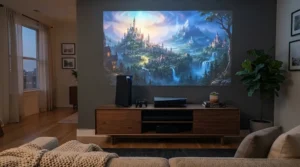
High-End Console Setup: A Step-by-Step Guide
A high-end console setup fails at the cable more often than at the projector. Follow this order.
- Use a certified Ultra High Speed HDMI 2.1 cable. One reviewer’s PS5 wasn’t recognised over an HDMI 2.0 cable on the Aetherion Max.
- Plug into a genuine HDMI 2.1 port. Some models mix 2.1 and 2.0 inputs.
- Enable game mode. ALLM (auto low latency mode) should do this automatically.
- Set the console. Choose 4K, 120Hz and VRR only if the projector supports them.
- Cut processing. Epson has a “Fast” mode, Sony has Input Latency Reduction and BenQ has Fast Mode.
- Calibrate HDR using the console’s built-in tool.
- Route audio via eARC to a soundbar or receiver.
In the first 30 days, common mistakes include leaving Eco mode on, forgetting to switch off high-frame-rate mode (which added lag on the Aetherion Max), and skipping the screen upgrade. Get these right and any high-end console setup will feel transformative.
✨ Don’t Miss These Standout Picks!
🔍 Take your gaming room to the next level with these carefully selected projectors. Click on any highlighted product to check current pricing and availability. Pair one with a good screen and you’ll create the big-screen setup you’ve been dreaming about! 🎮
Real-World Scenarios: Matching a Projector to Your Room
The dark-room cinephile (£7,000+, nightly use). You have a dedicated room, a PS5 Pro and a 4K Blu-ray player. The Sony Bravia Projector 7 gives native 4K, 4K/120Hz and cinema contrast. Add the Bravia Projector 8 only if budget is no object.
The family living room (around £2,500–£3,500, weekend use). Curtains stay open and an Xbox is always on. The XGIMI Horizon 20 Max offers brightness and VRR, while the AWOL Vision Aetherion Max offers UST placement and deeper blacks. A student sharing a flat could pick the Hisense PX3-PRO, which also solves the space problem.
The competitive PC gamer (£1,700–£2,000, daily use). A spare bedroom and a fast GPU point to the BenQ X3100i, which reaches 4.2ms at 1080p/240Hz and suits players who value responsiveness over resolution.
If you’re a college student commuting between halls and family home, none of these will travel well. In that case, consider whether a projector is right at all. Match the room first, and the projector second.
Common Mistakes When Buying a Premium Projector for Gaming
- Trusting the port, not the panel. “Accepts 4K/120Hz” and “displays 4K/120Hz” are different claims, as the DLP models show.
- Ignoring the screen. A poor screen can waste the best projector. Ultra short throw models in particular need a proper ambient-light-rejecting screen.
- Buying on lumens alone. Brightness without contrast gives you a bright, grey picture.
- Forgetting audio. The Sony and Epson models are sold as picture-first machines, so budget for speakers.
- Believing the lag number blindly. XGIMI claims 1ms while independent testers measured higher. Always look for third-party measurements.
- Skipping throw distance. Measure your room before buying, especially for long-throw units.
Avoid these and a premium projector for gaming will reward you for years.
Long-Term Cost and Maintenance
Laser and LED projectors have no lamps to replace. Makers rate lasers at around 20,000–30,000 hours, which is roughly 18 years at three hours a day, even at the low end. These are manufacturer claims, so treat them as estimates. Maintenance is mostly filter cleaning and firmware updates.
| Tier | Example | Approx. cost per hour (5 years, 3h/day) | Best For |
|---|---|---|---|
| £1,600–£2,000 | BenQ X3100i, Hisense PX3-PRO | 29p–37p | Value and PC play |
| £2,500–£3,500 | XGIMI Horizon 20 Max, Aetherion Max | 46p–64p | Living rooms |
| Around £4,500 | Epson EH-LS12000B | ~82p | Semi-lit lounges |
| Around £7,000 | Bravia Projector 7 | ~£1.28 | Dark cinema rooms |
| Around £16,000 | Bravia Projector 8 | ~£2.92 | Showpiece rooms |
These figures exclude screens, audio and calibration, so treat them as a floor. The cheapest hourly cost sits at the lower tiers, but the Bravia Projector 7 looks reasonable if you use it daily and value native 4K. In value terms, the Hisense PX3-PRO and BenQ X3100i deliver the most gaming for the least outlay.
FAQ
❓ What input lag should a premium projector for gaming have?
❓ Which HDMI cable do I need for 4K 120Hz gaming?
❓ Do laser projectors need bulb replacements?
❓ Can I game on a projector with the lights on?
❓ Do I need an AV receiver for a high-end console setup?
Conclusion
Buying a premium projector for gaming in 2026 is about matching the spec that matters to you. If you want 4K 120Hz gaming with native panels and cinema contrast, the Sony Bravia Projector 7 is the sweet spot and the Bravia Projector 8 is the indulgence. If your room isn’t fully dark, the Epson EH-LS12000B brings 4K/120Hz brightness at a friendlier price.
If VRR support and bright-room performance are the priority, the XGIMI Horizon 20 Max and AWOL Vision Aetherion Max are the ones to watch, with the caveat that both cap 4K at 60Hz. For competitive 1080p/240Hz play, the BenQ X3100i is hard to beat, and the Hisense PX3-PRO remains the value entry into ultra short throw.
Whatever you choose, budget for a good screen and audio, follow the high-end console setup steps above, and always verify what’s displayed rather than what’s accepted. Prices change often, so check current pricing and availability before you buy.
✨ Ready to Upgrade Your Play Space? 🎮 Explore the projectors above, click any highlighted product to check current prices, and turn your living room into the biggest screen in the house! 🍿
Recommended for You
- Premium Home Cinema Projector: 7 Best Picks For UK Rooms (2026)
- Gaming Projector Under £1000: 7 Best 4K 60fps Picks (2026)
- Projector Under £500 for Gaming: 7 Best UK Picks (2026)
Disclaimer: This article contains affiliate links. As an Amazon Associate, I earn from qualifying purchases. If you purchase products through these links, we may earn a small commission at no additional cost to you.
✨ Found this helpful? Share it with your friends! 💬🤗
