
In This Article
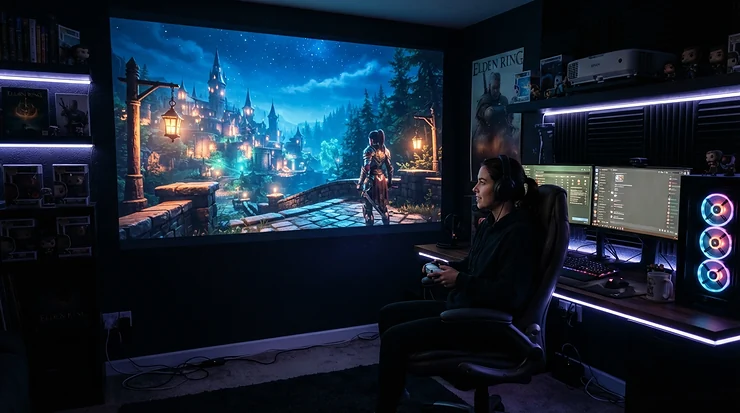
Let’s be honest: the moment you tell a “serious” gamer you’re eyeing a projector under £500 for gaming, you can practically hear the eyebrow raise. Surely a proper monitor is the only way to go? And yet here you are, imagining Kratos swinging his axe across a wall the size of your sofa, or racing round Monza with your mates squashed onto the same battered settee, all cheering at a screen bigger than most cinema adverts. That instinct isn’t wrong. It’s just been waiting for the hardware to catch up.

A projector under £500 for gaming is any DLP or LED-based home projector, typically 1080p, priced below the £500 mark, that’s been tuned with a dedicated game mode to strip out the processing delay between your controller and the picture. In plain English: it’s built to feel responsive, not just look big.
For years, budget projectors were a punishline for gamers — laggy, dim, and only really watchable after dark with the curtains nailed shut. That’s changed considerably. Sub-£500 models now regularly post input lag figures under 20 milliseconds, and several genuinely hold their own in a lit living room. This guide walks through seven real, currently available projectors spanning budget, mid-range and near-premium territory, breaks down what their specs actually mean for FPS, RPG and racing sessions, and covers everything from bright-room performance to garden movie nights with a controller in hand.
Quick Comparison Table
| Projector | Input Lag | Brightness | Best For |
|---|---|---|---|
| Optoma HD146X | ~16ms | 3,600 ANSI lumens | Best overall value |
| ViewSonic PX701HD | ~16ms | 3,500 ANSI lumens | Bright rooms |
| BenQ TH575 | 16.7ms | 3,800 ANSI lumens | Shadow detail in games |
| Anker Nebula Capsule 3 Laser | Moderate (casual use) | 300 ANSI lumens | Outdoor movie nights |
| XGIMI Halo+ | ~26.5ms | 900 ANSI lumens | Garden gaming sessions |
| Yaber T2 Plus | Not independently tested | Mid-range LED brightness | Casual co-op gaming |
| Vankyo Performance V700W | Not independently tested | Mid-range LED brightness | First-time buyers |
Looking at the spread here, the Optoma HD146X and ViewSonic PX701HD are essentially tied for the title of “most competent all-rounder”, both landing sub-20ms input lag with genuinely bright, DLP-sharp images. If your priority is portability over raw brightness, the Anker Nebula Capsule 3 Laser and XGIMI Halo+ trade some lumens for a built-in battery, which matters far more than a spec sheet suggests once you’re setting up in a garden after dark.
💬 Found a pick you like already? Tap through and check today’s price before it changes!
Top 7 Projectors Under £500 for Gaming: Expert Analysis
1. Optoma HD146X — best overall value for competitive gaming
The Optoma HD146X has quietly become the projector that AV forums recommend to anyone asking “what should I actually buy” — and there’s a reason it keeps coming up. Optoma rates its Enhanced Gaming Mode at 16ms input lag on 1080p signals, a figure that’s competitive with plenty of projectors costing twice as much.
On paper, the 3,600 ANSI lumens and 25,000:1 contrast ratio mean this isn’t a projector that demands a blackout-curtained cave; it copes reasonably well with a dimmed living room, though direct daylight will still wash out detail. The DLP engine keeps motion crisp during fast panning shots, which matters more in racing games and shooters than raw resolution ever will. Based on the spec comparison with rivals in this price bracket, the Optoma HD146X earns its reputation less through any single standout feature and more through having no obvious weak point — a rare thing at this price.
Reviewers and buying guides consistently flag it as one of the go-to choices for console gamers on a budget, with its low input lag singled out repeatedly as the reason to pick it over cheaper alternatives. It’s best suited to anyone setting up a semi-permanent gaming corner rather than someone who wants to carry a projector between rooms, since it lacks a battery and leans on a traditional lamp light source rather than laser or LED.
Pros:
- ✅ Sub-20ms input lag rivals pricier gaming projectors
- ✅ 3,600 lumens copes with moderately lit rooms
- ✅ Strong reputation for reliability among UK buyers
Cons:
- ❌ Single HDMI 1.4a port limits simultaneous console hookups
- ❌ Lamp-based light source needs eventual replacement
Prices for the Optoma HD146X typically sit in the £400s, occasionally dipping under £450 during retailer sales — genuinely excellent value if input lag is your priority.

2. ViewSonic PX701HD — best for bright rooms and daylight gaming
If your living room has a big window that refuses to be fully curtained off, the ViewSonic PX701HD deserves a serious look. At 3,500 ANSI lumens, it’s built specifically to fight ambient light rather than surrender to it, which is exactly the brief for a lot of family living rooms where blackout blinds simply aren’t happening.
What most buyers overlook about brightness figures is that they only tell half the story — contrast handling under lit conditions matters just as much, and ViewSonic’s SuperColor technology is tuned to keep colours from washing out when there’s daylight in the room. For gaming specifically, ViewSonic’s projectors in this range have consistently posted input lag figures around the mid-teens in milliseconds, keeping pace with dedicated gaming rivals like the Optoma HD146X.
This is the pick for someone whose gaming sessions happen in the late afternoon rather than after dark, or in a converted garage or games room that never gets properly gloomy. It’s less suited to a purpose-built dark home cinema setup, where its brightness advantage goes to waste and cheaper, dimmer alternatives would do the job just as well.
Pros:
- ✅ Excellent daylight and ambient-light performance
- ✅ Competitive input lag for genre-varied gaming
- ✅ Well-regarded build quality from an established brand
Cons:
- ❌ Fan noise noticeably louder than laser-based rivals
- ❌ Native 1080p only, no meaningful 4K upscale sharpness
The ViewSonic PX701HD is frequently discounted from its RRP nearer the £500-£540 mark down into the high-£300s to mid-£400s range, so it’s well worth comparing current pricing before committing.
3. BenQ TH575 — best contrast for shadow detail in fast games
BenQ built the BenQ TH575 with a specific complaint in mind: budget projectors that turn every dark corner of a horror game or a night-time stealth mission into an indistinguishable grey smudge. Its 0.65-inch DMD chip and 15,000:1 contrast ratio are aimed squarely at fixing that, with a dedicated Black Detail Enhancement mode designed to pull shadow detail out without blowing out the brighter parts of the frame.
The spec sheet won’t tell you this, but user reports suggest the difference is genuinely noticeable in practice — one verified owner review described running a PS5, Xbox Series X, Nintendo Switch and Steam Deck through the BenQ TH575 and finding the 16.7ms input lag imperceptible across every console tested, after having previously found a rival projector’s 40-50ms lag unplayable. That’s a useful real-world data point: input lag in the high teens genuinely does feel different from input lag in the 40s, and reviewers consistently frame this projector as the one that finally made competitive console gaming viable on the big screen for them.
At 3,800 ANSI lumens it’s also bright enough for daytime use, making it a genuine dual-purpose pick for movies and games alike. The trade-off reviewers most commonly mention is the lack of horizontal keystone correction, meaning the projector needs to sit roughly centred in front of the screen rather than off to one side.
Pros:
- ✅ Best-in-class shadow and contrast detail for its price
- ✅ 3,800 lumens works well even with some ambient light
- ✅ Dual HDMI inputs for two consoles at once
Cons:
- ❌ No horizontal keystone correction, positioning is fussier
- ❌ Sits right around the £500 mark before any discount
The BenQ TH575 hovers close to the £500 ceiling at full price, but regularly dips into the £460-£500 range during UK retailer promotions, so patience pays off here.
4. Anker Nebula Capsule 3 Laser — best portable pick for outdoor movie nights
Sized like a slightly oversized soda can, the Anker Nebula Capsule 3 Laser is built around a very different philosophy to the standard-throw projectors above it: portability first, raw brightness second. Its laser light source produces 300 ANSI lumens, which sounds modest next to the 3,000-plus lumen figures of desk-bound rivals, but laser engines punch above their lumen count thanks to superior colour accuracy and contrast, and 300 lumens after dark in a garden is more than enough for a genuinely watchable image.
According to Trusted Reviews’ testing, the laser backlight resolves detail well and produces rich, bold colours provided the viewing area is properly dark, which lines up with its intended use case perfectly — this is an outdoor-movie-night projector first, and a gaming projector second. Its built-in battery delivers roughly 2.5 hours of playback, comfortably covering a film or a couple of rounds of a co-op game before needing a top-up, and it supports USB-C power delivery so a portable power bank keeps the session going.
What most buyers overlook is that Google TV built in means no extra streaming stick is needed for most apps, though Netflix requires sideloading rather than arriving pre-installed — a known quirk reviewers flag consistently. This is the pick for garden cinema nights, camping trips, or moving a projector between rooms without a cart; it’s not the pick for anyone chasing the lowest possible input lag for ranked shooter sessions.
Pros:
- ✅ Genuinely pocket-portable with a real built-in battery
- ✅ Laser light source gives punchy, accurate colour after dark
- ✅ Google TV built in, no streaming stick required
Cons:
- ❌ 300 lumens struggles in any ambient light
- ❌ Netflix needs manual sideloading, not pre-installed
RRP sits at around £799, but the Anker Nebula Capsule 3 Laser is regularly discounted during UK sales events into the £450-£500 range, so it’s very much worth waiting for a promotion rather than paying full price.
5. XGIMI Halo+ — best battery-powered projector for garden gaming sessions
Where the Anker Nebula Capsule 3 Laser leans into sheer portability, the XGIMI Halo+ splits the difference between a battery-powered projector and a proper living-room unit. At up to 900 ANSI lumens, it’s considerably brighter than the Capsule 3 Laser while still packing a 59Wh built-in battery good for roughly 2.5 hours of untethered use — enough for a decent gaming session in the garden without hunting for an extension lead.
Here’s what to weigh with the XGIMI Halo+: its dedicated gaming mode brings input lag down to roughly 26.5 milliseconds, noticeably higher than the desk-bound picks above it. That’s still entirely playable for casual co-op titles, racing games, or party games with a controller passed round the group, but it’s not the projector to reach for if you’re chasing every last millisecond in a competitive shooter. Its Android TV 10 platform and Chromecast built-in make streaming straightforward, and the dual 5W Harman Kardon speakers genuinely punch above their size for outdoor use where you don’t want to lug a separate speaker along too.
Auto keystone correction, auto focus and intelligent screen alignment mean setup takes seconds rather than minutes of manual fiddling, a detail that matters a lot more than it sounds once you’re setting up on uneven garden furniture at dusk.
Pros:
- ✅ 900 lumens is genuinely bright for a battery-powered unit
- ✅ Auto keystone, focus and alignment make setup near-instant
- ✅ Strong built-in Harman Kardon speakers for outdoor audio
Cons:
- ❌ ~26.5ms input lag isn’t ideal for competitive shooters
- ❌ RRP frequently sits above the £500 threshold
UK RRP for the XGIMI Halo+ typically lands north of £700, but international retailers and periodic UK sales have pushed real-world pricing down into the £450-£550 window, so checking current price before buying is essential here.
6. Yaber T2 Plus — best entry point for casual co-op gaming
Not every gaming session needs sub-16ms precision, and the Yaber T2 Plus exists for exactly that reality. Positioned as a budget-friendly portable projector, it’s been praised by reviewers for looking and feeling more premium than its price tag suggests, with a genuinely solid 1080p picture for casual viewing and light gaming.
Honesty matters here: independently verified input lag figures for the Yaber T2 Plus aren’t widely published the way they are for dedicated gaming projectors like the Optoma HD146X or BenQ TH575, so it would be dishonest to quote a precise millisecond figure. What can be said with confidence, based on its positioning and reviewer commentary, is that it’s built as a general-purpose streaming and casual-gaming projector rather than a low-latency specialist — a sensible trade-off for party games, retro co-op sessions, or turn-based titles where split-second reactions aren’t the deciding factor.
Based on the spec comparison with its portable rivals, the Yaber T2 Plus competes primarily on portability and value rather than headline performance figures, making it a sensible first purchase for someone testing whether projector gaming suits their setup before committing to a pricier, more specialised model.
Pros:
- ✅ Strong portability for a genuinely budget price point
- ✅ Picture quality reviewers describe as punching above its cost
- ✅ Low financial risk as an introduction to projector gaming
Cons:
- ❌ No independently verified low-latency gaming credentials
- ❌ Not the choice for competitive, reaction-based genres
Typically priced well under £250, the Yaber T2 Plus is one of the most accessible ways to try projector gaming without committing serious budget upfront.
7. Vankyo Performance V700W — best budget bundle for first-time buyers
Rounding out the list is the Vankyo Performance V700W, a projector that leans hard into value with 5G WiFi, Bluetooth 5.1 connectivity, and support for screen sizes up to 224 inches from a native 1080p panel that also accepts 4K input. It’s routinely sold bundled with a 120-inch projector screen, which genuinely simplifies the “what do I actually need to buy” question for a total beginner.
What the spec sheet won’t tell you outright is that budget LED projectors like this generally trade some brightness and colour accuracy for their low price — this isn’t a projector that competes with the BenQ TH575 on shadow detail, and precise input lag figures aren’t independently benchmarked in the way dedicated gaming models are, so treat it as honestly aimed at casual play rather than competitive gaming. Where it earns its place on this list is accessibility: wireless mirroring from a phone, straightforward HDMI and USB connections for consoles, and a price low enough that trying out big-screen gaming carries minimal financial risk.
This is squarely the pick for someone setting up their very first projector-based games room, particularly families wanting one device that handles movie nights, YouTube and casual console sessions without a serious spend.
Pros:
- ✅ Bundled screen option removes a common beginner hurdle
- ✅ 5G WiFi and Bluetooth 5.1 for flexible wireless streaming
- ✅ Genuinely low price reduces the risk of trying it out
Cons:
- ❌ Not benchmarked for competitive-grade input lag
- ❌ Brightness and colour accuracy trail pricier DLP rivals
Commonly priced in the £130-£200 range depending on bundle, the Vankyo Performance V700W is about as low-risk an entry point as this category offers.
Top 7 Products at a Glance
| Projector | Light Source | Resolution | Approx. Price Range | Rating Basis |
|---|---|---|---|---|
| Optoma HD146X | Lamp | 1080p | High-£400s | Widely reviewed |
| ViewSonic PX701HD | Lamp | 1080p | High-£300s to mid-£400s | Widely reviewed |
| BenQ TH575 | Lamp | 1080p | £460-£500 | Widely reviewed |
| Anker Nebula Capsule 3 Laser | Laser | 1080p | £450-£500 (sale) | Independently tested |
| XGIMI Halo+ | LED | 1080p | £450-£550 (sale) | Widely reviewed |
| Yaber T2 Plus | LED | 1080p | Under £250 | Limited independent data |
| Vankyo Performance V700W | LED | 1080p (4K input) | £130-£200 | Limited independent data |
The clearest pattern in this table is that laser and LED light sources dominate the portable end of the market, while lamp-based projectors still lead on raw brightness and input lag consistency for the price. If independently verified performance data matters more to you than portability, the lamp-based trio — Optoma HD146X, ViewSonic PX701HD and BenQ TH575 — is the safer bet; if you need something you can carry into the garden, the Anker Nebula Capsule 3 Laser and XGIMI Halo+ are the more honest choices, even with less rigorously published latency figures.

Practical Usage Guide: Setting Up Your Projector for Gaming
Getting the picture on the wall is the easy part; getting the picture responsive takes a few extra minutes most people skip. First, always plug consoles into the HDMI port explicitly labelled for gaming or the lowest-numbered HDMI input — on models like the BenQ TH575 with dual HDMI ports, input order sometimes affects processing overhead. Second, dig into the picture settings menu and switch from any “Cinema” or “Vivid” preset into the dedicated Game Mode; skipping this step alone can add 30-50ms of extra lag on some projectors, since default preset modes often run additional image processing that a game mode deliberately bypasses.
Third, disable motion smoothing (sometimes labelled MEMC or Motion Enhancement) for gaming specifically — it’s the single biggest hidden source of extra lag on projectors that otherwise post excellent numbers, and leaving it on undoes most of the benefit of buying a low-latency model in the first place. Fourth, use auto keystone correction sparingly for gaming; while convenient, digital keystone correction can introduce a very slight amount of additional processing on some budget units, so where possible, physically level the projector instead.
For long-term maintenance, keep the intake and exhaust vents free of dust with an occasional compressed-air clean every few months, since lamp-based models like the Optoma HD146X rely on airflow to protect both brightness and lamp lifespan. A common first-30-days mistake is projecting onto an unpainted or textured wall; even a basic matte white projector screen or specially formulated projector paint dramatically improves sharpness and colour accuracy for a genuinely small outlay.
Real-World Scenarios: Who Should Buy Which Projector
Picture three very different buyers. First, the university student in a shared house with a tiny room and zero budget for a proper TV: for them, the Vankyo Performance V700W or Yaber T2 Plus makes the most sense, bundling a screen and wireless mirroring for laptop-based gaming without demanding serious spend or a dedicated gaming rig.
Second, the family that wants weekend blockbuster nights and the occasional Mario Kart tournament with the kids in a living room that never gets properly dark until late evening: the ViewSonic PX701HD or Optoma HD146X fits that use case well, trading a little portability for brightness that copes with early-evening ambient light and input lag low enough that competitive younger players won’t complain about feeling cheated by the controls.
Third, the couple who host regular garden movie nights through the warmer months and occasionally want to throw a Switch or Steam Deck into the mix once the sun goes down: the Anker Nebula Capsule 3 Laser or XGIMI Halo+ solves the “no power socket outdoors” problem outright with a built-in battery, at the honest cost of higher input lag than the desk-bound alternatives. None of these buyers are wrong to want what they want — the trick is matching the projector’s actual strengths to how and where the gaming will really happen, rather than chasing whichever spec sheet number sounds most impressive in isolation.
How to Choose a Projector Under £500 for Gaming
- Check the input lag figure specifically for game mode, not the general spec — some brands only publish their fastest possible number, achieved in a specific resolution and refresh combination.
- Match brightness to your room, not to the marketing lumens figure — 3,000+ ANSI lumens for daylight rooms, sub-1,000 lumens is fine once it’s genuinely dark.
- Confirm HDMI version and count — HDMI 2.0 or later supports higher refresh rate signals; older 1.4a ports cap out lower, which matters for console output settings.
- Decide if portability actually matters to you — battery-powered laser and LED units like the XGIMI Halo+ trade some input lag for genuine flexibility.
- Read aggregated owner reviews on retailer sites, not just marketing pages, since real buyers consistently flag issues like fan noise or missing horizontal keystone that spec sheets omit.
- Budget separately for a screen or suitable wall paint — even a modest matte screen noticeably sharpens the picture on any of these seven models.
- Factor in light source type for long-term cost — lamp-based projectors need eventual bulb replacement, while laser and LED units typically run for tens of thousands of hours maintenance-free.
Input lag, in simple terms, is the delay between an action on your controller and that action appearing on screen — and for gaming, it’s consistently the single most important spec to check, arguably ahead of resolution or even brightness.
Best Projector Under £500 for Bright Rooms
Ambient light is the enemy of projected images, full stop — but not every gaming setup gets the luxury of a fully darkened room. For anyone shopping specifically for a projector under £500 for bright rooms, brightness in ANSI lumens (not the inflated “LED lumens” figures some budget brands use) is the number to prioritise, and both the ViewSonic PX701HD and BenQ TH575 lead this list at 3,500 and 3,800 ANSI lumens respectively.
What most buyers overlook about bright-room performance is that contrast ratio matters almost as much as raw brightness; a projector can be bright and still look washed out if its blacks lift into grey under ambient light. The BenQ TH575‘s 15,000:1 contrast ratio and Black Detail Enhancement mode specifically target this problem, which is why reviewers consistently rate it well for daytime use despite being a fundamentally budget-tier lamp projector. The Optoma HD146X, while slightly dimmer at 3,600 lumens, still comfortably outperforms any of the laser or LED portable picks here in a lit room — laser and battery-powered units like the Anker Nebula Capsule 3 Laser are simply not built for this scenario, and buying one expecting daytime performance is the single most common regret reviewers mention.
If your gaming happens mostly during the day or in a room with large windows, prioritise the ViewSonic PX701HD or BenQ TH575 over anything portable on this list.
Best Projector Under £500 for Outdoor Movies
Outdoor cinema nights have genuinely exploded in popularity across UK gardens and back patios, and for a projector under £500 for outdoor movies, the calculus flips almost entirely away from brightness and towards portability, battery life and weather-conscious design. The Anker Nebula Capsule 3 Laser is purpose-built for exactly this scenario: its 2.5-hour battery, laser-accurate colour reproduction, and genuinely pocketable size make it the standout choice once the sun sets and ambient light stops being a concern.
The XGIMI Halo+ is the close second option here, trading some of the Capsule 3 Laser’s portability for meaningfully higher brightness — useful for garden setups where a security light or neighbouring window means it’s never quite pitch black. Reviewers consistently note that both units benefit from a simple white bedsheet or an inflatable outdoor screen rather than projecting directly onto a garden wall or fence, since textured surfaces noticeably soften detail regardless of how sharp the source projector is.
One practical note worth flagging honestly: none of the desk-bound picks — the Optoma HD146X, ViewSonic PX701HD or BenQ TH575 — are realistically outdoor-ready without a long extension lead and careful weatherproofing, so if garden movie nights are the primary use case, the battery-powered options above are the genuinely sensible choice rather than a compromise.
Low Input Lag Explained: Why It Matters More Than Resolution
Slow input lag is like bad lip-sync on a film — the mismatch between action and reaction is subtle at first and maddening once you notice it. For gaming specifically, anything under roughly 20 milliseconds is considered strong performance, with competitive players generally preferring figures in the single digits where budget allows. Every projector on this list sits comfortably under that 20ms threshold in its dedicated gaming mode, with the exception of the two battery-powered outdoor picks and the two unbenchmarked budget models, where honesty about the lack of published figures matters more than guessing a number.
Here’s what most spec sheets won’t spell out clearly: the headline input lag figure is almost always measured at the projector’s fastest supported resolution and refresh combination, which may not be what your console actually outputs by default. A projector rated 4ms at 1080p/240Hz might post a considerably higher figure at 4K/60Hz, so it’s worth checking which resolution the quoted number applies to before assuming it’ll match your setup exactly. Turning off motion smoothing processing, as covered earlier in the usage guide, remains the single most impactful thing any buyer can do to actually hit the advertised figure rather than a real-world number closer to double it.
120Hz Projectors: What’s Actually Achievable Under £500
Anyone specifically hunting for a 120Hz projector under £500 deserves an honest answer rather than a hopeful one: genuine, verified 120Hz support at this price point remains genuinely rare. Higher-refresh gaming projectors that comfortably hit 1080p at 120Hz or beyond — models from ViewSonic’s PX748-4K family and BenQ’s X-series, for example — exist and perform impressively, but they consistently retail well above the £500 ceiling this guide is built around, often north of £700-£900 even during sales.
What buyers get instead at this budget, and what the seven projectors above genuinely deliver, is low input lag at 60Hz rather than true 120Hz refresh — and for the vast majority of console gaming, that distinction matters considerably less than the marketing around 120Hz suggests. A PS5 or Xbox Series X title running at a locked 60 frames per second gains nothing from a 120Hz panel; the benefit only materialises with genuinely 120fps-capable games and a source device pushing that signal, which remains a fairly narrow slice of the current console library. For PC gamers specifically chasing 120Hz+ motion clarity on a projector, it’s more honest to say this category isn’t fully served under £500 yet, and saving toward a higher-tier model is the more sensible route than settling for a budget projector’s unverified 120Hz marketing claim.
Building the Ultimate Console Setup
A projector under £500 for gaming is only half the console setup equation — cabling, seating distance and audio all shape whether the final result feels like a proper gaming room or a compromised afterthought. For HDMI cabling, a certified High Speed or Ultra High Speed cable rated for at least 18Gbps avoids the signal dropouts that can otherwise masquerade as input lag or picture judder, particularly over longer cable runs from a ceiling-mounted projector.
Seating distance genuinely affects perceived sharpness on a 1080p projector; sitting too close to a 120-inch image exaggerates the visible pixel structure in a way that a smaller, sharper monitor simply doesn’t suffer from. As a rough guide, aim for a viewing distance of roughly 1.5 to 2 times the screen’s diagonal size for the sharpest comfortable experience. On audio, every projector on this list includes a built-in speaker, but pairing with a soundbar or Bluetooth speaker meaningfully improves the sense of scale that a big-screen setup should deliver — the XGIMI Halo+‘s Harman Kardon speakers are a genuine step up here, but even they benefit from a dedicated subwoofer for bass-heavy racing or action titles.
Finally, consider a proper mounting solution rather than a coffee table compromise; a ceiling mount or adjustable shelf keeps the throw distance and keystone angle consistent between sessions, which matters more for gaming than movies since inconsistent geometry is far more noticeable during fast on-screen motion.
Common Mistakes When Buying a Gaming Projector
The most frequent mistake buyers make is trusting marketing lumens figures over independently verified ANSI lumens, which can genuinely overstate brightness by two or three times on the cheapest listings. A close second is ignoring input lag entirely and buying purely on resolution or screen size, only to discover the “cinema” preset mode they’ve been using adds tens of milliseconds of invisible processing delay.
Buyers also commonly underestimate how much ambient light actually affects picture quality — a projector that looks stunning in a darkened showroom can look genuinely disappointing in a living room with even moderate daylight, which is precisely why brightness-focused picks like the ViewSonic PX701HD and BenQ TH575 exist as distinct options from dimmer, more portable alternatives. Finally, skipping a proper screen or suitable wall surface is a surprisingly common false economy; even the sharpest projector on this list will look noticeably softer on textured plaster than on a basic matte screen costing a fraction of the projector’s price.
Projector vs Gaming Monitor: Which Wins for Gaming?
| Factor | Projector Under £500 | Gaming Monitor (Similar Budget) |
|---|---|---|
| Screen size | Up to 150-300 inches | Typically 24-32 inches |
| Input lag | ~16-27ms (varies by model) | Often under 5ms |
| Refresh rate | Mostly 60Hz | Commonly 144Hz+ |
| Multiplayer feel | Shared, social viewing | Individual, precise |
| Best For | Bright Rooms | Competitive esports |
The comparison here isn’t really about which wins outright — it’s about matching the tool to the moment. A gaming monitor still comfortably beats every projector on this list for raw responsiveness and refresh rate, which is exactly why competitive esports players overwhelmingly stick with monitors. What a projector under £500 for gaming offers instead is scale and social viewing that no monitor can replicate; splitting an RPG’s open world across a 130-inch wall, or gathering four controllers around a party game on a screen the size of a garage door, is an experience category monitors simply weren’t built for.
GamesRadar+’s own testing across dozens of models reaches a similar conclusion: the best projector for gaming genuinely depends on whether raw refresh rate or genuine big-screen immersion matters more to the individual buyer, rather than one format objectively beating the other.
Long-Term Cost & Maintenance
Beyond the upfront price, light source type is the single biggest factor in long-term cost of ownership. Lamp-based projectors like the Optoma HD146X and BenQ TH575 typically rate their bulbs for somewhere between 4,000 and 15,000 hours depending on the mode used, with replacement lamps generally costing a meaningful fraction of the projector’s original price when the time eventually comes. Laser and LED units — the Anker Nebula Capsule 3 Laser, XGIMI Halo+, Yaber T2 Plus and Vankyo Performance V700W — sidestep this cost almost entirely, with light source lifespans commonly rated in the tens of thousands of hours, comfortably outlasting the practical lifespan of the projector itself.
| Cost Factor | Lamp-Based (e.g. Optoma HD146X) | Laser/LED-Based (e.g. XGIMI Halo+) |
|---|---|---|
| Upfront price | Generally lower | Generally similar or higher |
| Replacement cost | Bulb replacement needed eventually | Essentially maintenance-free |
| Total 5-year ownership | Moderate, factoring in one bulb swap | Lower long-term, higher upfront risk |
In practice, this means the cheaper lamp-based projectors aren’t necessarily the cheapest option over a five-year span once a bulb replacement is factored in, while the laser and LED alternatives trade a slightly steeper effective cost for genuinely lower long-term maintenance. When an old projector does eventually reach the end of its life, UK buyers can find their nearest drop-off point through the Recycle Your Electricals national scheme, which covers projectors alongside other small electricals.

Frequently Asked Questions
❓ What is a good input lag for a gaming projector?
❓ Can you get a 4K projector under £500 for gaming?
❓ Do projectors work well for gaming in daylight?
❓ Is a projector or TV better for console gaming?
❓ How far should a gaming projector be from the screen?
Conclusion
There’s no single “best” projector under £500 for gaming, and honestly, that’s the whole point of a guide like this rather than a flaw in it. The Optoma HD146X and ViewSonic PX701HD cover the vast majority of buyers who want consistent, well-tested performance in a semi-permanent setup, the BenQ TH575 edges ahead for anyone prioritising shadow detail in atmospheric games, and the Anker Nebula Capsule 3 Laser and XGIMI Halo+ solve the genuinely different problem of gaming beyond four walls entirely. The Yaber T2 Plus and Vankyo Performance V700W remain sensible, low-risk entry points for anyone still deciding whether projector gaming suits them at all.
What unites all seven is that none of them ask you to compromise nearly as much as budget projectors did even a few years back — sub-20ms input lag, once the preserve of £1,000-plus models, is now genuinely achievable well under £500. Match the pick to where and how the gaming actually happens, check current pricing before buying since retailer promotions shift regularly, and the big-screen setup that once felt like a pipe dream becomes a very reachable weekend project.
✨ Ready to upgrade your setup? Tap through to check today’s price on your favourite pick before it changes! 💬🤗
Recommended for You
- Portable Projector Under £500: 7 Best Picks for UK Homes (2026)
- Outdoor Projector Under £300: 7 Brilliant Picks for 2026
- Projector Under £300 For Gaming: 7 Brilliant UK Picks (2026)
Disclaimer: This article contains affiliate links. As an Amazon Associate, I earn from qualifying purchases. If you purchase products through these links, we may earn a small commission at no additional cost to you.
✨ Found this helpful? Share it with your friends! 💬🤗
