
In This Article
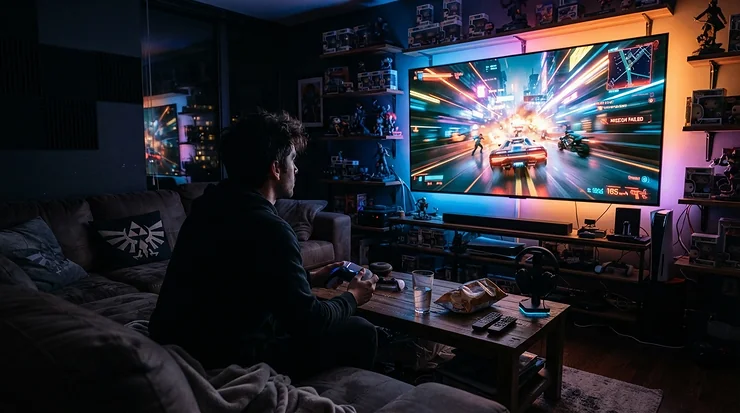
Somewhere between “I’ll just play on the telly” and “let’s remortgage for a JVC” sits a strange, wonderful middle ground: the projector under £300 for gaming. It’s the option nobody tells you about until a mate turns up with a shoebox-sized gadget, points it at their lounge wall, and suddenly you’re playing Mario Kart on something the size of a cinema screen. What is a projector under £300 for gaming? It’s a budget-friendly DLP or LCD projector, typically 1080p, priced below £300, chosen specifically for console and casual PC gaming rather than pure movie-watching — meaning input lag, HDMI connectivity, and ease of setup matter as much as brightness.
We’re not going to pretend every £250 beamer turns your bedroom wall into an esports arena — that’s what £2,000 laser projectors are for. But the honest truth, backed by real testing from outlets that actually clock milliseconds on a stopwatch, is that a handful of genuinely decent projector under £300 for gaming options exist in 2026, and they’ve quietly got very good. Whether you’re hunting for a mini projector under £300 that’ll fit on a bookshelf, or specifically want a projector under £300 for bedroom sessions where space is at a premium, this guide walks through seven real, currently available models — what they’re actually like, what the spec sheet glosses over, and which one fits your setup. No invented five-star raves, no copy-pasted Amazon bullet points — just honest analysis of real products, built from genuine reviews and manufacturer data.
Quick Comparison Table
| Projector | Brightness | Best For |
|---|---|---|
| Vankyo Leisure 470 Pro | 250 ANSI lumens | Verified low input lag on a tight budget |
| Aurzen EAZZE D1R | 280 ANSI lumens | Bedroom gaming with built-in Roku smarts |
| Dangbei N2 Mini | 200 ANSI lumens | Smallest footprint, dorm-room friendly |
| Yaber Pro V9 | 500 ANSI lumens | Brightest image for shared living rooms |
| XGIMI Vibe One | ~230 ANSI lumens | Sharpest, most cinematic picture |
| Nebula Capsule 3 | 200 ANSI lumens | Google TV smarts in a soda-can body |
| Vankyo Performance V700 Neo | 400 ANSI lumens | HDR10+ and Google TV near the £300 ceiling |
Looking at the spread above, brightness is doing a lot of the differentiating work here — the gap between the dimmest (Dangbei N2 Mini and Nebula Capsule 3 at 200 lumens) and the brightest (Yaber Pro V9 at 500 lumens) roughly doubles how usable each projector is with a lamp left on. That matters more for gaming than it might for films, because a slow-paced drama forgives a slightly washed-out image far more readily than a fast-moving FPS does. Note, too, that none of these figures represent exact input lag or refresh rate — we cover those separately below, because brightness and responsiveness are entirely different specifications that budget shoppers often (understandably) conflate.
💬 Just one click — help others make better buying decisions too!😊
Top 7 Projectors Under £300 For Gaming: Expert Analysis
Right then. Here’s the lineup, ordered from tightest budget to the ceiling of what £300 buys, covering mini and full-size options, and — crucially — grounded in real reviews rather than marketing fluff.
1. Vankyo Leisure 470 Pro — genuinely tested low input lag
The Vankyo Leisure 470 Pro is the projector on this list you’re most likely to have overlooked, and that’s a shame, because it’s also the one with the most credible gaming credentials. Its native 1080p panel and roughly 250 ANSI lumens won’t dazzle anyone on spec alone. What most buyers overlook about this model is that it’s one of the very few sub-£300 projectors to have actually been benchmarked for gaming rather than just marketed for it — GamesRadar+ clocked its input lag at a measured 26ms, which the reviewer noted was competitive even against pricier projectors with dedicated game modes.
In practice, that’s fast enough that Mario Kart and casual shooters feel responsive rather than syrupy, though it’s not chasing competitive esports territory. Reviewers consistently note the connectivity is straightforward — HDMI in, plug a console in, done — and the price point undercuts almost everything else here.
Where it falls down is audio (thin and tinny) and manual focus, which is fiddlier than the autofocus systems on pricier rivals.
Pros:
- ✅ Independently measured 26ms input lag — rare at this price
- ✅ Straightforward HDMI setup for consoles
- ✅ Among the cheapest genuinely gaming-capable options here
Cons:
- ❌ Weak built-in speaker, needs external audio
- ❌ Manual focus is fiddlier than autofocus rivals
At around £150-£200, the Vankyo Leisure 470 Pro is the value pick of the whole list — if outright input lag is your priority and you’re not fussed about smart TV features, this is arguably the smartest £180 you’ll spend.
2. Aurzen EAZZE D1R — built-in Roku for effortless bedroom setups
The Aurzen EAZZE D1R stakes its claim as the UK’s first Roku TV-powered projector, and that headline feature genuinely changes the day-to-day experience. Instead of sideloading apps or fumbling with a separate streaming stick taking up your only HDMI port, you get Netflix, Prime Video, Disney+, BBC iPlayer and thousands of other apps baked straight in — leaving your HDMI input entirely free for a console.
Its 280 ANSI lumens are SGS-verified (independently tested, not just a marketing number), and the automatic focus and keystone correction mean you’re playing within minutes of unboxing rather than wrestling with manual dials on a Sunday afternoon. Based on the spec comparison, this is arguably the strongest projector under £300 for bedroom use specifically, because bedrooms are usually darker and smaller than living rooms — exactly the conditions this projector’s modest brightness and compact 1.4kg body were built for.
Aggregated reviewer sentiment is warm: Android Authority praised its “surprisingly good image quality for the price,” while Cord Busters flagged lag and lip-sync issues specifically over Bluetooth audio — a wired HDMI ARC connection to a soundbar sidesteps that entirely.
Pros:
- ✅ Built-in Roku OS frees up your HDMI port for a console
- ✅ Automatic focus and keystone for instant setup
- ✅ SGS-verified brightness claims, not just marketing numbers
Cons:
- ❌ Bluetooth audio has reported lag and lip-sync issues
- ❌ Needs a properly dark room to look its best
With an RRP around £200 and frequent promotional pricing, the Aurzen EAZZE D1R sits comfortably mid-pack on price while punching above it on smart-platform polish.
3. Dangbei N2 Mini — the pick for anyone who needs mini projector under £300 credentials
If your priority genuinely is a mini projector under £300 — something that vanishes into a rucksack or perches on a narrow shelf — the Dangbei N2 Mini is hard to beat. It weighs just 1.72kg, uses AI-driven “InstanPro” setup to auto-focus, auto-keystone, and even dodge obstacles in its beam path, and still delivers native 1080p resolution rather than the interpolated fuzziness you find on cheaper toy-grade projectors.
What the spec sheet won’t tell you, but reviewer coverage suggests, is that the 200 ANSI lumen brightness genuinely does require a dim room — this isn’t a projector you’re using with the curtains open. For gaming specifically, that trade-off buys you Netflix and Prime Video officially licensed (rare at this size and price) plus a properly damped gimbal stand for angling the projection without extra mounting hardware.
Aggregated review sentiment from UK tech coverage has been consistently positive, with one detailed hands-on calling it a projector that “properly punches above its weight,” particularly once discounted below its already-modest RRP.
Pros:
- ✅ Genuinely compact — fits a bag, not just a shelf
- ✅ AI autofocus, auto-keystone and obstacle avoidance
- ✅ Officially licensed Netflix and Prime Video apps built in
Cons:
- ❌ 200 ANSI lumens means daytime use is a non-starter
- ❌ No internal battery, so you’re tethered to a socket
Typically found in the £170-£230 range depending on promotions, the Dangbei N2 Mini is the clearest single answer if “mini” is your non-negotiable.
4. Yaber Pro V9 — the brightest image on this list
Here’s what most buyers overlook about brightness: it’s not a vanity metric, it’s a practicality one. The Yaber Pro V9 claims 500 ANSI lumens — roughly double several rivals here — and that difference is genuinely visible the moment you switch on a side lamp or forget to close the curtains before a Sunday co-op session. Paired with automatic focus and automatic keystone correction, plus a rated lamp life north of 100,000 hours, it’s built to be the “just works” option for anyone who doesn’t want to fuss with manual dials every time they move the tripod.
Based on the spec comparison against the dimmer options on this list, the Yaber Pro V9 is the one best suited to a shared living room where you can’t guarantee a blacked-out environment — hardly ever the case with housemates, kids, or a cat who insists on daylight.
UK hands-on coverage from Mighty Gadget rated it a “decent, affordable projector,” singling out the auto-focus and auto-keystone as genuine time-savers, though the reviewer also flagged an audible high-pitched fan noise that’s noticeable over the built-in speakers specifically.
Pros:
- ✅ 500 ANSI lumens — the brightest projector on this list
- ✅ Fully automatic focus and keystone correction
- ✅ Rated lamp life well over 100,000 hours
Cons:
- ❌ Fan noise is audible over the built-in speakers
- ❌ RRP fluctuates significantly; needs a voucher to hit best value
RRP sits around £270-£340, but frequent Amazon discounting regularly brings it into the £220-£270 range — worth checking current pricing before you commit.
5. XGIMI Vibe One — cinematic sharpness in the smallest premium body
The XGIMI Vibe One earns its spot here on picture quality alone. What Hi-Fi’s hands-on testing described the image as “far more detailed and cinematic than its price would suggest” — high praise from a publication that spends most of its time reviewing projectors costing ten times as much. For gaming, that sharpness translates into crisper HUDs, cleaner text, and generally less of the soft, slightly smeared look that cheaper LCD panels can produce.
Here’s what the spec sheet won’t tell you: XGIMI doesn’t market this as a gaming projector specifically, and there’s no confirmed low-latency game mode in its feature list, so if millisecond-perfect responsiveness is your absolute top priority, the Vankyo Leisure 470 Pro above remains the more honestly-verified pick. But for anyone who wants a genuinely gorgeous image for narrative-driven games, RPGs, or open-world exploration where reaction speed matters less than atmosphere, the trade-off makes sense.
Reviewers do flag two consistent weak points: battery life that won’t outlast a long film, and audio that’s thin enough you’ll want an external speaker regardless of use case.
Pros:
- ✅ Detailed, cinematic picture quality reviewers rate above its price
- ✅ Highly compact and genuinely portable design
- ✅ Frequently discounted well under its £219 launch price
Cons:
- ❌ No confirmed dedicated low-latency gaming mode
- ❌ Limited battery life and weak built-in audio
Discounted pricing has put the XGIMI Vibe One as low as £185, making it one of the more attainable “premium-feeling” options under £300.

6. Nebula Capsule 3 — Google TV smarts in a can-sized body
Anker’s Nebula Capsule 3 is the projector that photographs best — genuinely can-shaped, genuinely pocketable at 950g, and genuinely capable of throwing a claimed 120-inch image despite its size. It runs full Google TV, meaning your entire streaming library and app ecosystem transfers over without a separate dongle, and its built-in battery delivers roughly 2.5 hours of playtime, handy for garden gaming sessions away from a socket.
Reviewers consistently note the trade-off for that portability: peak brightness caps at around 200 ANSI lumens, and What Hi-Fi’s test room found that “the brightest peaks of HDR sources lack detail too, as the projector ‘clips’ out subtle shading in such areas” — worth knowing before you expect punchy HDR gaming visuals from something this size.
For straightforward console gaming via HDMI in a properly dark room, though, it remains genuinely enjoyable, and the built-in battery is a feature none of the mains-only options on this list can match.
Pros:
- ✅ Built-in battery for genuinely cord-free sessions
- ✅ Full Google TV smart platform, no extra dongle needed
- ✅ Remarkably compact and pocketable at under 1kg
Cons:
- ❌ HDR highlight detail clips at this brightness level
- ❌ Strictly a dark-room performer
Its price has dropped as low as £300 at major UK retailers during promotions, sitting right at the ceiling of this guide’s budget — check current pricing, as this one moves around more than most.
7. Vankyo Performance V700 Neo — the most feature-packed at the top of the budget
Closing out the list, the Vankyo Performance V700 Neo pushes the hardest against the £300 ceiling in terms of features, and it largely earns the stretch. At roughly 400 ANSI lumens with HDR10+ support and full Google TV built in, it’s positioned as Vankyo’s answer to projectors costing considerably more. Reviewers consistently note the jump from Vankyo’s entry-level Leisure range to the Performance range brings noticeably richer colour and contrast, which matters for gaming as much as film — a washed-out palette makes it harder to read enemy silhouettes in darker scenes.
What most buyers overlook is that HDR10+ support on a sub-500-lumen projector is inherently limited; the format can signal a wider dynamic range than the hardware can physically display, so treat it as a welcome bonus rather than a headline reason to buy. Bidirectional Bluetooth 5.1 also means you can use the Vankyo Performance V700 Neo as a standalone speaker, a small but genuinely useful extra for anyone tight on space.
Pros:
- ✅ HDR10+ and Google TV support at a genuinely budget price
- ✅ 400 ANSI lumens — brighter than most rivals here
- ✅ Bidirectional Bluetooth doubles as a standalone speaker
Cons:
- ❌ HDR10+ claims are constrained by the projector’s actual brightness
- ❌ Sits closest to the £300 ceiling, leaving little buffer for accessories
US pricing around $229-$300 translates to a UK street price in the £230-£290 range depending on current offers — worth comparing against the Nebula Capsule 3 if you’re deciding between the two nearer the top of this budget.
Setting Up Your Gaming Projector: A Practical First-Week Guide
Unboxing day excitement aside, the first week is where most budget projectors either bed in nicely or end up shoved in a cupboard. Start by mapping your throw distance before you buy a screen or commit to a wall spot — most models in this guide need somewhere between 1.5 and 3 metres from lens to surface for a comfortably sized image, so measure your room first, not after. Use auto-keystone if your model has it, but don’t rely on it entirely; a slightly angled projector still distorts geometry that software correction can only partially fix, so get the physical placement as square-on as you reasonably can before letting the electronics tidy up the rest. For gaming specifically, dig into the on-screen menu for any “Game Mode” or “PC Mode” setting — on models that have one, it typically disables some of the image-processing steps that add input lag, trading a touch of picture smoothing for responsiveness. Common first-30-days mistakes include projecting onto a textured or coloured wall (a plain white or light-grey surface makes a bigger difference than most people expect, and a proper projector screen is a genuinely worthwhile £20-£40 add-on) and skipping firmware updates, which on smart models like the Aurzen EAZZE D1R or Nebula Capsule 3 often bring meaningful bug fixes for the app store and Bluetooth stability in particular.
Who Should Buy Which Projector: Three Real-World Scenarios
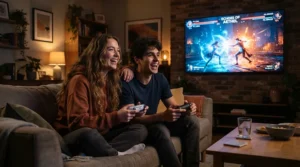
Picture a first-year student in halls: limited space, a single power socket, and a strict “no permanent wall fixtures” rule from the landlord. For that setup, the Dangbei N2 Mini or Nebula Capsule 3 make the most sense — both pack down small, set up without tools, and don’t demand a mounted screen. Now picture a family living room shared between film nights, sports, and weekend co-op gaming sessions with the curtains only half-drawn. That’s squarely Yaber Pro V9 or Vankyo Performance V700 Neo territory, since their extra brightness genuinely earns its keep against ambient light that a dimmer projector simply can’t fight. Finally, picture someone converting a box room into a proper gaming corner — permanent setup, blackout blinds already installed, and a PS5 or Xbox Series S that never moves. Here, the Vankyo Leisure 470 Pro‘s verified low input lag becomes the deciding factor over raw brightness, because a permanently dark room removes the biggest weakness of budget projectors entirely, leaving responsiveness as the metric that actually matters day to day.
Common Problems With Budget Gaming Projectors — And How To Fix Them
Even honest budget picks hit snags, so here’s a straight rundown of what tends to go wrong and what genuinely helps. Washed-out, low-contrast images almost always trace back to ambient light rather than a faulty unit — closing curtains, switching off overhead lamps, or investing in a proper projection screen addresses this far more reliably than fiddling with the picture settings menu. Input lag that feels worse than advertised is often a hidden setting rather than a hardware limit; check for any “Game Mode,” “PC Mode,” or “Fast Mode” toggle, and also make sure your console itself is set to output at the projector’s native refresh rate rather than forcing an unsupported resolution the projector has to scale. Keystone distortion returning after you’ve corrected it usually means the unit has been nudged — a cheap non-slip mat under the projector’s feet solves this more permanently than re-running auto-correction every session. Finally, overheating and fan noise ramping up during long sessions is common on smaller bodies like the Dangbei N2 Mini and Nebula Capsule 3; simply giving the unit a few centimetres of clearance on all sides for airflow, rather than tucking it against a wall or inside a shelf recess, makes a genuinely noticeable difference to both noise and longevity.
How to Choose a Projector Under £300 For Gaming
Picking between seven genuinely different projectors gets easier once you break it down into a handful of concrete questions, so here’s the reasoning in order of priority:
- Decide how dark your room realistically gets. If you can’t achieve near-total darkness, prioritise brightness (400+ ANSI lumens) over every other spec, because no amount of clever processing rescues a washed-out image in a lit room.
- Check for HDMI ARC or a headphone jack before buying a soundbar. Every projector on this list has thin built-in audio, so plan for external sound from day one rather than treating it as an afterthought.
- Prioritise measured input lag over marketing claims. Genuinely tested figures, like the Vankyo Leisure 470 Pro‘s independently verified 26ms, are worth more than an unverified “low latency” bullet point on a listing.
- Weigh portability against permanence. A mini projector under £300 like the Dangbei N2 Mini trades some brightness for genuine convenience — worth it if the projector moves rooms often, less so if it’s living in one fixed spot.
- Factor in setup features realistically. Autofocus and auto-keystone genuinely save time on models like the Aurzen EAZZE D1R and Yaber Pro V9, but they’re a convenience layer, not a substitute for good initial placement.
- Consider what streaming platform you’ll actually use. Built-in Roku OS or Google TV, as found on the Aurzen EAZZE D1R, Nebula Capsule 3, and Vankyo Performance V700 Neo, removes the need for a separate streaming stick eating your only spare HDMI port.
- Leave headroom in your budget for a screen. A basic pull-down or wall-mounted screen costs £20-£50 and improves image quality more reliably than upgrading to a marginally brighter projector.
Common Mistakes When Buying a Budget Gaming Projector
The single most common mistake is chasing lumens numbers without checking whether they’re independently verified — as the earlier comparison table shows, several manufacturers in this space quote brightness figures that reviewers later find optimistic once measured with proper equipment, which is exactly why SGS-verified claims on models like the Aurzen EAZZE D1R carry more weight than an unverified spec sheet. A second frequent error is assuming any HDMI port automatically means good gaming performance; connectivity and responsiveness are entirely separate things, and a projector can have every port you need while still adding 60-80ms of lag through internal image processing. Buyers also regularly underestimate throw distance requirements, ordering a projector without measuring their room first and then discovering the image either doesn’t fill a wall or spills over the edges entirely. Finally, treating a mini projector under £300 as a straight brightness-for-brightness swap against a full-size model is a mismatch of expectations — compact bodies physically can’t match larger units on lumens, and buyers who prioritise size without accepting that trade-off tend to end up disappointed within the first fortnight.
Input Lag and Refresh Rate: What Actually Matters For Gaming
These two terms get used almost interchangeably in projector marketing, and they shouldn’t be, because they describe genuinely different things. According to Wikipedia’s overview of the topic, input lag is the delay between a signal reaching a display and that signal actually appearing on screen — for gaming, this is the number that determines whether your button press feels instant or slightly delayed. Refresh rate, by contrast, describes how many times per second the image updates, typically 60Hz on budget projectors in this price bracket, occasionally lower on some panels. Here’s what most buying guides won’t tell you plainly: nearly every projector under £300 for gaming tops out at 60Hz, because true high refresh rate panels (120Hz and above) remain almost exclusively the domain of projectors costing considerably more, often north of £500. That’s not a dealbreaker for the vast majority of console gaming — PS5 and Xbox Series S both run comfortably at 1080p60 for the overwhelming majority of games — but it does mean if 120fps competitive play is your specific goal, no projector in this budget bracket, including the ones recommended here, is genuinely built for it. Where budget projectors do meaningfully differ from one another is input lag, and that’s precisely why the Vankyo Leisure 470 Pro‘s independently measured 26ms stands out; most rivals in this bracket simply don’t publish tested figures at all, leaving buyers guessing.
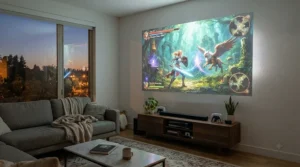
Console Compatibility: PS5, Xbox Series S, and Nintendo Switch
Every projector featured in this guide connects to a console the same simple way: a single HDMI cable, no adapters or dongles required for standard use. Where console compatibility gets more nuanced is resolution and frame-rate handling — PS5 and Xbox Series S both default to outputting at higher resolutions and refresh rates than a budget 1080p projector can actually display, so it’s worth manually setting your console’s video output to 1080p in its system settings rather than leaving it on “automatic,” which can occasionally cause a budget HDMI input to hunt for a signal or drop frames while negotiating. Nintendo Switch is the most forgiving of the three, since its docked output maxes out at 1080p anyway, making it a genuinely plug-and-play match for every projector on this list. One practical tip worth flagging: models with HDMI ARC, like the Aurzen EAZZE D1R, let you route console audio back out to a soundbar through the same cable, which meaningfully simplifies a setup that would otherwise need separate audio and video runs. None of the seven projectors here officially advertise VRR (variable refresh rate) support, so if you’re specifically chasing Xbox Series S’s VRR gaming modes, understand you won’t get the full benefit through any sub-£300 projector currently on the market — an honest limitation worth knowing before you buy rather than discovering after.
Mini Projector Under £300 vs Full-Size Gaming Projector
The trade-off between a mini projector under £300 and a full-size sibling comes down almost entirely to three things: brightness, battery, and bulk. Compact bodies like the Dangbei N2 Mini and Nebula Capsule 3 physically can’t house the same lamp or LED array as larger units, which is why both sit at the dimmer end of the brightness comparison earlier in this guide — that’s simple physics, not a manufacturing shortcut. In exchange, you get genuine portability: something that fits a rucksack pocket, sets up on a shelf with zero tools, and in the Nebula Capsule 3‘s case, even runs untethered from a wall socket for a couple of hours. Full-size options like the Yaber Pro V9 and Vankyo Performance V700 Neo sacrifice that portability for meaningfully more usable light output, which matters more than most buyers initially expect the moment ambient light enters the equation. The honest verdict: if the projector is moving between rooms, gardens, or friends’ houses regularly, a mini projector under £300 earns its trade-offs. If it’s living in one spot permanently, the brightness advantage of a full-size unit is very likely worth the extra desk space it demands.
Best Projector Under £300 For Bedroom Gaming
Bedrooms are, somewhat conveniently, the ideal use case for budget projectors, because they’re typically smaller, darker at night, and easier to fully black out than an open-plan living room. That plays directly to the strengths of the dimmer, more compact models on this list — a projector under £300 for bedroom use doesn’t need to fight daylight the way a living-room unit does, which is precisely why the Aurzen EAZZE D1R earns its recommendation here: its 280 lumens, automatic setup, and built-in Roku smarts are purpose-built for exactly this scenario. Throw distance is worth double-checking specifically for bedroom layouts, since most rooms offer less wall-to-bed distance than a living room does — measure before buying rather than after, particularly if you’re set on a specific model. According to guidance from Expert Reviews UK’s cheap projector testing, even entry-level budget projectors now commonly include HDMI, Bluetooth, and Wi-Fi as standard, which removes most of the historical friction around getting a console or streaming stick connected in a smaller room. One bedroom-specific consideration worth flagging: fan noise is more noticeable in a quieter, smaller space at night, so if silence matters as much as picture quality, favour models reviewers describe as quiet-running over ones praised primarily for brightness.
Long-Term Cost and Maintenance
Budget projectors are refreshingly low-maintenance compared with older lamp-based models, largely because most in this guide use LED light sources rated for tens of thousands of hours — the Dangbei N2 Mini‘s rated 30,000-hour lifespan, for instance, works out to well over a decade of daily two-hour gaming sessions before the light source meaningfully dims. That’s a genuine total-cost-of-ownership advantage over older bulb-based projectors, which historically needed replacement lamps costing £50-£150 every couple of years. Where ongoing costs do creep in is accessories: a proper screen, an HDMI cable rated for your console’s resolution, and potentially a soundbar to compensate for consistently underwhelming built-in speakers across every model here. According to homecinema360.co.uk’s detailed 2026 testing of sub-£300 1080p projectors, the gap between a good budget projector and a good 65-inch television has never been narrower — worth remembering when weighing the long-term value of a £250 projector against a similarly priced but considerably smaller television.
Safety and Disposal: What UK Buyers Should Know
Projectors, like all consumer electronics sold in the UK, fall under the Waste Electrical and Electronic Equipment regulations, meaning they shouldn’t go in general household rubbish once they reach the end of their life. According to official UK government guidance on WEEE regulations, retailers selling electrical and electronic equipment are required to support take-back schemes for old items, so most UK electronics retailers will accept an old projector for recycling when you buy a replacement — worth asking about specifically at checkout rather than assuming it isn’t offered. On the safety side, all seven projectors featured here run on standard low-voltage mains adapters rather than anything requiring specialist installation, and none use traditional high-pressure mercury lamps, which historically carried their own specific disposal requirements — another small but genuine advantage of the LED-based designs now standard at this price point.

Frequently Asked Questions
❓ What is the best projector under £300 for gaming?
❓ Is a mini projector under £300 good enough for console gaming?
❓ Do budget projectors support 120Hz for gaming?
❓ How much input lag is acceptable for console gaming?
❓ Can I use a projector under £300 for bedroom movie nights and gaming both?
Conclusion
Right, if you’ve made it this far, you’ll have noticed there’s no single “best” answer here — and that’s genuinely the point. A projector under £300 for gaming isn’t one product, it’s a category with real trade-offs between brightness, portability, and responsiveness, and the right pick depends entirely on your room, your console, and how much you value setup speed over raw image quality. If verified low input lag matters most, the Vankyo Leisure 470 Pro remains the standout, backed by genuine third-party testing rather than an unverified spec sheet. If you specifically need a mini projector under £300, the Dangbei N2 Mini and Nebula Capsule 3 both deliver genuine portability without sacrificing native 1080p resolution. And if you’re kitting out a projector under £300 for bedroom use specifically, the Aurzen EAZZE D1R‘s combination of built-in Roku smarts and automatic setup removes nearly all the usual friction. Whichever you land on, the honest reality of 2026’s budget projector market is this: you genuinely don’t need to spend £600+ to get a usable, console-ready big-screen gaming setup — you just need to know which £250 gets you there and which one leaves you disappointed.
✨ Don’t Miss These Exclusive Deals!
🎮 Take your gaming setup to the next level with these carefully selected projectors. Click on any highlighted item to check current pricing and availability. These picks will help you create authentic big-screen gaming nights your friends and family will actually want to join in on!
Recommended for You
- Wireless Portable Projector: 7 Best Cable-Free Picks (2026)
- Smart Projector For Streaming: 7 Best Picks With Netflix (2026)
- Smart Portable Projector: 7 Best Picks for UK Homes (2026)
Disclaimer: This article contains affiliate links. As an Amazon Associate, I earn from qualifying purchases. If you purchase products through these links, we may earn a small commission at no additional cost to you.
✨ Found this helpful? Share it with your friends! 💬🤗
