
In This Article
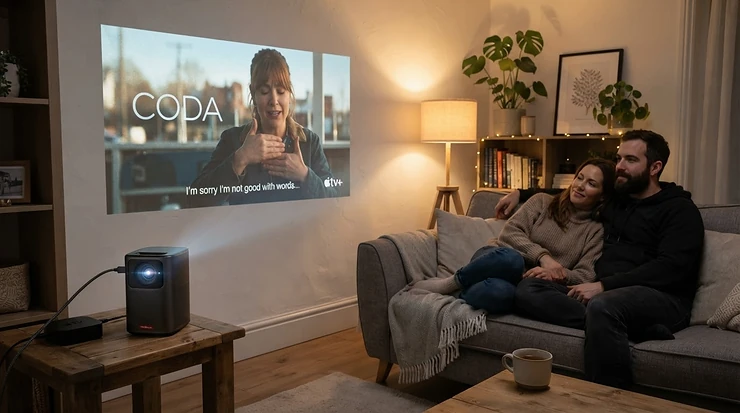
Somewhere between “I’ll just watch it on my phone” and “let’s book the cinema” sits a genuinely brilliant middle ground: a wireless portable projector propped on the kitchen table, throwing a six-foot picture onto the garden fence while the kids argue about which film to watch first. No tangle of HDMI leads behind the sofa. No dongle you can never find. Just a box the size of a can of beans that talks to your phone over WiFi and gets on with it.
That simplicity is precisely why this category has exploded. A wireless portable projector connects to your home network or a phone’s hotspot, streams Netflix or BBC iPlayer natively (or via screen mirroring), and pairs with Bluetooth speakers or headphones when the built-in audio isn’t quite cinema-grade. Whether you’re after a WiFi portable projector for a static home cinema corner or a wireless mini projector that lives in a rucksack for festival season, the fundamentals are the same: bright enough to see, smart enough to stream, and light enough that you’ll actually bother carrying it.
Below, we’ve dug into seven real, currently available models spanning budget, mid-range, and premium territory, with honest analysis of who each one actually suits — not just a list of specs copied from a listing page.
Quick Comparison Table
| Model | Brightness | Wireless | Battery | Best For |
|---|---|---|---|---|
| Wanbo Mini Pro WPE01 | 250 ANSI lumens | WiFi & Bluetooth | Mains only | Ultra-budget travel |
| WiMiUS P62 | 600 ANSI lumens | WiFi 6, Bluetooth 5.2 | Mains only | Budget WiFi 6 upgrade |
| YABER T2 Plus | 450 ANSI lumens | WiFi 6, Bluetooth 5.0 | 2.5 hrs | Garden and camping |
| BenQ GV31 | 300 ANSI lumens | WiFi, Bluetooth | 3 hrs | Design-conscious mid-range |
| Anker Nebula Capsule 3 Laser | 300 ANSI lumens | WiFi, Bluetooth 5.1 | 2.5 hrs | Dark-room laser clarity |
| Samsung The Freestyle 2nd Gen | 550 lumens | WiFi, Bluetooth, Alexa/Bixby | Optional base | Smart-home households |
| XGIMI Halo+ | 700 ISO lumens | WiFi, Bluetooth 5.3 | 2.5 hrs | Premium all-rounder |
At a glance, brightness and battery life pull in opposite directions — the brighter mid-range sets like the WiMiUS P62 skip the built-in battery entirely, while the more travel-focused YABER T2 Plus and XGIMI Halo+ trade a bit of raw lumens for genuine off-grid use. If you mostly watch after dark indoors, brightness matters less than you’d think; outdoors or in a bright kitchen, it’s the single biggest factor in whether the picture actually looks good. According to Which?’s projector testing, picture quality in real rooms depends heavily on ambient light control, not just the headline lumen figure printed on the box.
💬 Found a model that suits you already? A quick thumbs-up helps other readers spot the best picks faster too!
Top 7 Wireless Portable Projectors: Expert Analysis
1. Wanbo Mini Pro WPE01 — smallest and cheapest genuine WiFi pick
Weighing in at around 600g, the Wanbo Mini Pro WPE01 is about as close as this category gets to a true pocket cinema, and its standout feature is simply how little it asks of you before it works. It runs a built-in Android 9.0 interface with WiFi and Bluetooth, native 720p resolution, and 250 ANSI lumens of brightness — modest numbers, but honestly reported rather than inflated, which matters when you’re comparing budget listings that love to quote “supported” 4K instead of native resolution. In practice, that brightness figure means this is strictly a curtains-closed, lights-off device; anything with daylight in the room will wash the image out noticeably.
Based on the spec comparison with rival budget models, this one earns its keep through sheer portability rather than picture punch — it’s the wireless mini projector you throw in a bag without thinking twice, not the one you build a home cinema around. Reviewers of similarly specced Wanbo models consistently note that the built-in speaker is thin and best treated as a backup, with Bluetooth pairing to an external speaker being the default rather than an afterthought.
Pros:
- ✅ Genuinely pocketable at roughly 600g
- ✅ Built-in Android apps mean no dongle required
- ✅ WiFi and Bluetooth both included at this price
Cons:
- ❌ 720p resolution limits text and fine detail sharpness
- ❌ Needs a fully dark room to look its best
Priced around £90-£120, this is a stocking-filler-adjacent buy rather than a primary display, and the value verdict holds up as long as your expectations match the size.

2. WiMiUS P62 — best for hill-climbing brightness on a tight budget
The WiMiUS P62 jumps to 600 ANSI lumens, native 1080p resolution, and — critically for this article — genuine WiFi 6 connectivity alongside Bluetooth 5.2, putting router-grade streaming speed in a sub-£200 body. That brightness figure is roughly double the Wanbo above, and in real rooms that difference is the gap between “watchable with a lamp on” and “needs total darkness.”
What most buyers overlook about this model is that auto vertical keystone correction does the heavy lifting on setup — point it roughly at the wall and the image squares itself up in seconds, which matters more day-to-day than any spec sheet number. Aggregated review sentiment across comparable WiMiUS models points to reliable Android TV performance and dual HDMI ports as genuine conveniences, though owners commonly flag that the fan noise is noticeable in a quiet room, a fair trade-off for the brightness on offer.
Pros:
- ✅ WiFi 6 support for faster, more stable streaming
- ✅ 600 ANSI lumens usable with some ambient light
- ✅ Dual HDMI ports for wired backup devices
Cons:
- ❌ No built-in battery — mains power only
- ❌ Fan noise audible during quiet dialogue scenes
At around £150-£200, the WiMiUS P62 is arguably the sharpest value pick here if you mainly use a projector indoors and want a proper WiFi portable projector without premium pricing.
3. YABER T2 Plus — best for garden movie nights and camping trips
The YABER T2 Plus is built specifically for the outdoors, and its standout feature is the combination of a genuine built-in battery (2.5 hours of video, up to 18 hours of audio-only use) with true WiFi 6 and dual 8W JBL-tuned Dolby Audio speakers. That’s a real point of difference — most projectors in this bracket make you choose between decent sound and decent battery life, but the T2 Plus tries to deliver both.
On paper this means a genuinely cable-free evening: point it at a bedsheet strung between two trees, stream via WiFi 6, and let the JBL speakers do double duty as a Bluetooth speaker afterwards for music. The handle doubles as a built-in stand with 15 degrees of tilt, which is a small design touch that saves you hunting for a tripod. Reviewers of the T2 Plus consistently highlight the JBL audio as punching above its price bracket, though several also note the app/dongle software layer feels less polished than the built-in Google TV interfaces found on pricier rivals.
Pros:
- ✅ Built-in battery genuinely lasts a feature film
- ✅ WiFi 6 plus Bluetooth for phone, speaker or headphone pairing
- ✅ JBL Dolby Audio speakers double as a standalone speaker
Cons:
- ❌ Native app interface less refined than Google TV rivals
- ❌ 450 ANSI lumens still needs a shaded outdoor spot
Expect to pay somewhere in the £250-£300 range, and for anyone whose main use case is patios, gardens, or campsites, this is one of the most purpose-built options on this list.
4. BenQ GV31 — best rotating design for awkward rooms
The BenQ GV31 stands apart with a rotating lens body that tilts through a wide range of angles, so you can project onto a ceiling from a bedside table without any stand at all — a standout feature that solves the single most common complaint about portable projectors, which is finding somewhere flat and level to point them from. Full HD 1080p resolution and 300 ANSI lumens are respectable rather than class-leading, but BenQ’s CinematicColor processing is what reviewers repeatedly call out as delivering more accurate skin tones and less colour banding than rivals at a similar lumen count.
Based on the spec comparison, the GV31’s 2.1-channel sound system with a dedicated 8W woofer is genuinely a step up from most built-in projector speakers, and it can also detach into “wireless speaker mode” to work as a standalone Bluetooth speaker when you’re not projecting anything. What Hi-Fi’s testing praised the GV31’s “excellent auto set-up” and “highly versatile positioning” while flagging limited brightness for daytime use as the main trade-off.
Pros:
- ✅ Free-rotation body eliminates the need for a separate stand
- ✅ 2.1-channel speaker system with genuine bass
- ✅ Android TV built-in with Netflix support
Cons:
- ❌ 300 ANSI lumens strictly a dark-room brightness level
- ❌ Sits at a higher price than similarly bright rivals
At roughly £450-£570, the BenQ GV31 suits anyone projecting from an awkward angle — bedside tables, low shelves, the floor — more than anyone chasing outright brightness.
5. Anker Nebula Capsule 3 Laser — best for genuine dark-room clarity
Shaped like a tall drinks can and weighing under a kilogram, the Anker Nebula Capsule 3 Laser swaps the LED light source most rivals use for an actual laser engine, and that’s the standout feature worth understanding. Laser light sources produce noticeably crisper, more colour-accurate images than LED at the same lumen count — so while its 300 ANSI lumens figure looks unremarkable on paper, the picture it produces in a properly darkened room is sharper than most LED projectors rated 100-150 lumens brighter.
Here’s what to weigh: Android TV 11.0 with built-in Chromecast and Google Assistant makes this one of the most complete smart platforms on this list, and the 2.5-hour built-in battery means it genuinely works unplugged. Aggregated customer sentiment on comparable Nebula Capsule models consistently flags the laser clarity and genuinely portable size as the headline strengths, with the recurring caveat being that 300 lumens simply isn’t enough for anywhere with meaningful ambient light — this is a device built for evenings, not afternoons.
Pros:
- ✅ Laser light source gives sharper detail than LED at the same brightness
- ✅ Android TV 11.0 with Chromecast built in
- ✅ Genuinely pocket-sized at under 1kg
Cons:
- ❌ 300 ANSI lumens rules out any daylight use
- ❌ Premium pricing relative to its brightness spec
Typically priced in the £400-£500 range, this is the pick for anyone whose primary criterion is dark-room picture quality over daytime flexibility.
6. Samsung The Freestyle 2nd Gen — best for existing Samsung smart-home setups
The Samsung The Freestyle 2nd Gen leans hard into “smart projector” rather than “portable projector,” and its standout feature is voice control via Bixby or Amazon Alexa through built-in far-field microphones — genuinely useful when you don’t want to fumble for a remote in a dark room. The battery-free SolarCell remote, which trickle-charges from ambient light and WiFi signals, is a small but clever touch that means you’ll rarely hunt for replacement batteries.
Based on the spec comparison, 550 lumens from an LED source rated for 30,000 hours puts this ahead of most rivals here on raw brightness and longevity, and auto keystone plus auto levelling mean it self-corrects even at extreme angles. TechRadar’s review called out its “highly flexible setup options” and superior smart interface, while also noting it “sits in an awkward spot value-wise” against cheaper 1080p LED rivals with similar brightness — a fair criticism if you don’t specifically want the Samsung ecosystem integration.
Pros:
- ✅ Bixby and Alexa voice control built in
- ✅ 550-lumen LED source rated for 30,000 hours
- ✅ Battery-free SolarCell remote control
Cons:
- ❌ No built-in battery as standard — sold separately
- ❌ Premium price relative to brightness-matched rivals
Sitting around £550-£650, the value case strengthens considerably for households already using Samsung TVs, SmartThings, or Bixby elsewhere in the home.
7. XGIMI Halo+ — best overall for battery life and sound together
The XGIMI Halo+ rounds out this list as the premium all-rounder, and its standout feature is genuinely balancing brightness, battery, and audio rather than sacrificing one for the others. At 700 ISO lumens with a 59.454Wh built-in battery delivering roughly 2.5 hours of playtime, it’s brighter than every other battery-powered model on this list while still being properly portable.
What the spec sheet won’t tell you, but reviewers note, is that XGIMI’s Intelligent Screen Adaptation genuinely works as advertised — auto keystone, auto focus, and obstacle avoidance combine to get a clean rectangular image within seconds of switching on, which removes most of the friction that makes people give up on projectors after the first attempt. Dual 5W Harman Kardon speakers add real depth over the tinny mono speakers found in cheaper models. Aggregated owner feedback is broadly positive on picture quality and setup speed, with a recurring theme of occasional WiFi or AirPlay streaming lag during high-motion scenes — worth noting if you’re a stickler for consistent frame pacing.
Pros:
- ✅ 700 ISO lumens is the brightest battery-powered pick here
- ✅ Dual Harman Kardon speakers with genuine bass response
- ✅ Auto focus, keystone and obstacle avoidance all included
Cons:
- ❌ Occasional streaming lag reported during fast motion
- ❌ Premium price around £550-£700
For buyers who want one projector that handles both a garden movie night and a genuine indoor home cinema session, the XGIMI Halo+ is the strongest all-rounder on this list.
Setting Up Your Portable Projector No Cables Needed
One of the biggest draws of a modern portable projector no cables required is how little kit you actually need to get a picture on the wall. In the first 30 days of ownership, most setup mistakes come down to three things: skipping the WiFi network selection during first boot, ignoring keystone correction because the picture “looks close enough,” and never pairing a Bluetooth speaker because the built-in audio “seemed fine” in a quiet showroom demo.
Start by connecting to your home WiFi network directly through the projector’s settings menu rather than relying solely on screen mirroring — a direct network connection is more stable for long streaming sessions than phone-to-projector casting, which can drop out if your phone locks or receives a call. Once connected, run auto keystone and auto focus if your model has them (the XGIMI Halo+, BenQ GV31, and YABER T2 Plus all include this), then fine-tune manually only if the auto result still looks slightly off. For audio, pair a Bluetooth speaker before you start the film, not during it — mid-film pairing almost always drops the video stream momentarily on budget models.
Maintenance-wise, wipe the lens with a proper microfibre cloth only (never anything abrasive), keep the intake vents free of dust with an occasional compressed-air clean, and if your model has a battery, avoid leaving it fully depleted for extended storage periods, since lithium cells degrade faster when stored empty.
Real-World Scenarios: Matching the Right Projector to Your Life
If you’re a student in halls who wants film nights without upsetting flatmates over TV time, the compact Wanbo Mini Pro WPE01 or WiMiUS P62 make sense — cheap enough that a knock or scratch isn’t devastating, and small enough to live in a desk drawer between uses. Budget matters more than battery life here, since halls always have a socket nearby.
If you’re a family who wants weekend garden cinema for the kids without an expensive outdoor screen setup, the YABER T2 Plus is built for exactly this — genuine battery power, weatherproof-adjacent design touches like the tilt handle, and JBL audio loud enough to fill a garden without a separate speaker. Frequency of use several times a month in decent weather justifies the mid-range spend.
If you’re a couple upgrading a small flat’s living room and want something that looks intentional rather than like camping gear left indoors, the BenQ GV31‘s rotating industrial design or the Samsung The Freestyle 2nd Gen‘s smart-home integration both suit a semi-permanent indoor setup better than the outdoor-leaning options above.
Portable Projector Hotspot Streaming: Movies Anywhere
A genuinely underrated use case is portable projector hotspot streaming — using your phone’s mobile data as the network connection rather than relying on a venue’s WiFi, which solves the single most common problem people hit when travelling: no WiFi network available where they actually want to watch something.
Problem one is signal instability on shared or public WiFi; the fix is simply switching the projector’s network settings to your phone’s personal hotspot instead, which almost always gives a more stable, private connection for streaming apps like Netflix or Prime Video. Problem two is data usage — streaming HD video via a hotspot for two hours can easily use 1.5-3GB, so checking your mobile data allowance beforehand avoids an unwelcome bill surprise. Problem three is battery drain on the phone providing the hotspot; keeping the phone plugged into a power bank while hotspotting prevents it from dying mid-film. Problem four is projectors that only support screen mirroring rather than native app streaming, which drains the phone’s battery even faster since it’s doing double duty as both hotspot and source device — models with built-in Android TV or Google TV, like the XGIMI Halo+ or YABER T2 Plus, sidestep this by streaming directly rather than mirroring.
For camping trips or off-grid weekends specifically, download content in advance where your streaming app allows offline viewing, since even a strong hotspot signal can be unreliable in rural areas with patchy 4G coverage.
How to Choose a Wireless Portable Projector
Choosing a wireless portable projector comes down to matching a handful of criteria to how and where you’ll actually use it, rather than chasing the single highest spec on a listing page.
- Decide your primary viewing environment first. Indoor dark-room use tolerates lower lumens (250-350); any daylight or ambient light needs 500+ ANSI lumens to look genuinely watchable.
- Check for a built-in battery if portability matters. Mains-only models like the WiMiUS P62 are lighter and often cheaper, but useless anywhere without a socket nearby.
- Confirm WiFi standard and built-in streaming apps. A model with native Google TV or Android TV avoids the hassle of an external streaming dongle entirely.
- Weigh built-in audio against your tolerance for extra kit. If you’re always going to pair a Bluetooth speaker anyway, built-in sound quality matters less than portability.
- Look at auto keystone and auto focus as genuine time-savers. These features turn a five-minute fiddly setup into a five-second one, especially for households that’ll actually use the projector regularly rather than let it gather dust.
- Factor in resolution honestly. Native 1080p (not “supports 4K input”) is worth paying for if you’ll be sat closer than three metres from the screen.
- Budget for a screen or a genuinely flat, light-coloured wall. Even the best projector looks mediocre thrown onto a textured or coloured surface.
Wi-Fi 6 Projector: Why the New Standard Matters
A Wi-Fi 6 projector isn’t just a marketing checkbox — the underlying standard genuinely improves streaming reliability in ways that matter for portable use specifically. Wi-Fi 6 (802.11ax) handles multiple connected devices on the same network far more efficiently than older Wi-Fi 5, which is exactly the scenario a projector lives in: a busy home network with phones, smart speakers, laptops, and the projector itself all competing for bandwidth simultaneously.
In practical terms, models like the WiMiUS P62 and YABER T2 Plus with genuine Wi-Fi 6 support tend to buffer less during peak-hours streaming and hold a more stable connection at the edge of a home’s WiFi range — useful if the projector lives in a garden or conservatory further from the router than a typical smart TV would be. Reviewers consistently note that older Wi-Fi 4/5 portable projectors are more prone to mid-film buffering on congested networks, which is precisely the frustration Wi-Fi 6 is designed to reduce. It’s not a dramatic visual upgrade, but for anyone who’s sat through a buffering wheel mid-film, it’s a meaningfully better everyday experience.
Wireless Display Protocols Explained
Not every wireless portable projector talks to your phone the same way, and understanding the protocol behind the marketing term saves a lot of setup frustration. The three you’ll encounter most are Miracast, Google Cast (Chromecast), and Apple AirPlay, and each works differently under the bonnet.
Miracast, as Wikipedia’s technical breakdown explains, is essentially “HDMI over WiFi” — it mirrors your device’s screen directly to the projector using a peer-to-peer WiFi Direct connection, without needing a home network at all, which makes it genuinely useful for hotel rooms or venues with no WiFi available. Google Cast, built into most Android TV and Google TV projectors including the XGIMI Halo+, streams the content itself rather than mirroring the screen, which uses less phone battery and gives a smoother picture since your phone isn’t doing double duty. Apple AirPlay, supported by several premium models, works similarly for iPhone and iPad users specifically.
The practical takeaway: if you’re mostly an Android user with a Google TV projector, native casting will almost always outperform screen mirroring. If you’re regularly in venues without WiFi, confirm Miracast support specifically before buying, since not every budget model includes it.
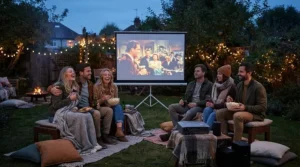
Bluetooth Projector: Getting the Best Wireless Audio
Built-in projector speakers, even good ones like the BenQ GV31‘s 2.1-channel system, rarely match a dedicated speaker, which is where Bluetooth projector functionality earns its keep. Every model on this list supports pairing to an external Bluetooth speaker or headphones, and the practical benefits split into three genuine use cases.
For late-night viewing, pairing Bluetooth headphones means you can watch without disturbing anyone else in the house — a detail that matters far more in shared housing or flats than any spec sheet suggests. For outdoor movie nights, pairing to a portable Bluetooth speaker adds bass and volume that no projector’s internal drivers can match, particularly relevant for the YABER T2 Plus and Anker Nebula Capsule 3 Laser, both of which are aimed squarely at outdoor use. For simplicity, some models — notably the BenQ GV31 — can be used purely as a Bluetooth speaker without projecting anything at all, useful for background music at a barbecue.
One practical tip worth knowing: pair your Bluetooth device before starting playback rather than mid-stream, since several budget models briefly interrupt video output while establishing a new Bluetooth connection.
Wireless Mini Projector vs Traditional Wired Projector
| Factor | Wireless Mini Projector | Traditional Wired Projector |
|---|---|---|
| Setup time | Minutes, no cable routing | Often 15-30 minutes with cable management |
| Portability | Genuinely movable between rooms | Usually semi-permanent installation |
| Streaming apps | Built-in on most models | Requires an external streaming device |
| Peak brightness | Typically 250-700 lumens | Often 1,500+ lumens on mains-only units |
| Typical price | £90-£700 | £400-£2,000+ |
The comparison above makes the trade-off fairly clear: a wireless mini projector wins comfortably on convenience and streaming simplicity, but a traditional mains-fed, cabled projector still wins outright on raw brightness for larger rooms or genuine home-cinema setups. If your priority is spontaneity — moving the projector between the living room, bedroom, and garden across a single weekend — the wireless category is the clear choice, and models like the XGIMI Halo+ close much of the brightness gap that used to separate the two categories entirely.
Features That Actually Matter (And Those That Don’t)
Marketing copy loves to shout about “supports 4K” — but on nearly every model in this price bracket, that means the projector can accept a 4K input signal and downscale it, not that it natively displays 4K resolution. Native 1080p, as found on the WiMiUS P62, YABER T2 Plus, and XGIMI Halo+, matters far more to actual picture sharpness than a “4K supported” badge on a 720p native panel.
Auto keystone and auto focus genuinely matter, because they’re the difference between a projector you set up in seconds and one that ends up in a cupboard after the novelty wears off. Built-in streaming apps (Android TV, Google TV) genuinely matter too, removing the need for an extra dongle. On the other hand, headline lumen figures without an “ANSI” qualifier are close to meaningless for comparison purposes — always look for the ANSI-rated figure specifically, since unrated “lumens” claims are frequently inflated well beyond what the projector actually produces in a real room.
Common Mistakes When Buying a Wireless Portable Projector
The most common mistake is buying based on lumens alone without checking ANSI certification, leading to a projector that looks far dimmer in person than the listing suggested. A close second is assuming “WiFi and Bluetooth” automatically means built-in Netflix — several budget models, including some Yaber and Wanbo variants, still require an external streaming stick for licensed apps, so always check for confirmed Netflix or Google TV certification rather than assuming.
Buyers also frequently underestimate how much a screen (or even a plain white bedsheet) improves picture quality over a textured or magnolia wall — spending nothing extra on the projector but everything on a decent projection surface often delivers a bigger visible upgrade than paying £100 more for a brighter model. Finally, many buyers skip checking battery playtime against actual film length; a 90-minute battery on a projector rated for “2 hours” sounds fine until you factor in the 10-15% typically lost to brightness settings above the eco mode used in manufacturer testing.
Long-Term Cost, Maintenance & Safety
Beyond the purchase price, ongoing costs for a wireless portable projector are genuinely low compared to a traditional lamp-based projector. Every model on this list uses an LED or laser light source rather than a replaceable bulb, with manufacturers typically rating these sources for 20,000-30,000 hours of use — at even two hours a day, that’s over 25 years before brightness meaningfully degrades, effectively removing the recurring bulb-replacement cost that used to define projector ownership.
Battery-equipped models do have one genuine long-term consideration: lithium battery cells degrade with charge cycles, typically losing noticeable capacity after 300-500 full charges, so a projector used daily outdoors may see reduced battery runtime after two to three years — a normal part of lithium battery ageing rather than a fault. On safety, keep any battery-powered model away from direct heat and never charge it unattended overnight, standard practice for any lithium-powered device. When a projector eventually reaches end of life, UK households are required to recycle it properly rather than binning it — electronics with a plug, battery, or cable fall under the WEEE recycling regulations, and most local councils operate dedicated electrical recycling points free of charge.
✨ Don’t Miss These Exclusive Deals!
🔍 Take your home cinema setup to the next level with these carefully selected wireless portable projectors. Click on any highlighted pick to check current pricing and availability. These picks will help you create genuine big-screen movie nights your family and friends will love!
Frequently Asked Questions
❓ Do wireless portable projectors need WiFi to work at all?
❓ Can a wireless portable projector connect to a phone hotspot?
❓ How bright does a wireless portable projector need to be for outdoor use?
❓ Is Bluetooth audio quality good enough to skip a separate speaker entirely?
❓ Do these projectors work with both Android and iPhone?
Conclusion
The right wireless portable projector genuinely comes down to where you’ll actually use it, not which model has the flashiest spec sheet. For pure budget-friendly portability, the Wanbo Mini Pro WPE01 and WiMiUS P62 cover the basics without overspending. For outdoor and camping use specifically, the YABER T2 Plus earns its keep through genuine battery life and JBL sound. For design-conscious indoor setups, the BenQ GV31‘s rotating body solves the age-old “nowhere flat to put it” problem, while the Anker Nebula Capsule 3 Laser rewards anyone prioritising dark-room picture clarity above all else.
At the premium end, the Samsung The Freestyle 2nd Gen makes most sense for households already invested in Samsung’s smart ecosystem, and the XGIMI Halo+ stands out as the most genuinely well-rounded option on this list — bright enough, portable enough, and smart enough to handle nearly any scenario without compromise. Whichever you choose, the underlying appeal is the same: a proper big-screen picture, wherever you happen to be, with not a single cable in sight.
Recommended for You
- Smart Projector For Streaming: 7 Best Picks With Netflix (2026)
- Smart Portable Projector: 7 Best Picks for UK Homes (2026)
- How Long Does a Battery Projector Last: 7 Real Picks (2026)
Disclaimer: This article contains affiliate links. As an Amazon Associate, I earn from qualifying purchases. If you purchase products through these links, we may earn a small commission at no additional cost to you.
✨ Found this helpful? Share it with your friends! 💬🤗
