

In This Article
A curved screen for ultra wide projection is a fixed-frame projection surface, usually in a 2.35:1 shape, whose left and right edges bow gently towards the audience. The curve keeps the lens-to-screen distance more even across the whole picture. That helps wide, anamorphic-style images look straighter, brighter at the edges and far more immersive in a dedicated home cinema.
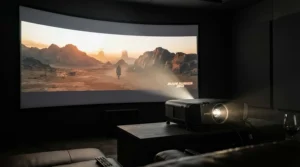
Here’s the thing: your living room isn’t a 1950s picture palace, but the films you love were shaped by one. When CinemaScope arrived in the 1950s, it stretched images to nearly twice the width of the old Academy format. Today’s blockbusters still carry that DNA. Show them on a standard 16:9 screen and you get letterbox bars, a smaller picture and a lot of wasted pixels.
A well-chosen curved screen for ultra wide projection fixes that. It also pulls the picture into your peripheral vision, which is half of what makes a cinema feel like a cinema.
This guide covers seven real curved 2.35:1 options, from affordable to aspirational. It also covers the cinemascope aspect ratio, the anamorphic lens question and the curved vs flat projector screen debate. One honest caveat: curved screens are a niche, so many of these models sell through specialist AV dealers. Confirm amazon.co.uk availability yourself, and treat every price here as indicative only.
Quick Comparison: 7 Curved Screens at a Glance
| Product | Size (2.35:1) | Surface | Best For |
|---|---|---|---|
| Elite Screens Lunette CineWhite 96″ | 96″ (about 2.24 m wide) | CineWhite, 1.1 gain | Small rooms, first curved screen |
| Elite Screens Lunette 2 CineWhite 115″ | 115″ (about 2.69 m wide) | CineWhite, 1.1 gain | Dedicated rooms, easier install |
| Elite Screens Lunette 2 CineWhite 125″ | 125″ (about 2.92 m wide) | CineWhite, 1.1 gain | Larger rooms, bigger image |
| Elite Screens Lunette AcousticPro1080P3 115″ | 115″ | Perforated acoustic weave | Speakers hidden behind screen |
| Elite Screens Lunette Acoustic 4K 115″ | 115″ | Angular-weave acoustic, 4K-ready | 4K projectors with hidden speakers |
| Stewart Filmscreen Cine-W | Custom | Choice of Stewart materials | Premium, installer-led cinemas |
| Screen Research TheaterCurve | Custom | Acoustically transparent | Premium anamorphic set-ups |
Looking at the table, the Elite Screens Lunette CineWhite 96″ is the cheapest way into curved territory, while the two Lunette 2 screens trade a higher price for a bigger picture and easier installation. The acoustic pair suits anyone who wants speakers behind the screen. The two premium names are essentially quote-based, custom-installer products. Match the screen to your room width first and your budget second.
💬 Just one click — help others make better buying decisions too!😊
Top 7 Curved Screen for Ultra Wide Projection Options: Expert Analysis
1. Elite Screens Lunette CineWhite 96″ — best entry ticket to a curved screen
A curve doesn’t have to arrive with a custom-installer invoice, and this screen shows why. It’s a 2.35:1 fixed frame with a 96-inch diagonal, roughly 2.24 m wide by 0.95 m tall. The surface is CineWhite matte white with 1.1 gain and a 180-degree viewing angle. Gain that low is forgiving: no hot-spotting, no colour shifts, and seats at the side still see a clean picture.
The curve is a gentle 40-foot (about 12 m) radius, and the frame is a 3.5-inch velvet-covered border that swallows stray light. Sliding wall mounts let you centre the screen horizontally, and adjustable fixing plates even out the tension. On paper, that makes it a sensible fit for a spare room or snug where viewers sit two to three metres back. Based on the spec comparison, it’s the screen for people who want the shape without the sticker shock.
Verified customer-review data for this exact size was thin at the time of research, so read recent verified-purchase feedback before committing.
Pros:
- ✅ Lowest entry price in the curved 2.35:1 field
- ✅ Velvet frame absorbs spill and boosts contrast
- ✅ Sliding mounts make centring painless
Cons:
- ❌ Image is modest for large rooms
- ❌ No acoustic option at this size
Expect roughly £400-£700, depending on retailer. For first-time buyers it’s excellent value.
2. Elite Screens Lunette 2 CineWhite 115″ (CURVE235-115W) — best all-round value for dedicated rooms
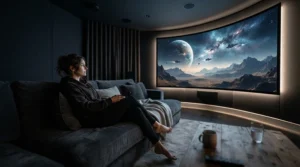
This is the sweet spot in the range. At a 115-inch diagonal, the picture is about 2.69 m wide and 1.14 m tall, big enough to fill your vision from a typical third-row-of-the-cinema seating distance. It uses the same CineWhite 1.1 gain surface as the entry model. It’s a full Lambertian diffuser, meaning brightness doesn’t halve as you move off-axis.
What sets the Lunette 2 apart is practical. A rubber-edge border makes fitting the surface quicker, and an installation kit is included: wood screws and anchors, wall brackets, a screwdriver and a mallet. The surface is mildew-resistant and can be wiped with a damp cotton cloth. Elite also says it’s Active 3D, 4K and HDR ready.
Here’s the analytical take: a 2.69 m width suits rooms about 4 m wide or more. Anything smaller and you’ll struggle to find a wall that frames it comfortably. Elite’s range runs from 115 to 166 inches in this format, so you can scale up later.
Independent customer-review volume for this precise model was hard to verify, so check the latest verified feedback on the listing.
Pros:
- ✅ Easier installation than the original Lunette
- ✅ Wide 180-degree viewing angle
- ✅ Washable, mildew-resistant surface
Cons:
- ❌ Needs a wall at least four metres wide
- ❌ Matte white needs a light-controlled room
Price range: roughly £900-£1,500. Strong value if your room can take the width.
3. Elite Screens Lunette 2 CineWhite 125″ (CURVE235-125W) — best for a bigger, bolder picture
Think of this as the Lunette 2 CineWhite 115″ with the volume turned up. The 125-inch diagonal gives roughly 2.92 m of width and 1.24 m of height, so the picture is noticeably more commanding. That’s an extra 20 cm or so of width, but in a darkened room it’s the difference between “big TV” and “proper cinema”.
The material and curvature are the same: 1.1 gain CineWhite and a 40-foot radius that Elite says eliminates pincushion distortion. Elite also claims the forward-curved edges improve perceived depth and brightness uniformity. As with any manufacturer claim, treat it as plausible rather than proven. The physics, though, is sound: edges that sit closer to the lens get hit by light that has travelled a similar distance to the centre.
Who’s it for? Rooms where viewing distance is around three to four metres, and where the projector can deliver enough lumens to keep a bigger image punchy. A larger image spreads the same light thinner, so check your projector’s brightness before upsizing.
I couldn’t confirm a meaningful pool of verified UK customer reviews for this specific size, so lean on Elite’s published specifications and a dealer’s advice.
Pros:
- ✅ Larger picture with same easy-fit design
- ✅ Same forgiving 1.1 gain surface
- ✅ Scales neatly from the 115-inch model
Cons:
- ❌ Demands a brighter projector
- ❌ Heavier and trickier to hang solo
Price range: roughly £1,000-£1,700. Worth it only if the room and projector can feed it.
4. Elite Screens Lunette AcousticPro1080P3 115″ — best for hidden speakers on a sensible budget
Acoustically transparent screens let you put the left, centre and right speakers behind the picture, so dialogue appears to come from actors’ mouths. This one pairs a curved Lunette frame with Elite’s perforated AcousticPro1080P3 weave. Elite says the weave eliminates moiré and gives warm, neutral colours with both 1080p and 4K UHD projectors.
The frame is the familiar 3.5-inch black velvet border, and the curve follows the same 40-foot radius. Elite also notes that a curved screen can cover the centre and side speakers within its width, which is a neat bonus for a three-channel front stage.
My analytical take: acoustic weaves generally trade a little brightness and fine detail for sound transparency. If you’re pairing it with a native 4K projector, test the weave at your seating distance, because the “1080P3” label hints at a design aimed at lower-resolution sources. For a 1080p projector, it’s a natural match.
There wasn’t enough verifiable customer feedback to summarise honestly at the time of research, so seek out installer or forum reports on the weave before buying.
Pros:
- ✅ Speakers can sit directly behind the picture
- ✅ Weave designed to avoid moiré
- ✅ Curved frame suits anamorphic set-ups
Cons:
- ❌ Perforated weave may soften very fine detail
- ❌ Needs space behind the screen
Price range: roughly £1,000-£1,600. Good value if you want a proper front soundstage.
5. Elite Screens Lunette Acoustic 4K 115″ (CURVE235-115A4K) — best acoustic curved screen for 4K projectors
If the previous model is aimed at 1080p, this is its 4K-minded sibling. Elite describes an angular weave designed for both 4K (4096×2160) and 1080p projectors, while eliminating moiré. The surface is an ultra-white acoustically transparent material with 1.1 gain, mounted on a black-backed, velvet-framed curved fixed frame.
At 115 inches, the picture is about 2.69 m by 1.14 m. The angular weave is the clever bit: by avoiding a perfectly regular grid, it reduces the chance of interference patterns appearing against your projector’s pixel structure. That matters most on bright, detailed scenes such as snowfields or skies, where moiré tends to show itself.
For anyone with a modern 4K projector and a proper surround system, this is the more future-proof choice over the 1080p-focused weave. Based on the spec comparison, it sacrifices nothing in size or curvature, and adds resolution headroom.
Verified customer-review depth on this model was limited when researched, so treat Elite’s claims as manufacturer statements and cross-check with dealer feedback.
Pros:
- ✅ Weave built to handle 4K projectors
- ✅ Moiré-resistant angular pattern
- ✅ Speakers can hide behind the screen
Cons:
- ❌ Costs more than the matte-white option
- ❌ Acoustic weaves still dim the image slightly
Price range: roughly £1,100-£1,800. A solid investment for 4K-and-surround builds.
6. Stewart Filmscreen Cine-W — best premium curved screen for serious cinemas
Stewart is the name installers whisper reverently, and the Cine-W shows why. It’s a native 2.35:1 curved screen designed for projectors using an anamorphic lens. Home Theater Review’s assessment of the Cine-W praised its colour and uniformity. The reviewer also argued that the curve helps focus the projector’s light onto the screen, and concluded that installation is best left to a custom installer.
The Cine-W is offered in Stewart’s full range of materials, including Microperf X2 and Cinemaperf, which allow speakers to sit directly behind the screen. Stewart’s current curved-frame family, CineCurve, adds optional digitally controlled masking panels and a radius tailored to your anamorphic lens or seating. Check which model name Stewart currently lists, as it’s an older product line.
Analytically, you’re paying for custom engineering rather than a catalogue size. If your cinema has a fixed seating layout and a high-end projector and lens combination, bespoke geometry makes sense. If you’re hanging a screen on a rented wall, it doesn’t.
Reviewer sentiment is positive, though that review is a professional write-up rather than aggregated customer feedback.
Pros:
- ✅ Bespoke curve radius for your lens and seating
- ✅ Wide choice of materials, including acoustic
- ✅ Respected brand with installer support
Cons:
- ❌ Quote-based, premium pricing
- ❌ Professional installation strongly advised
Price range: expect several thousand pounds, quote-based. Exceptional, if you can justify it.
7. Screen Research TheaterCurve — best curved acoustic screen for anamorphic purists
Screen Research launched TheaterCurve as a curved, acoustically transparent range built as the ideal match for digital projectors with anamorphic lenses. According to the manufacturer’s launch announcement, it came in 1.78 and 2.35 aspect ratios, in fixed-frame form or with lateral masking panels. It said the curve corresponds to the anamorphic lens and eliminates pincushion effects that can appear at short throw distances.
That claim is the real appeal. A screen designed with the lens in mind, rather than as a generic bowed rectangle, is the closest thing to a matched system. The lateral masking option is handy if you also watch 16:9 content and want crisp black edges rather than a washed-out border.
The analytical caveat is availability. That announcement dates from 2006, so confirm current UK stock, naming and support with a specialist dealer before getting excited. For a premium build that’s already specifying an anamorphic lens, it’s worth the phone call.
I couldn’t verify any genuine aggregated customer-review pool for the current UK offering, so rely on dealer quotes and installer advice.
Pros:
- ✅ Curve designed around anamorphic lens behaviour
- ✅ Acoustically transparent for hidden speakers
- ✅ Masking options for mixed aspect ratios
Cons:
- ❌ UK availability needs checking
- ❌ Premium, quote-driven pricing
Price range: premium, so request a quote. Best for matched-system obsessives.
Spec Showdown: How the Seven Compare
| Product | Curvature / Frame | Surface Notes | Acoustic? | Price Range | Best For |
|---|---|---|---|---|---|
| Elite Screens Lunette CineWhite 96″ | 40 ft radius, 3.5″ velvet | 1.1 gain matte white | No | Roughly £400-£700 | Small rooms |
| Elite Screens Lunette 2 CineWhite 115″ | 40 ft radius, rubber-edge | 1.1 gain matte white | No | Roughly £900-£1,500 | Mid-size rooms |
| Elite Screens Lunette 2 CineWhite 125″ | 40 ft radius, rubber-edge | 1.1 gain matte white | No | Roughly £1,000-£1,700 | Large rooms |
| Elite Screens Lunette AcousticPro1080P3 115″ | 40 ft radius, 3.5″ velvet | Perforated weave | Yes | Roughly £1,000-£1,600 | 1080p + speakers |
| Elite Screens Lunette Acoustic 4K 115″ | 40 ft radius, 3.5″ velvet | Angular weave, 1.1 gain | Yes | Roughly £1,100-£1,800 | 4K + speakers |
| Stewart Filmscreen Cine-W | Custom radius | Multiple materials | Optional | Several thousand pounds | Premium cinemas |
| Screen Research TheaterCurve | Matched to anamorphic lens | Acoustically transparent | Yes | Quote-based premium | Anamorphic purists |
The Elite family keeps curvature and frame consistent, so your decision really turns on size and surface. Move up from the Lunette CineWhite 96″ only when your room width demands it. Choose the acoustic Lunette models if hidden speakers matter more than a few extra percent of brightness. And remember that verified customer ratings were not available for every model at the time of research, so use the table as a specification guide, not a popularity contest.
How to Set Up a Curved Screen for Ultra Wide Projection (Step by Step)
Installation is where a good screen becomes a great picture or a frustrating one. Work through this order and you’ll save yourself a weekend of swearing.
- Measure twice. Confirm your wall can take the width, plus a margin for the frame. A 115-inch 2.35:1 screen is about 2.69 m wide before the border.
- Set the height. Aim to centre the picture at roughly eye level when seated, so you’re not craning up.
- Mount securely. Fixed-frame screens are heavy. Use fixings suited to your wall type (masonry, plasterboard with proper anchors, or studs) and get a second pair of hands.
- Align the projector. Use a test pattern. Square up the lens to the screen centre, set focus at the centre and then check the corners.
- Tune geometry. If you’re using an anamorphic lens, check for pincushion at the edges. Try adjusting throw distance before reaching for digital correction.
- Clean gently. Elite says its CineWhite surface can be cleaned with a damp cotton cloth. Avoid rubbing hard.
The most common first-30-days mistake is over-correcting the picture digitally. Digital keystone and warp tools can soften the image, so get the physical alignment right first. And do resist the urge to touch the surface; fingerprints on matte white are annoyingly permanent.
Real-World Scenarios: Which Curved Screen Fits Your Room?
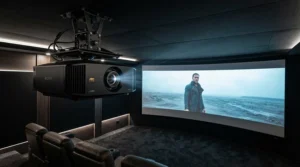
Specs are abstract; rooms are not. Here are three realistic profiles, matched to the products above.
The spare-room converter. You’ve got a 3.2 m-wide box room, a mid-range projector and movie nights three or four evenings a week. The Elite Screens Lunette CineWhite 96″ fits the wall, suits a 2.5 to 3 m viewing distance and keeps the budget sensible. A 2.24 m image in a room that size feels properly cinematic.
The dedicated-cinema builder. You’ve got a purpose-built 4.5 m-wide room, a 4K projector and a 5.1 speaker system. The Elite Screens Lunette Acoustic 4K 115″ lets you hide the front speakers behind the picture and sidesteps moiré. If you want a bigger image and have the lumens, step up to the Elite Screens Lunette 2 CineWhite 125″ and place your speakers conventionally.
The enthusiast with a fixed budget and a lens. You already own, or plan to buy, an anamorphic lens and you obsess over geometry. Speak to a specialist about the Stewart Filmscreen Cine-W or Screen Research TheaterCurve, where the radius can be specified for your lens and seating. That’s pricier, but you’re paying for a matched system rather than a generic one.
One more consideration is ambient light. Matte white surfaces like CineWhite need a controlled room. If your cinema is also your lounge, curtains or blackout blinds are part of the screen budget.
Common Curved Screen Problems and How to Fix Them
Even a good screen throws up the odd gremlin. Here are the usual suspects and what to do about them.
- Pincushion or bowed edges. This is the very thing a curved frame is designed to reduce. Elite explains that on wide screens, light travels further to the edges than the centre. If you still see it, check your projector’s distance, lens position and any anamorphic lens alignment before applying digital correction.
- Picture spilling onto the frame. Black velvet frames absorb stray light, but sloppy zoom or lens shift will still leave a bright edge. Re-centre and re-zoom until the picture sits just inside the border.
- Moiré on acoustic screens. Interference patterns appear when the weave and pixel grid clash. Elite designed its AcousticPro weaves to avoid this, but if you see it, try a slight focus softening or a different seating distance.
- Dim picture on a big screen. A larger surface spreads the same light thinner. Dim the room, use a calibrated picture mode or consider a brighter projector rather than blaming the screen.
- Ripples or sagging. Fixed frames use tensioned surfaces. If you spot waves, check the mounting is level and the fixing plates are evenly tensioned.
Most of these problems are alignment, not hardware. Take your time on the set-up and they largely disappear.
What Is the Cinemascope Aspect Ratio, and Why Does It Need a Special Screen?
The cinemascope aspect ratio is a wide 2.35:1 shape, meaning the picture is 2.35 times wider than it is tall. By comparison, a modern TV or standard projector is 16:9, or about 1.78:1. The “Scope” term persists in film jargon, though it now loosely covers 2.35:1, 2.39:1 and 2.40:1 presentations.
The numbers have wobbled over time. The American Widescreen Museum’s guide to CinemaScope aspect ratios explains that the move from 2.35:1 to 2.39:1 was a reduction in height rather than an increase in width. The difference in shape is inconsequential, so the two are used interchangeably. You don’t need a separate screen for each.
So why a special screen? Because wide format film was originally designed to fill a very wide cinema screen. If you’re showing that content on a 16:9 surface, you either accept black bars or crop the sides. A 2.35:1 screen lets the picture fill the frame edge to edge, and a curve helps keep a wide image consistent across its width.
Here’s a quick bit of maths. A 16:9 panel shows a 2.35:1 film using only about three-quarters of its height, so roughly a quarter of the pixels are black bars. A 2.35:1 screen paired with the right projector set-up can put those pixels back to work.
How to Choose a Curved Screen for Ultra Wide Projection
Choose a curved screen for ultra wide projection by starting with your room width, then matching the surface, curvature and budget to your projector and speaker set-up. Follow these six steps:
- Measure your wall and seating distance. The screen’s width, not its diagonal, is what must fit. Leave breathing space either side.
- Confirm your projector approach. A projector with an anamorphic lens or a lens-memory zoom is ideal. Without one, a curve matters less.
- Pick the surface. Matte white (such as CineWhite, 1.1 gain) is forgiving and affordable. Acoustic weaves suit hidden speakers but dim the image slightly.
- Check brightness. Bigger screens need more lumens. Don’t upsize beyond what your projector can feed.
- Think about curvature. Elite uses a 40-foot radius. Premium brands can specify the radius for your lens and seating.
- Set the budget honestly. Include mounting, a lens if needed, and blackout measures.
If the maths gets sticky, ask a specialist dealer for a quote. A short conversation is cheaper than returning a 2.9 m screen.
Curved vs Flat Projector Screen: Which Is Better for 2.35:1?
The curved vs flat projector screen debate is really about geometry. On a very wide flat screen, light travels further to the edges than the centre, which can produce pincushion distortion and subtle edge falloff. A curved frame brings the edges forward so the distance is more even, and it also wraps the image towards your peripheral vision.
| Factor | Curved Screen | Flat Screen | Best For |
|---|---|---|---|
| Edge geometry | Edges sit closer to the lens, reducing pincushion | Edges sit further back, so distortion is more likely | Curved for anamorphic set-ups |
| Immersion | Draws the picture into peripheral vision | Straightforward, TV-like presentation | Curved for dedicated cinemas |
| Installation | Needs care with curved frame and mounts | Simpler, flatter, easier to hang | Flat for DIY and rentals |
| Cost | Typically higher | Typically lower | Flat for tight budgets |
| Versatility | Best with 2.35:1 content | Handles mixed content easily | Flat for multi-purpose rooms |
The honest answer is that curvature rewards a particular type of buyer. If you’re using an anamorphic lens, sitting reasonably close and chasing immersion, the curve earns its keep. If you’re watching a mix of football, TV and the odd film in a lounge, a flat screen is simpler and cheaper. Don’t pay for geometry your projector set-up can’t exploit.
Anamorphic Lens: The Partner Your Curved Screen Wants
An anamorphic lens stretches a projected image horizontally, so a 16:9 projector can fill a 2.35:1 screen without wasting pixels. As Wikipedia’s explainer on the anamorphic format puts it, it’s also the projection format in which a squeezed image is stretched to recreate its original aspect ratio on the screen.
In home cinema, the usual approach is to pair a 16:9 projector with an anamorphic lens and a 2.35:1 screen. The projector squeezes the film image electronically, and the lens stretches it back, using the full panel. Compared with simply zooming a 16:9 picture, you gain brightness and resolution because no pixels are wasted on black bars.
This is where the curved screen for cinemascope projectors question becomes practical. Anamorphic lenses can introduce pincushion distortion at short throw distances, and a curved frame helps counteract it. That’s why premium manufacturers, such as the makers of the Screen Research TheaterCurve, pitch curved screens as lens partners. Screen Research’s announcement said the curve corresponds exactly to the anamorphic lens.
Anamorphic lenses are an investment, though. If your budget stretches only to a projector and a screen, a lens-memory zoom with a flat or lightly curved screen is a perfectly respectable route.
Curved Screen for Cinemascope Projectors: What to Expect in Real-World Performance
Let’s translate the specs into everyday experience. With a curved screen for cinemascope projectors, you should expect three things.
A straighter, more consistent picture. The curve reduces the stretched, hourglass look that wide images can develop at the edges. In a properly set-up room, straight lines (a doorframe, a ship’s mast) stay straight across the width.
A bigger sense of scale. Because the edges reach towards you, the image feels like it extends beyond the frame. That’s the immersion Elite describes when it says a curved screen reaches into the viewer’s peripheral vision.
Better sound alignment. If you choose an acoustic weave, speakers can sit behind the picture, so dialogue appears to come from the screen itself.
What you shouldn’t expect is a miracle. Curvature doesn’t fix a dim projector, a bright room or poor calibration. A curved matte white screen still needs a darkened room, and the Elite Screens Lunette 2 CineWhite 115″ will look flat and washed out in a sunlit lounge. Treat the curve as a polish, not a cure.
Features That Actually Matter (And Those That Don’t)
Marketing copy loves a long feature list. Here’s how to sort the useful from the decorative.
What matters:
- Screen width versus room width. Everything starts here.
- Surface type. CineWhite is forgiving; acoustic weaves are specialist.
- Frame quality. A velvet-covered border absorbs spill and sharpens perceived contrast.
- Tension and flatness. A taut surface stops ripples ruining motion.
What matters less than you’d think:
- Gain figures. At 1.1, the surfaces here are all near-neutral. Chasing higher gain can introduce hot-spotting.
- “4K ready” labels. Most quality matte white surfaces handle 4K. The label matters more for acoustic weaves, where moiré is a risk.
- Radius bragging rights. A 40-foot radius is a gentle curve. A tighter curve isn’t automatically better; it must suit your throw distance and lens.
The real feature to prioritise is fit: the screen that suits your room, projector and speakers will always beat a spec-sheet champion that doesn’t.
Common Mistakes When Buying a Curved Screen
Buyers repeat the same errors, so let’s spot them early.
Buying the biggest screen you can afford. A larger picture spreads your projector’s light thinner. Check lumens first.
Ignoring the throw distance. Curved screens work best when the curve is matched to where your projector sits. Pick the wrong radius and the benefit shrinks.
Forgetting the room. Matte white surfaces reflect room light as readily as projector light. Pale walls and bright windows dilute contrast.
Underestimating installation. Fixed frames are large and heavy. Budget for help, proper fixings and a wall that can take the load.
Skipping the dealer conversation. Many curved screens are specialist items, and amazon.co.uk availability varies. A quick call about stock, delivery and warranty avoids nasty surprises.
Assuming curved is always better. For mixed-use rooms, a flat screen may be the smarter option, as the curved vs flat projector screen comparison showed. Curved shines when you’re committed to wide format film and a dedicated viewing space.
Long-Term Cost & Maintenance
The sticker price is only the beginning. Think in terms of total cost of ownership.
| Tier | Products | Price Range | Value Verdict | Best For |
|---|---|---|---|---|
| Entry | Elite Screens Lunette CineWhite 96″ | Roughly £400-£700 | Excellent first step | Small rooms |
| Mid-range | Elite Screens Lunette 2 CineWhite 115″ and 125″ | Roughly £900-£1,700 | Best balance of size and cost | Dedicated rooms |
| Acoustic | Elite Screens Lunette AcousticPro1080P3 115″ and Acoustic 4K 115″ | Roughly £1,000-£1,800 | Worth it for hidden speakers | Surround-sound builds |
| Premium | Stewart Filmscreen Cine-W and Screen Research TheaterCurve | Quote-based | Justified only for custom cinemas | Anamorphic purists |
A fixed-frame screen has no motor to fail and almost no moving parts, so running costs are near zero. Maintenance is a gentle wipe with a damp cloth, as Elite recommends for its CineWhite surface. Spread over a decade of weekly film nights, even the mid-range models cost pennies per viewing. The real extras are mounting hardware, possibly professional installation, blackout blinds and, if you go down the anamorphic route, the lens itself. Plan for those and the numbers won’t surprise you.

FAQ
❓ Do I need an anamorphic lens to use a curved 2.35:1 screen?
❓ Can a 16:9 projector fill a 2.35:1 curved screen?
❓ How much does a curved 2.35:1 screen cost in the UK?
❓ Is a curved screen worth it for a small room?
❓ Are acoustically transparent curved screens worth the extra?
Conclusion
A curved screen for ultra wide projection isn’t a necessity, but for committed film fans it’s one of the most satisfying upgrades available. It matches the shape of the cinemascope aspect ratio, tames edge distortion and pulls you into the picture in a way a flat rectangle can’t.
If you want the cheapest sensible entry, the Elite Screens Lunette CineWhite 96″ is the obvious start. For most dedicated rooms, the Elite Screens Lunette 2 CineWhite 115″ hits the sweet spot, with the 125″ version for bigger walls. If hidden speakers matter, the Elite Screens Lunette AcousticPro1080P3 115″ and Elite Screens Lunette Acoustic 4K 115″ are the acoustic picks, the latter being better suited to 4K projectors. And if you’re building a bespoke anamorphic cinema, speak to a specialist about the Stewart Filmscreen Cine-W or Screen Research TheaterCurve.
Remember the basics: measure your wall, check your projector’s brightness, plan your set-up and confirm UK availability before you buy. Get those right and the screen will quietly do its job for years.
Recommended for You
- Curved Projector Screen: 7 Best Picks, Honestly Compared (2026)
- Acoustic Transparent Screen For Small Cinema Room: 7 Best (2026)
- Acoustically Transparent Screen For Dolby Atmos Setup: 7 Best (2026)
Disclaimer: This article contains affiliate links. As an Amazon Associate, I earn from qualifying purchases. If you purchase products through these links, we may earn a small commission at no additional cost to you.
✨ Found this helpful? Share it with your friends! 💬🤗
