
In This Article
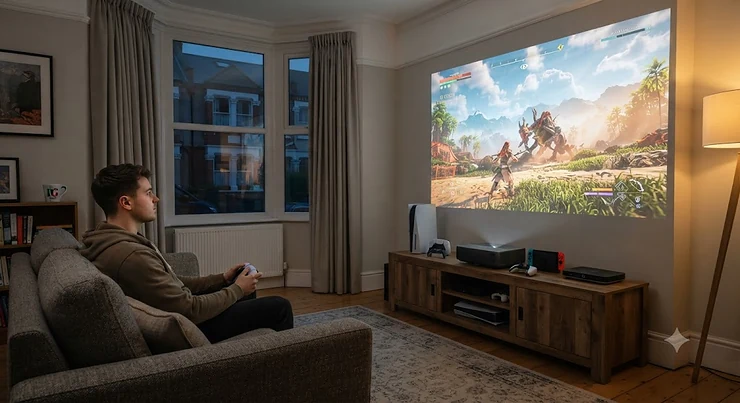
A short throw projector for gaming is one of those purchases that sounds like a compromise until you actually live with one. You picture soft, laggy console menus and a picture that ghosts every time you swing a camera in a shooter, and then you sit three feet from the wall, boot up a race, and the wheel turns the instant your thumb moves. That gap between expectation and reality is basically the whole story of 2026’s projector market. In plain terms, a short throw projector for gaming is a projector that sits close to the wall or screen (roughly 0.4 to 1.2 times the image width away) while still producing a large picture, and — crucially for this guide — does it with a dedicated low-latency game mode so your console or PC input feels instant rather than mushy. Most current models rely on Digital Light Processing chip technology to form that image, which is worth understanding before comparing specs across brands.
The reason this matters right now is that the underlying tech has properly grown up. Triple-laser light engines, HDMI 2.1 ports, and genuine ALLM (Auto Low Latency Mode) support have trickled down from £4,000 flagships into boxes that cost a fraction of that. You no longer need to choose between “big screen” and “responsive” — you mostly just need to know which spec sheet is telling the truth. This guide walks through seven real, currently available models spanning budget to premium, all vetted specifically for gaming short throw projector duty rather than pure movie-night use, and every one of them gets the “would I actually recommend this to a mate with a PS5” treatment rather than a rehashed spec dump.
We’ll cover input lag numbers you can trust, which models genuinely do 4K 120Hz short throw gaming projector duty versus which ones just print “4K” on the box, and how HDR gaming actually looks once you’ve calibrated the thing properly. Bring a coffee — this one’s thorough.
Quick Comparison Table
Before the deep dive, here’s the shortlist at a glance. Prices are indicative ranges at the time of research and will shift, so always check current price on the retailer’s page before buying.
| Projector | Input Lag | Resolution | Best For | Price Range |
|---|---|---|---|---|
| Hisense PX3-Pro | ~4ms (Game Mode) | 4K UHD | Best all-round gaming UST | £2,300-£2,700 |
| AWOL Vision LTV-3000 Pro | ~8ms (Turbo Mode) | 4K UHD | Cinema-grade picture + gaming | £3,200-£3,700 |
| Hisense TK710STi | Low-lag Game Mode | 4K UHD | Best value triple-laser UST | £1,600-£2,000 |
| Optoma GT2100HDR | 8.6ms (1080p/120Hz) | 1080p w/ 4K HDR input | Bright-room HDR gaming | £950-£1,150 |
| LG CineBeam Q | Low-lag Game Optimiser | 4K UHD | Ultra-compact lifestyle UST | £1,500-£1,800 |
| BenQ TH671ST | 16.7ms | 1080p | Best budget low-lag pick | £420-£520 |
| ViewSonic PS502W | Standard Game Mode | WXGA | Cheapest usable all-rounder | £380-£460 |
Reading this table left to right rather than top to bottom tells the real story: input lag doesn’t scale neatly with price, which is exactly why the Optoma GT2100HDR punches above its position and the AWOL Vision LTV-3000 Pro justifies its premium tag with turbo-mode numbers that rival dedicated gaming monitors. Resolution and lag are two separate purchasing decisions, and conflating them is the single most common mistake buyers make — more on that later.
💬 Just one click — help others make better buying decisions too!😊
Top 7 Short Throw Projectors for Gaming: Expert Analysis
We’ve deliberately spread this list across budget, mid-range and premium so that whatever room and whatever console you’re gaming on, there’s a realistic option rather than one “best” model wearing seven different price tags.
1. Hisense PX3-Pro — Xbox-certified UST with genuine 240Hz support
The standout here isn’t the picture quality, impressive as it is — it’s that Hisense actually built this thing around the Xbox partnership rather than bolting gaming features on afterwards. That shows up as concrete numbers: a measured input lag around 4ms in Game Mode alongside a 240Hz refresh rate at 1080p, figures that sit in genuine gaming-monitor territory rather than typical projector territory. The triple-laser (LPU TriChroma) engine pushes 3,000 ANSI lumens across a 80–150 inch image, covering 110% of the BT.2020 colour space, and Dolby Vision plus IMAX Enhanced certification mean the same unit does double duty as a proper home cinema box on movie nights. Based on the spec comparison against rival USTs, what most buyers overlook is the ALLM handshake — because it’s officially Xbox-certified, the console auto-detects the display and switches into low-latency mode without you digging through a settings menu every session, which matters far more day-to-day than the headline lumens figure. Reviewers consistently report the Harman Kardon-tuned built-in speakers are strong enough that a soundbar becomes optional rather than mandatory, and the MEMC motion processing can be engaged for smoother panning without reintroducing the delay it would normally cause. A recurring theme in aggregated feedback is that the digital lens focus occasionally needs a manual nudge out of the box, and colour uniformity at extreme screen sizes above 130 inches softens slightly at the edges.
Pros:
- ✅ Genuinely low input lag with Xbox ALLM certification
- ✅ Triple-laser colour accuracy rare below £3,000
- ✅ Built-in Harman Kardon sound needs no soundbar
Cons:
- ❌ Initial focus calibration can need manual fine-tuning
- ❌ Edge uniformity softens on the largest screen sizes
At around £2,300-£2,700 depending on retailer promotions, this sits at the top of the mid-premium bracket — check current price before buying, as Hisense runs frequent UK bundle promotions that change the effective cost. For anyone building a genuine PS5/Xbox living-room rig with a games-first mindset, this is the one to beat.
2. AWOL Vision LTV-3000 Pro — 8ms Turbo Mode on a cinema-grade laser engine
If the Hisense PX3-Pro is the gaming-first pick, the AWOL Vision LTV-3000 Pro is what happens when a projector built primarily for home cinema still refuses to embarrass itself with a controller in hand. The laser light source is rated beyond 25,000 hours, which in practice means you’ll likely replace the whole home theatre setup before this light engine visibly dims — a genuine long-term investment angle rather than marketing fluff. Turbo Mode drops measured input lag as low as roughly 8ms, and multiple HDMI inputs mean a PS5, an Xbox Series X and a PC can all stay permanently connected without a switcher box adding its own latency tax. What most buyers overlook about this model is that the “Pro” designation isn’t just a brightness bump — it brings a wider colour volume and better black-level handling than the standard LTV-3000, which is exactly the difference that shows up in HDR gaming’s darker scenes. Here’s what to weigh: aggregated review sentiment consistently praises the punchy HDR highlights and describes the black levels as unusually deep for a UST design, while a recurring criticism is that ambient light control matters more here than on brighter rivals — this projector rewards a properly darkened room rather than a curtains-half-open living space, a conclusion echoed in What Hi-Fi’s UST projector testing.
Pros:
- ✅ Turbo Mode achieves genuine sub-10ms input lag
- ✅ 25,000-hour laser life is a long-term value play
- ✅ Deep black levels rare among ultra short throw units
Cons:
- ❌ Performs best only with strong ambient light control
- ❌ Premium price puts it beyond casual buyers
Expect a price in the £3,200-£3,700 range, making it the most expensive entry here — worthwhile if you want one box that’s equally serious about film grain and frame timing, less so if gaming is your only use case.
3. Hisense TK710STi — the value-conscious triple-laser Xbox pick
This is the one we’d point a budget-conscious gamer towards if they still want the “Designed for Xbox” badge without paying premium-tier money for it. The TK710STi runs a triple laser system paired with Android TV, and Hisense’s partnership work means the handshake with an Xbox Series X is close to seamless — HDR mapping and ALLM switching happen automatically rather than needing to be dug out of a settings menu. Based on the spec comparison with the step-up PX3-Pro, you’re trading some peak brightness and the very lowest input lag numbers for a genuinely lower price, which for anyone gaming casually rather than competitively is an entirely sensible trade. The built-in Harman Kardon speaker system again punches above its price bracket, and 240Hz refresh support at reduced resolutions keeps fast-paced racing and shooter titles feeling fluid. Aggregated user feedback flags occasional signal dropouts (brief blackouts or a green flash) on a minority of units, alongside softer focus uniformity at the corners of very large screen sizes — issues worth knowing about but not dealbreakers reported across the board.
Pros:
- ✅ Genuine Xbox-certified handshake at a lower price point
- ✅ Triple-laser colour accuracy rare under £2,000
- ✅ Strong built-in audio reduces soundbar dependency
Cons:
- ❌ Some units report occasional signal dropout glitches
- ❌ Not quite as bright as the flagship PX3-Pro
At around £1,600-£2,000, this is the mid-range sweet spot for anyone who wants triple-laser colour and genuine console certification without spending premium money — a strong 4K short throw gaming projector pick for a first proper home cinema setup.
4. Optoma GT2100HDR — the bright-room HDR gaming specialist
Living rooms rarely have blackout curtains, and this is precisely the projector built around that reality. At 4,200 ANSI lumens, the Optoma GT2100HDR stays watchable with daylight coming through a window — something laser UST rivals at lower brightness genuinely struggle with. The number that matters most for this guide, though, is input lag: independently measured at roughly 8.6ms at 1080p/120Hz and around 17ms with a 4K HDR signal downscaled to 1080p output, both of which are excellent for a projector accepting HDR10 and HLG content. What the spec sheet won’t tell you, but reviewers note, is that the short throw lens (0.496:1) lets you sit the unit on a coffee table roughly a metre from the wall and still fill a 100-inch screen, sidestepping ceiling mounting entirely. The DuraCore laser source is rated for 30,000 hours and the whole unit runs noticeably cooler and quieter than lamp-based rivals in its price bracket, a genuine quality-of-life upgrade for late-night sessions. Reviewers consistently note the native resolution is 1080p rather than true 4K — the “4K HDR input” branding refers to accepting and tone-mapping a 4K signal, not displaying native 4K pixels, which matters if pixel-level sharpness on a huge screen is your priority.
Pros:
- ✅ 4,200 lumens genuinely usable with ambient light
- ✅ Sub-10ms input lag rivals dedicated gaming monitors
- ✅ 30,000-hour laser needs virtually no maintenance
Cons:
- ❌ Native 1080p resolution, not true 4K display
- ❌ HDR tone mapping is good, not reference-grade
Priced around £950-£1,150, this is arguably the best value-for-lag ratio on this list if your room can’t be fully darkened and true 4K sharpness isn’t your top priority.
5. LG CineBeam Q — the ultra-compact lifestyle short throw pick
Not every gaming setup lives in a dedicated media room, and the LG CineBeam Q is built for the flat-share, studio apartment, or anyone who wants a UST projector that doesn’t dominate the furniture. It sits roughly seven inches from the wall for a 90-inch image, a footprint smaller than most soundbars, while still running native 4K with webOS built in for streaming apps without an extra dongle. LG’s Game Optimiser mode strips out unnecessary processing when a console handshake is detected, and while it doesn’t chase the absolute lowest lag numbers on this list, it comfortably clears the “feels responsive” threshold for anything short of competitive esports. Based on the spec comparison with bulkier UST rivals, what most buyers overlook is how much this compact chassis simplifies setup — no ceiling mount, no long HDMI runs, just a box that tucks under a low shelf. Aggregated reviewer sentiment praises the design and the webOS smart platform’s slick navigation, while a fair number of comments note that brightness in fully lit rooms trails behind the higher-lumen options further up this list.
Pros:
- ✅ Genuinely tiny footprint for a native 4K UST unit
- ✅ webOS smart platform needs no separate streaming stick
- ✅ Simple setup with no ceiling mount required
Cons:
- ❌ Brightness trails brighter rivals in lit rooms
- ❌ Not the lowest input lag on this list
Expect a price around £1,500-£1,800. This is the pick for anyone prioritising a tidy living space and genuine 4K resolution over having the absolute fastest response time in the room.
6. BenQ TH671ST — the proven budget low-lag short throw projector
BenQ has been quietly good at this exact brief — 1080p, genuinely low input lag, short throw — for years, and the TH671ST remains the benchmark budget pick for exactly that reason. Independent measurement puts input lag at 16.7ms with a microsecond DMD response, numbers that were competitive against gaming monitors a few years ago and remain entirely playable today for anything short of ranked shooter grinding. At 3,000 ANSI lumens and a 0.69:1 throw ratio, it throws a 100-inch image from as little as 1.5 metres away, and the LumiExpert ambient light sensor automatically compensates brightness as a room’s lighting changes through the day. Here’s what to weigh: this is a 1080p panel with no HDR support, so anyone chasing genuine HDR gaming projector performance should look further up this list — but for split-screen couch gaming, retro emulation, or a first projector for a bedroom, the price-to-responsiveness ratio is difficult to beat. Reviewers consistently flag the 5W built-in speaker as thin and something you’ll want to bypass with a soundbar or a Bluetooth speaker fairly quickly, and there’s no wireless connectivity at all, which feels dated in 2026 even at this price point.
Pros:
- ✅ Long-proven 16.7ms input lag at this price tier
- ✅ Short 1.5m throw suits small bedrooms perfectly
- ✅ LumiExpert sensor auto-adjusts for ambient light
Cons:
- ❌ No HDR support at all, 1080p only
- ❌ Built-in speaker is thin; expect to add audio
Sitting around £420-£520, this remains the projector we’d point a budget-first gamer towards, provided native 1080p and no HDR is an acceptable trade for the price.
7. ViewSonic PS502W — the cheapest usable all-rounder
Rounding out the list is the budget floor of what we’d actually recommend rather than warn people off. The ViewSonic PS502W is a lamp-based short throw unit offering up to 4,000 ANSI lumens, which on paper undercuts several laser rivals here on raw brightness for a fraction of the price — useful in a lit family room where absolute colour accuracy matters less than simply being visible. Its WXGA resolution (1280×800) is a step down from Full HD, so text and fine detail in strategy games or racing HUDs will look softer than on the 1080p or 4K options above, and a standard game mode keeps input lag serviceable for casual play without chasing sub-10ms numbers. Based on the spec comparison against its laser-based rivals, what most buyers overlook is total cost of ownership — a lamp-based light engine needs periodic bulb replacements every few thousand hours, an ongoing cost the laser models on this list simply don’t carry. Aggregated review sentiment describes it as a dependable, no-frills option for casual family gaming nights and presentations rather than a serious HDR gaming setup, with a common complaint in user reviews being fan noise creeping up noticeably in its brightest picture mode.
Pros:
- ✅ Genuinely the lowest entry price on this list
- ✅ 4,000 lumens works well in lit family rooms
- ✅ Solid dependable choice for casual couch gaming
Cons:
- ❌ WXGA resolution is a step down from Full HD
- ❌ Lamp-based design means ongoing bulb replacement cost
At roughly £380-£460, this is the projector for someone who wants “big screen gaming” as a bonus feature of a family entertainment box rather than the main event — genuinely usable, just not the pick for anyone chasing HDR or 4K detail.
Setting Up Your Short Throw Projector for Gaming: Placement, Calibration and the First 30 Days
Buying the right box is half the job — the other half is not undoing its low-latency credentials with a bad setup. Start with placement: short throw units are forgiving of distance but not of angle, so use the built-in level and, where fitted, digital keystone correction sparingly, since heavy keystone processing can quietly reintroduce input lag you paid to avoid. Plug consoles directly into the HDMI 2.1 port (not through an AV receiver, if you can help it) and manually enable Game Mode or ALLM in the projector’s picture settings menu — several models on this list default to a cinema-tuned picture mode out of the box, which carries motion processing that adds noticeable delay. In the first 30 days, resist the urge to max out brightness and sharpness sliders; most manufacturers’ “Standard” or “Game” presets are closer to accurate than the vivid preset, and oversharpening actually introduces visible haloing around fast-moving sprites and HUD elements. A common first-time mistake is skipping focus fine-tuning after the initial setup — thermal expansion in the lens housing during the first hour of use can shift focus slightly, so a second pass after the unit’s warmed up is worth the two minutes it takes. Finally, keep the light source’s dust filter (where present) clean; a clogged filter doesn’t just dim the picture, it forces the fan to run louder and, on laser units, can gradually reduce peak brightness over months.
Real-World Scenarios: Matching Buyer Profiles to the Right Short Throw Projector
If you’re a university student in shared accommodation who wants big-screen gaming without permanent wall mounts, the LG CineBeam Q or BenQ TH671ST make the most sense — both set up and pack away in minutes, and neither requires drilling into a landlord’s wall. If you’re a competitive-leaning gamer who still wants a shared living-room screen rather than a dedicated monitor setup, the Hisense PX3-Pro or Optoma GT2100HDR deliver input lag low enough that split-second reactions in a shooter genuinely register, while still doubling as your household’s main entertainment screen on weekends. If you’re furnishing a proper home cinema room with blackout capability and want one projector that treats gaming as seriously as film night, the AWOL Vision LTV-3000 Pro is built exactly for that brief, with HDR performance that holds up whether you’re finishing a story mode or watching a Blu-ray. And if you’re kitting out a family lounge on a tight budget where casual co-op sessions matter more than competitive precision, the ViewSonic PS502W or Hisense TK710STi cover that use case without demanding a premium spend.
What Is a Short Throw Projector for Gaming?
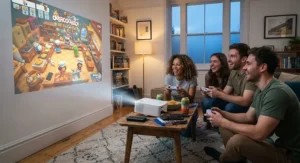
A short throw projector for gaming is a projector positioned close to its screen or wall (roughly 0.4-1.2x the image width in distance) that also includes a dedicated low-latency game mode, so console or PC input feels responsive rather than delayed. Unlike standard-throw cinema projectors, these models are engineered specifically to minimise the processing that causes lag.
The category exists because traditional projectors were built almost entirely for film, where a frame or two of processing delay is invisible. Gaming exposes that delay instantly — a controller input that arrives 80-100ms after you press the button feels broken in anything faster than a slideshow. Short throw gaming projectors solve two problems simultaneously: physical placement (sitting close enough to the wall to avoid shadows and ceiling mounts) and responsiveness (stripping out the motion processing that causes lag when Game Mode is engaged).
How to Choose a Short Throw Projector for Gaming
- Check the input lag figure specifically, not just “Game Mode exists.” Look for an independently measured millisecond figure — under 20ms feels responsive to most players, and under 10ms is genuinely monitor-competitive.
- Match resolution to your consoles. If you’re running a PS5 or Xbox Series X at native 4K, a true 4K panel (not just “4K input support”) makes a visible difference in detail on a large screen.
- Confirm HDMI 2.1 and ALLM support. This is what allows automatic low-latency switching rather than manually digging through menus every session.
- Weigh brightness against your room. A fully darkened room can use a lower-lumen laser unit; a lit living room needs 3,000+ ANSI lumens to stay watchable.
- Factor in total cost of ownership. Laser light sources last 20,000-30,000+ hours maintenance-free; lamp-based units need periodic bulb replacement, an ongoing cost worth budgeting for.
- Consider throw ratio against your actual room depth. Measure the distance from your intended wall to the coffee table or shelf before assuming a “100-inch from a metre” claim fits your space.
- Read aggregated review sentiment, not just spec sheets. Recurring complaints about fan noise, signal dropouts, or focus drift tell you more about day-to-day ownership than a brightness number ever will.
Short Throw vs Ultra Short Throw vs Standard Throw Projectors for Gaming
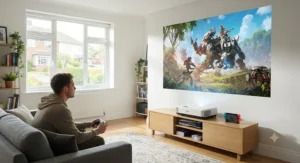
The terminology here trips people up more than any spec on this list. A standard throw projector sits several metres back from the screen, usually ceiling-mounted, and while it can absolutely deliver excellent gaming performance, it demands a permanent installation and a long HDMI run (or a wireless HDMI kit, which can itself add latency). A short throw projector, the focus of this guide, sits roughly one to four feet from the wall on a shelf or stand, striking a practical balance between a big image and living-room convenience. An ultra short throw (UST) projector, like the Hisense PX3-Pro or LG CineBeam Q here, sits mere inches from the wall and beams upward, essentially replacing a TV cabinet’s worth of space with a slim console unit.
| Type | Typical Distance | Best For |
|---|---|---|
| Standard Throw | 2.5m-6m+ | Dedicated cinema rooms with ceiling mounts |
| Short Throw | 1m-2.5m | Flexible living rooms, coffee-table setup |
| Ultra Short Throw | Under 30cm | TV-replacement lifestyle setups |
For gaming specifically, short throw and ultra short throw both avoid the classic problem of someone walking through the beam mid-match, which standard throw setups are prone to when the projector is mounted low or on a shelf rather than the ceiling. Standard throw still wins on raw brightness-per-pound and total screen size flexibility, but for most households prioritising quick setup and no cable runs through the ceiling, short throw is the more liveable choice.
✨ Don’t Miss These Exclusive Deals!
🔍 Take your gaming setup to the next level with these carefully selected short throw projectors. Click on any highlighted model above to check current pricing and availability on amazon.co.uk. The right pick will turn your living room into the big-screen gaming space your PS5 or Xbox deserves! 🎮
Input Lag Explained: What the Milliseconds Actually Mean for Gamers
Input lag is the delay between pressing a button on your controller and seeing that action register on screen, and it’s the single most important spec on this entire list — more important than resolution, brightness, or even HDR support, for gaming purposes specifically. According to independent projector testing labs that measure this consistently, under 20ms feels responsive for the vast majority of players, while competitive shooter and fighting game players tend to notice anything above that threshold as a subtle “swimming” feeling between input and reaction. The reason laser projectors with a dedicated Game Mode can hit figures like the Hisense PX3-Pro’s roughly 4ms is that Game Mode disables the image processing — motion smoothing, noise reduction, colour enhancement — that a cinema-tuned picture mode applies by default. That processing takes real computation time, typically adding anywhere from 30ms to over 100ms depending on how aggressive the settings are, which is why leaving a projector in its default “Cinema” or “Vivid” picture mode while gaming is the single most common cause of disappointing, sluggish-feeling performance on an otherwise capable unit. What most buyers overlook is that input lag figures often differ between resolutions and refresh rates on the same projector — a unit quoting 8ms might only hit that number at 1080p/120Hz, with 4K/60Hz input lag sitting notably higher, so always check which configuration a manufacturer’s headline figure applies to.
Common Mistakes When Buying a Short Throw Gaming Projector
The most frequent error is chasing resolution and lumens while ignoring input lag entirely, ending up with a gorgeous 4K picture that feels sluggish the moment a controller’s involved. A close second is measuring the room incorrectly — throw ratio maths is unforgiving, and a projector rated for “100 inches from 1.5 metres” won’t magically produce a smaller usable image if your actual wall distance is a metre. Buyers frequently assume “4K HDR input” and “true 4K resolution” are the same claim, when several projectors (the Optoma GT2100HDR among them) accept and tone-map a 4K signal while natively displaying at 1080p — a meaningful difference in perceived sharpness on a 100-inch screen. Another recurring mistake is leaving a projector’s default cinema-tuned picture mode active during gaming sessions rather than manually switching to Game Mode, silently reintroducing 50-100ms of motion processing delay that undoes an otherwise excellent spec sheet. Finally, many buyers overlook total cost of ownership, comparing sticker prices without factoring in that lamp-based units like the ViewSonic PS502W carry ongoing bulb replacement costs that laser models simply don’t.
Long-Term Cost, Maintenance and Total Value
Sticker price is only the opening move in what a projector actually costs over five years of ownership. Laser light sources, fitted to five of the seven models here, are typically rated for 20,000 to 30,000+ hours — at a realistic three hours of daily use, that’s comfortably 18-25+ years before brightness meaningfully degrades, with essentially zero maintenance beyond an occasional filter clean. Lamp-based units, like the ViewSonic PS502W, generally need a replacement bulb every 3,000-5,000 hours, a cost that can add up to a meaningful fraction of the unit’s original purchase price over its lifetime, alongside the inconvenience of sourcing and fitting a genuine replacement part. Power consumption is a smaller but real factor too — laser engines tend to run more efficiently per lumen produced than older lamp technology, a detail that matters more the longer daily sessions run. When you factor in that a laser UST unit like the Hisense TK710STi effectively never needs a consumable part replaced across its realistic lifespan, the higher upfront price against a budget lamp-based rival narrows considerably once you price in five years of ownership rather than day-one cost alone.
Safety, Regulations and Laser Class Compliance
Laser-based projectors sold in the UK must comply with relevant laser safety classifications and UKCA (or CE, during the transition period) marking requirements, which govern permissible light output and mandate safety features like automatic light-dimming when the device detects an object or person too close to the lens — a feature present on several ultra short throw models in this list precisely because the light source sits so near where people might lean or walk. It’s genuinely worth checking a product’s official specification sheet for its laser safety class rather than assuming all “laser projectors” are equivalent, since output intensity and required safety interlocks vary by design. None of the models covered here should be looked into directly at close range during operation, and this applies doubly to any household with young children who might be curious about the bright source. Beyond laser safety, general consumer protection rights also apply to purchases made online in the UK, covering your rights around faulty goods, returns, and misleading product claims regardless of which retailer you buy through.
Frequently Asked Questions
❓ What is the best short throw projector for gaming in 2026?
❓ How much input lag is acceptable for gaming on a projector?
❓ Can a short throw projector run 4K at 120Hz for PS5 and Xbox Series X?
❓ Is a short throw projector better than a gaming monitor for competitive play?
❓ Do short throw projectors support HDR gaming properly?
Conclusion
Picking a short throw projector for gaming in 2026 really comes down to being honest about two things: how dark your room actually gets, and how seriously you take input lag versus resolution. If you want the closest thing to a no-compromise living-room setup, the Hisense PX3-Pro earns its recommendation through genuine Xbox certification and lag figures that hold up against dedicated monitors. If cinema-grade HDR matters as much as gaming to you, the AWOL Vision LTV-3000 Pro is worth the premium. Budget-conscious buyers shouldn’t feel short-changed either — the BenQ TH671ST has proven itself as a reliable low-lag pick for years, and the ViewSonic PS502W remains a sensible entry point for casual family gaming. Whatever you choose from this list, the golden rule stays the same: check the actual measured input lag figure, confirm your room’s throw distance against the model’s throw ratio, and always switch into Game Mode before you play — the single change that determines whether any of these projectors feels genuinely responsive or merely big.
✨ Ready to upgrade your setup? Compare live prices on the models above before they’re updated — check amazon.co.uk today!
Recommended for You
- Best Short Throw Projector 2026: 7 Top UK Picks Ranked
- Projector For Small Room 2026: 7 Brilliant Picks That Fit
- Laser Ultra Short Throw Projector: 7 Best Picks for 2026
Disclaimer: This article contains affiliate links. As an Amazon Associate, I earn from qualifying purchases. If you purchase products through these links, we may earn a small commission at no additional cost to you.
✨ Found this helpful? Share it with your friends! 💬🤗
