
In This Article
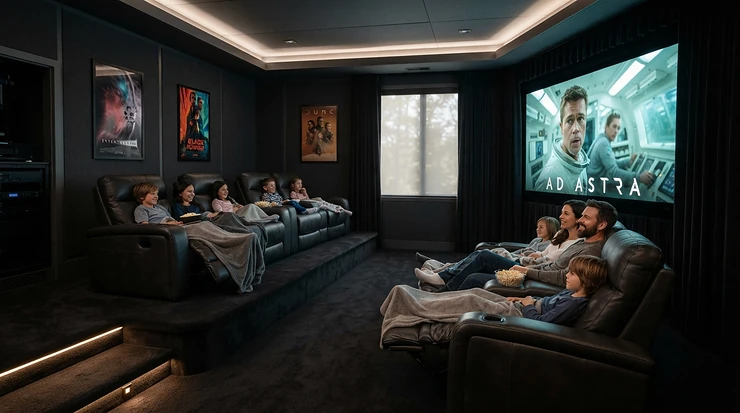
A high gain screen for HDR projectors is a projection surface with a gain above 1.0 (usually 1.3 to 1.5), meaning it reflects more of the projector’s light back towards your seats than a standard matte white screen. The trade-off is a narrower sweet spot, but the payoff is brighter highlights, which HDR content craves.
Here is the awkward truth about HDR on a projector. The format was designed around flat panels that can throw out a thousand nits or more, while even a good home cinema projector delivers only a fraction of that. Your screen is the one component that can quietly claw some brightness back, yet almost nobody shops for it with the care they give the projector.
That is the gap this guide fills. Gain measures how much light a surface sends towards the audience compared with a reference white. As Wikipedia’s overview of projection screens explains, pushing it higher costs you something: a more mirror-like surface, a narrower usable viewing angle and the risk of a visible hot spot. Get the balance right and highlights gain real punch without touching the projector. Get it wrong and whoever sits on the end of the sofa watches a dimmer, uneven picture.
I’ve worked through manufacturer data sheets, retailer specifications and published guidance to compare seven real screens, from a sensible 1.3-gain fixed frame to a reference-grade premium surface. A transparency note: the analysis rests on published specs and the review evidence I could verify, not hands-on testing, and I flag clearly where evidence is thin. Prices are ranges only, and Amazon UK stock varies by size and seller, so check the current listing.
Along the way we’ll cover the peak brightness maths, HDR10 compatibility, what a high gain projector screen for 4K must actually do, and how to choose a 4K screen for bright rooms without being fooled by marketing.
Quick Comparison: High Gain Screen for HDR Projectors at a Glance
| Product | Gain | Type | Best For |
|---|---|---|---|
| Akia Screens AK-FF120WH2 | 1.3 | Fixed frame, white | Value-minded 4K cinema rooms |
| Elite Screens Sable Frame B2 | 1.3 | Fixed frame, white | Large walls (up to 150 inches) |
| Elite Screens ezFrame CineGrey 5D | 1.5 | Fixed frame, ambient light rejecting | Lit living rooms |
| Elite Screens Starling Tab-Tension 2 CineGrey 5D | 1.5 | Motorised, ambient light rejecting | Multi-use rooms |
| Grandview Edge 4K Series | 1.0 or 1.3 | Slim fixed frame | Design-conscious spaces |
| Da-Lite Cinema Contour | 1.3 | Premium fixed frame | Dedicated rooms, dealer installs |
| Stewart WallScreen Deluxe StudioTek 130 G4 | 1.3 | Reference fixed frame | HDR purists |
Read the table as a trade-off map rather than a league table. The two Akia Screens AK-FF120WH2 and Elite Screens Sable Frame B2 screens give you a clean 1.3 boost for the least money, while the two CineGrey 5D screens go to 1.5 and add ambient light rejection at the cost of a much narrower seating zone. The Da-Lite Cinema Contour and Stewart WallScreen Deluxe StudioTek 130 G4 are what you buy when surface quality, not price, is the brief.
💬 Just one click — help others make better buying decisions too!😊
Top 7 High Gain Screen for HDR Projectors: Expert Analysis
1. Akia Screens AK-FF120WH2 — best value 1.3 gain
The standout feature is a 1.3-gain, ISF-certified surface at a price that won’t make you wince. The Akia Screens AK-FF120WH2 is a 120-inch, 16:9 fixed frame with a 104.6 by 58.8 inch viewing area and a black velvet aluminium frame. Its CineWhite UHD-B surface is rated for 4K, 8K and active 3D. In practice, 1.3 gain means roughly 30% more light towards your seats than plain matte white. A 120-inch image also has about 44% more area than a 100-inch one, so that gain recovers most of the brightness you’d otherwise lose by going bigger. By my arithmetic, a 120-inch 1.3 surface lands at about 90% of the brightness of a 100-inch matte white one.
Treat the listing’s “Lambertian, no half-gain drop” wording with a pinch of salt. Light is conserved, so extra gain on-axis has to come from somewhere, and a modest fall-off at the extreme seats is the realistic expectation. That’s fine for a living-room cinema with a 1,000-2,000 lumen 4K projector and controlled evening light.
Review sentiment: I couldn’t verify a large independent review set for this model. Roundups tend to position it as the value pick, but those aren’t test data, so scan recent buyer comments for frame flatness and assembly.
Pros:
- ✅ Genuine 1.3 gain at a modest price
- ✅ ISF-certified material for accurate colour
- ✅ Velvet frame absorbs projector overshoot
Cons:
- ❌ Wide-angle claims are optimistic for a high gain surface
- ❌ No ambient light rejection for sunlit rooms
Price: around £250-£350 range at the time of research; check current price. For a first high gain screen for HDR projectors, the value verdict is excellent.
2. Elite Screens Sable Frame B2 — widest size range, up to 150 inches
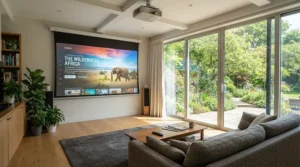
The standout here is scale: this series runs from 100 to 150 inches, which matters because brightness falls with screen area, not diagonal. The Elite Screens Sable Frame B2 uses ISF-certified CineWhite UHD-B at 1.3 gain, a spring-tensioned velvet-finished frame about 2.75 inches wide, and sliding wall brackets that make centring painless. The retailer listing says the surface suits ultra-short, short and standard throw projectors, which is handy if you might change projector later.
Why does size range matter for HDR? Going from 100 to 135 inches roughly halves brightness, so a 1.3 surface becomes the difference between a lively image and a dull one on a mid-range projector. It’s a natural pick for a long wall and a projector in the 2,000-lumen class.
One practical flag: retailer listings across the broader Sable Frame 2 family show both 1.3-gain and older 1.1-gain specifications. Confirm the gain on the exact listing before you click buy.
Review sentiment: feedback on the manufacturer’s own store (which skews positive) describes a church using it with a laser projector and finding the picture bright despite stage lighting. Another buyer called the centre support bar fiddly during assembly. The tip is to seat a few corner springs first.
Pros:
- ✅ Sizes up to 150 inches
- ✅ ISF-certified 1.3-gain surface
- ✅ Sliding wall brackets simplify centring
Cons:
- ❌ Centre bar assembly can be fiddly
- ❌ Gain labelling varies across listings
Price: around £300-£500 range depending on size; check current price. Verdict: strong value for big walls.
3. Elite Screens ezFrame CineGrey 5D — 1.5 gain that fights room light
The standout is a 1.5-gain angular reflective surface built to reject light arriving from above. The Elite Screens ezFrame CineGrey 5D is ISF- and GREENGUARD-certified, supplied in a fixed velour-covered frame with sliding wall brackets, and designed for standard long-throw projectors. The material sheet lists an 80-degree viewing angle, 40 degrees either side of centre.
Read that angle carefully. It is less than half the 180 degrees claimed by white 1.3 screens. In a lounge with lamps, a skylight or a bright ceiling, an angular reflective grey surface keeps blacks from washing out by favouring the projector’s light over the room’s. The price is a tighter seating arc. If three people sit within about 40 degrees of centre, you’ll be delighted. If five are sprawled across a wide sofa, the outer seats will notice the fall-off.
It also isn’t for ultra-short-throw projectors. The manufacturer points those buyers to its separate CLR range.
Review sentiment: I couldn’t verify a robust independent review dataset. The rejection figures (75-80%, depending on the listing) are manufacturer claims, so treat them as directional.
Pros:
- ✅ 1.5 gain lifts HDR highlights
- ✅ Rejects light from above the screen
- ✅ ISF and GREENGUARD certified
Cons:
- ❌ Narrow 80-degree viewing angle
- ❌ Not suitable for ultra-short-throw projectors
Price: around £450-£700 range depending on size; check current price. Verdict: best when room light is the main enemy.
4. Elite Screens Starling Tab-Tension 2 CineGrey 5D — motorised, disappears on demand
The standout is a retractable screen that keeps a tab-tensioned flat surface, so your living room doesn’t have to look like a cinema between films. The Elite Screens Starling Tab-Tension 2 CineGrey 5D pairs the same 1.5-gain, 80-degree angular reflective material as the ezFrame with a motorised wall or ceiling case. Retailer listings cite roughly 75% ambient light rejection and compatibility with active and passive 3D.
Flatness is a bigger deal on high gain materials than on matte white. Ripples change the reflection angle locally, which shows up as brightness waves across highlights. Tab-tensioning is designed to pull the surface taut, so it is a sensible choice if you want a retractable high gain screen for HDR projectors rather than a permanent frame.
It suits a multi-purpose room where daytime TV-style viewing and evening films both happen. Check that the listing is the UK-compatible 230V version, and plan for power at the install point. A professional install is worth considering for ceiling mounts.
Review sentiment: I couldn’t verify enough independent buyer data to summarise. Check recent comments on motor noise, tension and remote reliability.
Pros:
- ✅ Retracts out of sight when unused
- ✅ Tab-tension keeps the surface flat
- ✅ 1.5 gain with ambient light rejection
Cons:
- ❌ Costs far more than fixed frames
- ❌ Narrow viewing angle limits seating
Price: around £900-£1,400 range for 120 inches; check current price. Verdict: premium, justified only if retractability matters.
5. Grandview Edge 4K Series — slimmest frame, choose the 1.3 option
The standout is a thin, decor-friendly frame, around 2.9 cm, with a snap-lug tensioning system. The Grandview Edge 4K Series (for example the GREDGE4K112H) is offered in matte white materials at either 1.0 or 1.3 gain, described as 4K and 8K quality with ISF-certified fabrics. For this guide, only the 1.3 version qualifies as high gain, so choose the option deliberately.
A slim frame looks lovely on a feature wall, but it absorbs less overshoot than a chunky velvet border. Your projector’s zoom and lens shift need to land the image precisely, because there is less black to hide sloppy alignment.
It suits a design-led living room where the screen is visible all day and the frame should recede. A 1.3 surface keeps HDR highlights respectable on a mid-brightness projector.
Availability note: Grandview is more often sold through specialist AV dealers, so check whether a current Amazon UK listing exists for your size.
Review sentiment: I couldn’t verify a meaningful independent review set. Look for comments on flatness over time and the clarity of assembly instructions.
Pros:
- ✅ Slim frame blends into modern rooms
- ✅ 1.3-gain option available
- ✅ Snap-lug tension for flat surface
Cons:
- ❌ Easy to buy the 1.0 version by mistake
- ❌ Thin border forgives less alignment error
Price: around £400-£800 range depending on size and gain option; check current price. Verdict: good if aesthetics matter as much as brightness.
6. Da-Lite Cinema Contour — premium frame, honest 150-degree angle
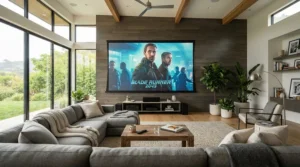
The standout is a wide, angle-cut frame wrapped around an HD Progressive 1.3 surface designed for 4K and Ultra HD. The Da-Lite Cinema Contour lists 1.3 gain with a 150-degree viewing cone and a 45-degree angle-cut frame. The large black frame gives the eye a reference edge, which tends to make blacks look deeper. A 130-inch variant with a 16:10 shape appears in retailer listings.
That aspect ratio is worth a hard look. Most 4K films and streaming content are 16:9 or wider, so a 16:10 screen only suits you if your projector’s aspect settings and your content habits line up. The upside of the 150-degree figure is that it reads as more credible than 180-degree claims on high gain surfaces.
It suits a dedicated room, installed through a dealer, where finish matters and the projector is bright enough that you want 1.3 simply to hit HDR targets on a very large image.
Review sentiment: I couldn’t verify independent review data, so ask your dealer for references on long-term flatness.
Pros:
- ✅ 1.3 gain with 150-degree cone
- ✅ Wide frame boosts perceived contrast
- ✅ Designed for 4K and Ultra HD
Cons:
- ❌ Some sizes are 16:10, not 16:9
- ❌ Typically dealer-led pricing and purchasing
Price: around £1,000-£1,800 range depending on size; check current price. Verdict: a premium purchase for dedicated rooms.
7. Stewart WallScreen Deluxe StudioTek 130 G4 — reference surface, less sparkle
The standout is a reformulated 1.3 peak-gain material the maker says has less sparkle and optimised white-field uniformity for HDR luminance. The Stewart WallScreen Deluxe StudioTek 130 G4 comes in a 3.25-inch velvet-finished aircraft-grade aluminium frame with a quick-snap assembly. Stewart claims the surface is about 30% brighter than matte white. That squares with simple arithmetic, since 1.3 is 30% more than 1.0. Its half-gain angle is listed at 80 degrees, so the picture falls to half brightness around 40 degrees off-axis.
Why pay a premium for the same headline number as the cheaper screens? Surface quality: gain screens can show sparkle or uneven brightness across a bright white field, and that is where a reference surface earns its keep. Projector Reviews’ coverage of Stewart notes that HDR peak highlights make either a very bright projector or a fairly high-gain Stewart material attractive.
It suits enthusiasts with a calibrated 4K projector in a dark room who care about uniformity more than seating width.
Review sentiment: I couldn’t verify a large independent review set; the case for it rests on specifications and enthusiast reputation.
Pros:
- ✅ Reformulated surface with less sparkle
- ✅ Uniform white-field design for HDR
- ✅ Premium hand-finished frame
Cons:
- ❌ Costs several times the budget options
- ❌ 80-degree half-gain angle limits wide seating
Price: around £2,000+ range for 135 inches; check current price. Verdict: a reference-grade spend for purists only.
Top 7 Specs and Value Comparison
| Product | Gain | Angle (as listed) | Price Range | Best For |
|---|---|---|---|---|
| Akia Screens AK-FF120WH2 | 1.3 | Up to 180° claimed | £250-£350 | Value 4K rooms |
| Elite Screens Sable Frame B2 | 1.3 | 180° listed | £300-£500 | Large walls |
| Elite Screens ezFrame CineGrey 5D | 1.5 | 80° | £450-£700 | Bright lounges |
| Elite Screens Starling Tab-Tension 2 CineGrey 5D | 1.5 | 80° | £900-£1,400 | Retractable setups |
| Grandview Edge 4K Series | 1.0 or 1.3 | Check listing | £400-£800 | Slim-frame decor |
| Da-Lite Cinema Contour | 1.3 | 150° | £1,000-£1,800 | Dedicated rooms |
| Stewart WallScreen Deluxe StudioTek 130 G4 | 1.3 | 80° half gain | £2,000+ | HDR purists |
Ranges are indicative and prices vary, so check current prices. The numbers show a clear split: the 1.3 white screens trade a slightly wider sweet spot for no ambient light rejection, while the 1.5 grey screens flip that bargain. If you’re unsure, Elite Screens Sable Frame B2 and Akia Screens AK-FF120WH2 are the lowest-regret purchases. The CineGrey pair only makes sense if you can’t control the light and your audience sits close to centre.
Practical Usage Guide: Setting Up a High Gain Screen for HDR Projectors
Setup decides whether a high gain screen for HDR projectors rewards you or irritates you. The gain only helps if the geometry is right.
Before you drill
Measure your throw distance, then centre the screen at a comfortable eye level for your main seat, usually with the bottom edge around 60-80 cm above the floor. Make sure the projector sits within the screen’s best angle. A high gain surface is brightest on-axis, so a projector mounted dead centre and level beats one tilted off to a corner. For fixed frames such as the Elite Screens ezFrame CineGrey 5D or Grandview Edge 4K Series, find studs or use proper masonry or plasterboard fixings. Frames are heavy and awkward alone, so recruit a second pair of hands.
First-use tuning
- Switch the projector to its brightest accurate HDR picture mode.
- Enter your screen size and, if available, the gain. Some projectors use these values to refine tone mapping.
- Sit in each seat and view a bright, plain test image. Look for a hot spot, a lighter patch at the centre.
- Adjust the projector height or tilt slightly if the hot spot falls away from the audience’s eye line.
Sound & Vision’s screen guide is a useful reminder that brightness drops with screen area and that enthusiasts commonly stay between 1.0 and 1.5 gain, because hot-spotting grows beyond that.
Maintenance and the first 30 days
Dust the surface gently with a soft dry cloth. Some manufacturers say their CineWhite material can be cleaned with mild soap and water, but check your own screen’s care instructions first. Avoid fingers on the surface, and don’t prop anything against it. The most common first-month mistakes are tilting the projector to compensate for a low mount, leaving ceiling lights directly above the screen on, and judging HDR in daytime and then blaming the screen.
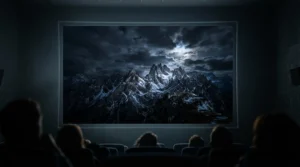
Real-World Scenarios: Which Screen Fits Your Room?
These are hypothetical profiles, built from the specs above, to show how the reasoning works.
Scenario 1: The loft cinema (controlled light, evenings, weekly use)
A 120-inch wall, a 4K projector rated around 1,500-2,000 lumens, and blackout blinds. Light is controllable, so ambient rejection isn’t the priority; raw brightness is. A 1.3 white surface such as the Akia Screens AK-FF120WH2 or Elite Screens Sable Frame B2 is the sensible, budget-conscious answer. Budget: around £250-£500.
Scenario 2: The open-plan lounge (lamps, big windows, daily use)
Family TV, football in the afternoon and films at night, with a ceiling spotlight directly above the screen. Here the Elite Screens ezFrame CineGrey 5D is a better match, because its surface favours the projector over overhead light. Seating must stay within a tight arc of centre. If the screen has to vanish between uses, the Elite Screens Starling Tab-Tension 2 CineGrey 5D costs far more but solves the hiding problem. Budget: £450-£1,400.
Scenario 3: The dedicated dark room (calibrated projector, enthusiasts)
A bright 4K laser projector, a 135-inch wall and a viewer who cares about surface uniformity. The Stewart WallScreen Deluxe StudioTek 130 G4 or Da-Lite Cinema Contour is justified because the screen is now the weakest link. Even then, consider whether a brighter projector would do more for the money. Budget: £1,000+.
How to Choose a High Gain Screen for HDR Projectors
- Check your projector’s real output. Rated lumens overstate HDR mode brightness, so assume 60-70% for calibrated modes. The weaker the projector, the more gain helps.
- Calculate your screen area. Brightness falls with area, so 140 inches is about half as bright as 100 inches. Match size to light output before shopping gain.
- Choose gain by room and seating. For wide seating, stay at 1.3 or below. If everyone sits near centre, 1.5 is safe.
- Decide between white and ambient light rejecting. White (1.3) suits dark rooms. Angular reflective grey, like the CineGrey 5D materials, suits rooms with overhead light.
- Confirm throw type. Ultra-short-throw projectors need dedicated CLR or ALR screens. Standard-throw white and CineGrey materials are not designed for them.
- Check flatness and frame. Fixed, tensioned frames are flattest. Retractables need tab-tension.
- Verify aspect ratio and size. Most projectors are 16:9, so avoid 16:10 unless you know why.
Peak Brightness: Why It Decides Everything for HDR
Peak brightness is the headline problem in HDR. Consumer HDR content is mastered at levels ranging from 1,000 to 4,000 nits, while most 4K HDR projectors reach somewhere between 100 and 200 nits, according to Projector Reviews’ explanation of tone mapping. The projector compromises, preserving highlights or full-screen brightness but rarely both.
A screen’s gain is a lever on that compromise. The formula is simple: foot-lamberts equal lumens times gain divided by screen area in square feet. The table below assumes 1,000 usable lumens, a realistic calibrated HDR figure, and no ambient light. One foot-lambert is about 3.43 nits.
| Screen | Gain | Approx. foot-lamberts | Approx. nits |
|---|---|---|---|
| 100 inch | 1.0 | 34 | 115 |
| 100 inch | 1.3 | 44 | 150 |
| 120 inch | 1.0 | 23 | 80 |
| 120 inch | 1.3 | 30 | 104 |
Read it as illustrative rather than a measurement. A 120-inch screen at 1.3 gain reaches roughly the same brightness as a Dolby Cinema auditorium, around 30 foot-lamberts or 100 nits according to Sound & Vision. The same projector on a 1.0 surface falls well short. If you’re running a big picture, gain is not a luxury; it is how you reach cinema-level peak brightness without buying a new projector.
HDR10 Compatibility: What a Screen Can and Can’t Do
Here is a point marketing often blurs: a screen has no electronics, so it can’t be HDR10 compatible or incompatible. HDR10 compatibility is decided by your projector and source. Labels like “HDR ready” on a screen listing really mean the surface won’t introduce visible texture and has been colour-checked.
What the screen does is change the light budget your projector’s tone mapping has to work with. HDR10 uses static metadata, a single set of brightness values for a whole film, so the projector applies one tone-mapping curve throughout. What Hi-Fi’s explainer on tone mapping covers why more capable displays need less compression. A brighter screen effectively makes your projector more capable, so less highlight detail gets squashed.
One nuance: gain scales the projector’s whites and blacks equally, so it doesn’t improve native contrast. It improves effective contrast in a room with some light, because the projected white climbs further above the ambient floor. Some projectors, JVC’s D-ILA range for example, let you enter screen size and gain so the tone mapping adapts. If yours does, use it.
High Gain Projector Screen for 4K: Does Resolution Matter?
For a high gain projector screen for 4K, the surface has to be fine-grained enough not to blur the pixel structure. Do the sum: on a 100-inch screen, the 87-inch-wide image divides into 3,840 pixels, so each is about 0.58 mm across. Any weave, texture or sparkle larger than that can soften fine detail. At 1080p the pixels are twice as big, which is why older screens often looked fine.
High gain materials are the usual suspects for sparkle, because the micro-structure that boosts reflectivity can scatter light unevenly. That is why Stewart highlights that the reformulated Stewart WallScreen Deluxe StudioTek 130 G4 has less sparkle. If you sit close to a large 4K image, look for ISF-certified, smooth surfaces such as those on the Elite Screens Sable Frame B2. Be sceptical of “8K ready” stickers on any screen; for a 100-inch picture, surface smoothness matters more than a resolution claim.
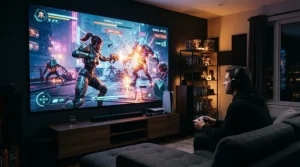
4K Screen for Bright Rooms: Gain, ALR and the Honest Trade-offs
A 4K screen for bright rooms has a harder job than one for a dark theatre. A plain high gain white screen boosts the projector’s light, but it also reflects room light just as enthusiastically. Gain on its own does not reject ambient light.
Angular reflective surfaces like CineGrey 5D take another route, reflecting the projector’s light towards the audience while sending overhead light away. The cost is a narrow 80-degree viewing angle. Remember too that for ultra-short-throw projectors, you need purpose-built CLR screens rather than the standard-throw materials covered here.
| Option | Typical Gain | Ambient Light Behaviour | Viewing Angle | Best For |
|---|---|---|---|---|
| Plain matte white | 1.0 | Reflects all light equally | Very wide | Dark rooms |
| High gain white | 1.3 | Boosts projector, also room light | Wide to moderate | Akia Screens AK-FF120WH2, Elite Screens Sable Frame B2 |
| Angular reflective grey | 1.5 | Rejects overhead light | 80° | Elite Screens ezFrame CineGrey 5D |
| Painted wall | Varies | Uneven, often poor | Wide | Temporary setups |
In a lounge with a skylight, the grey surface is the better answer; in a room with blinds, the white 1.3 wins on seating width. Be realistic, too: a bright TV can beat any projector in strong daylight, so if sun floods the room all afternoon, no screen will fully fix that.
Features That Actually Matter (And Those That Don’t)
What matters
- Gain and angle together. Never read one without the other. A 1.5 gain with an 80-degree angle is a very different product from a 1.3 gain at 150 degrees.
- Flatness. Tensioned frames and tab-tension systems prevent brightness ripples.
- Black frame. A velvet border absorbs overspill and makes blacks look deeper.
- ISF certification. It supports accurate colour, which matters when you’re chasing HDR fidelity.
What doesn’t
- “8K ready” and “active 3D ready” badges. These are cheap to print and rarely decisive.
- “HDR ready” stickers. As discussed, screens don’t decode HDR.
- Extreme gain figures. Beyond roughly 1.5, hot-spotting becomes harder to ignore.
Common Mistakes When Buying a High Gain Screen for HDR Projectors
- Chasing gain for a very bright projector. If you already have 3,000+ lumens, a 1.0 screen may serve you better, with a wider sweet spot.
- Ignoring seating geometry. Sit-test your wide seats against the angle figures before buying.
- Skipping the aspect ratio check. A 16:10 frame like some Da-Lite Cinema Contour sizes won’t suit pure 16:9 viewing.
- Assuming the screen adds HDR. It only adds light.
- Mixing throw types. A standard-throw CineGrey screen is the wrong tool for an ultra-short-throw projector.
- Believing marketing angles. Be wary of 180-degree claims alongside high gain.
Long-Term Cost and Maintenance
Think of the screen as the longest-lived part of your cinema. Projectors get replaced every few years; a decent fixed-frame screen can outlast two or three of them. That changes the value maths.
A 30% boost from 1.3 gain would otherwise require a projector with roughly 30% more usable light, which at 4K often costs far more than a good screen. Spread over several projectors, a Sable Frame B2 or Akia Screens AK-FF120WH2 is cheap per year of use.
Maintenance is light: gentle dusting, avoiding contact, and occasional cleaning to the manufacturer’s instructions. Elite also sells replacement screen materials for its fixed frames, so a damaged surface doesn’t mean a new frame. Premium screens like the Stewart WallScreen Deluxe StudioTek 130 G4 only make financial sense when you’ve already maxed out the cheaper levers.
FAQ
❓ Is a high gain projector screen for 4K worth it with a 1,500-lumen projector?
❓ Does HDR10 compatibility depend on the screen I buy?
❓ Can I use a 4K screen for bright rooms with an ultra-short-throw projector?
❓ How much brighter is a 100-inch screen than a 120-inch one?
❓ Will a high gain screen cause hot-spotting with a ceiling-mounted projector?
Conclusion
Choosing a high gain screen for HDR projectors comes down to three honest questions. How bright is your projector once calibrated? How much light does your room fight back with? And how wide is your seating? If light is controlled and the audience is wide, a 1.3 white screen such as the Akia Screens AK-FF120WH2 or Elite Screens Sable Frame B2 gives the best return. If overhead light is the problem and you sit close to centre, the Elite Screens ezFrame CineGrey 5D deserves a look, with the Elite Screens Starling Tab-Tension 2 CineGrey 5D as the hide-away alternative. For slim frames, the Grandview Edge 4K Series fits; for dealer-installed dedicated rooms, the Da-Lite Cinema Contour and Stewart WallScreen Deluxe StudioTek 130 G4 sit at the top.
Keep your expectations grounded. A screen can’t make your projector HDR-capable, and it can’t beat a sun-drenched afternoon. What it can do is stretch every lumen further, and that is rarely a bad investment. Check current prices and recent buyer comments before you commit.
✨ Ready to Upgrade Your Picture?
🔍 Click any highlighted product above to check current pricing and availability, and give your HDR projector the surface it deserves. 🎬
Recommended for You
- 4K Projector Screen: 7 Best Picks For UK Homes (2026)
- Curved Projector Screen For Gaming: 7 Best Picks UK (2026)
- Curved Screen For Ultra Wide Projection: 7 Best Picks (2026)
Disclaimer: This article contains affiliate links. As an Amazon Associate, I earn from qualifying purchases. If you purchase products through these links, we may earn a small commission at no additional cost to you.
✨ Found this helpful? Share it with your friends! 💬🤗
