
In This Article
Here’s the awkward truth most shop listings skip: a curved projector screen for gaming is a tiny niche. Plenty of brands sell curved screens. Plenty more sell gaming projectors. Very few do both on purpose. So this guide sorts the genuinely curved fixed-frame screens you can realistically hunt down in the UK in 2026, then tells you straight what a curved projector screen for gaming delivers when you’ve got a controller or steering wheel in your hands.

The pitch is seductive. Picture a two-metre-wide image in a black velvet frame, bowing gently towards your seat so the edges feel closer. That’s the dream of a curved screen for immersive viewing. The reality is subtler. Elite Screens’ Lunette family, the best-known range, curves on a 40-foot radius (about 12 metres), and the maker puts the curve at roughly 15 degrees. That’s closer to a raised eyebrow than a hug.
Still, for single-seat play in a dark room, a big, bezel-free picture is a real treat. If you’re chasing a sim racing setup or peripheral vision immersion, the geometry deserves a proper look.
Below you’ll find seven real screens, a plain-English reading of every spec, field-of-view maths and setup advice product pages don’t give you. Prices appear as ranges only. Where I couldn’t verify reviews or UK stock, I say so rather than paper over it.
What Is a Curved Projector Screen for Gaming?
A curved projector screen for gaming is a fixed-frame projection surface bowed gently towards the viewer and paired with a low-input-lag projector, so fast games stay responsive. The curve keeps the image edges closer to your eyes and the projector lens, while a black velvet border sharpens perceived contrast and hides stray light.
Notice what that definition doesn’t say: the screen has no electronics, no refresh rate and no “gaming” certification. Responsiveness comes entirely from the projector. The screen’s job is geometry, brightness and framing.
Wikipedia’s overview of projection screens makes two useful points. A curved screen can stay highly reflective without visible hot spots if the curvature, projector position and seating are planned together. And viewers sitting away from the intended spot may notice distortion and see the curve off-axis. Translation: a curved frame rewards a fixed, central seat, which is exactly how most of us game.
Elite Screens also states that its curved frames need no special projector or lens. So any projector you’d happily game on will work.
Quick Comparison: 7 Curved Screens at a Glance
| Product | Size & format | Surface | Price range | Best for |
|---|---|---|---|---|
| Lunette 2 92-inch | 92″, 16:9 | CineWhite, 1.1 gain | £450-£650 | Small dens, tighter budgets |
| Lunette 2 100-inch | 100″, 16:9 | CineWhite, 1.1 gain | £800-£1,000 | All-round console play |
| Lunette 2 2.35:1 | 115″, 2.35:1 | CineWhite, 1.1 gain | £1,500-£2,000 | Ultrawide games, sim racing |
| Lunette AcousticPro 100-inch | 100″, 16:9 | Acoustic weave, 1.0 gain | £800-£1,100 | Speakers hidden behind the picture |
| Beamax A-Velvet Curved | Sizes vary | Matt white, acoustic options | Mid-£700s upwards | UK-sourced hybrid cinema rooms |
| Silver Ticket Curved Fixed Screen | Sizes vary | White, grey or woven acoustic | Check current price | Easier tension-rod assembly |
| Lunette 2 180-inch | 180″, 16:9 | CineWhite, 1.1 gain | Four figures, check current price | Dedicated games-cinema rooms |
Price ranges are indicative: I converted US and Australian retailer figures and used one UK retailer listing, so UK sellers will differ. Prices may vary, so always check the current price.
Looking at the table, the Lunette 2 100-inch is the safest all-rounder for most UK living rooms. The Lunette 2 2.35:1 costs roughly double, yet it’s the only pick whose shape matches ultrawide game rendering. The Lunette AcousticPro 100-inch swaps a little brightness for the ability to hide speakers. Budget buyers should note that the Lunette 2 92-inch gives up only eight inches of diagonal.
💬 Just one click — help others make better buying decisions too!😊
Top 7 Curved Projector Screen for Gaming Options: Expert Analysis
Nearly every curved fixed-frame screen I could verify comes from one family, so the Lunette range dominates. That reflects the market, not laziness.
1. Elite Screens Lunette 2 92-inch (CURVE92WH2) — cheapest way into curved
The Lunette 2 92-inch is the smallest, most affordable way to get a properly curved frame on your wall, which makes it the natural trial run.
Elite builds it with CineWhite, a 1.1-gain matt white surface with black backing, on a 3.5-inch velvet-covered aluminium frame. In practice, that gain adds a touch of brightness without the hot-spotting of higher-gain fabrics, and the velvet soaks up overshoot so HUD elements at the edges don’t bleed onto the wall. With roughly two metres of viewable width, my geometry puts the picture at about 44 degrees across from 2.5 metres: a window, not a wrap.
Based on the spec sheet, it suits console players in small dens who want a clean, bezel-free image without a four-figure outlay. Don’t expect drama, though. From Elite’s stated radius, I calculate the edges sit only about 4 cm forward of centre.
Review evidence is thin. The one detailed excerpt I could verify, on Elite’s own store, praised the 4K picture and curved look. It also called assembly fiddly because the fabric must be stretched and clamped, and said the hanging measurements in the manual seemed off.
Pros:
- ✅ Most wall-friendly curved Lunette in the range
- ✅ Velvet frame absorbs projector overshoot
- ✅ Installation kit included in the box
Cons:
- ❌ Fabric stretching reported as fiddly
- ❌ Narrower field of view than larger siblings
Roughly £450-£650 range (check current price). Strong entry value if you budget patience for assembly.
2. Elite Screens Lunette 2 100-inch (CURVE100WH2) — sweet-spot size for living rooms
The Lunette 2 100-inch is the size most UK rooms can actually accommodate without a renovation.
A US reseller lists the viewable area as 87.2 by 49 inches on the same 1.1-gain CineWhite surface, with a rubber-edge border that speeds installation. Add the 3.5-inch frame on each side and you need a wall roughly 2.4 metres wide. From 2.5 metres away, I calculate about 48 degrees of picture. Compared with the Lunette 2 92-inch, the extra eight inches of diagonal buys roughly 18% more picture area, which is noticeable at three-metre seating distances.
Here’s what to weigh: this is the screen where “big enough to feel cinematic, small enough not to need a dedicated room” lands best. It’s my pick for a PS5 or Xbox in a lounge-turned-games-den.
I couldn’t find independent review data for this exact size. The family-level feedback above (great picture, awkward assembly) is the best guide.
Pros:
- ✅ Balances presence against room demands
- ✅ Native 16:9 matches console output
- ✅ Sliding brackets help centre the frame
Cons:
- ❌ Matt white surface demands a dark room
- ❌ Subtle curve adds little extra immersion
Around £800-£1,000 range (check current price). Good value for a first serious curved setup.
3. Elite Screens Lunette 2 2.35:1 (CURVE235-115W2) — built for ultrawide games
The Lunette 2 2.35:1 is the only option here whose shape matches ultrawide rendering, which matters more for racers and PC players than any spec.
At 115 inches and 2.35:1, it’s roughly 106 inches (2.7 metres) wide, on the same 1.1-gain CineWhite. A 2.35:1 frame is practically 21:9, which many PC titles and racing sims can render natively, so the image fills the frame with no black bars. Elite also notes the curve counters the pincushion distortion that affects flat widescreen frames. From 2.5 metres, my arithmetic gives about 56 degrees of picture.
The catch: 16:9 console games will sit pillarboxed. Elite’s own page currently lists a 138-inch 2.35:1 variant, so confirm which size your seller stocks.
I found no independent review data for this model.
Pros:
- ✅ Ultrawide shape fills 21:9 game output
- ✅ Curve tackles widescreen edge distortion
- ✅ About 2.7 metres of width from one frame
Cons:
- ❌ 16:9 console games appear pillarboxed
- ❌ Size availability varies by seller
Likely £1,500-£2,000 range (indicative; check current price). Worth it only if ultrawide is your main diet.
4. Elite Screens Lunette AcousticPro1080P3 100-inch — speakers hide behind the picture
The Lunette AcousticPro 100-inch lets you park speakers behind the image, so dialogue and footsteps come from where the action is.
The AcousticPro1080P3 fabric is a perforated weave rated at 1.0 gain, designed to avoid moiré and keep warm, neutral colour on 1080p and 4K projectors. In plain terms, you lose roughly 9% of the light versus the 1.1-gain CineWhite, so you want a brighter projector. Elite also says the rubber-edge border doesn’t apply to AcousticPro, so installation relies on sliding wall mounts and adjustable fix plates. Expect more hands-on tensioning.
Based on the spec comparison, this is for people who also use the screen for films and want a centre speaker behind it. For competitive play, directional audio from the screen is a genuine, underrated perk.
I couldn’t verify a meaningful pool of reviews for this specific model.
Pros:
- ✅ Acoustically transparent, so speakers sit behind
- ✅ Moiré-free weave suits 4K projectors
- ✅ Same velvet-framed curved geometry as siblings
Cons:
- ❌ Lower gain demands a brighter projector
- ❌ More hands-on installation
Around £800-£1,100 range (check current price). Brilliant if audio matters; skip it if it doesn’t.
5. Beamax A-Velvet Curved — UK-sourced, acoustic fabric options
The Beamax A-Velvet Curved is the one pick here I found listed by a UK AV retailer, with VAT-inclusive pricing.
It pairs a lightweight aluminium frame, wrapped in light-absorbing velvet flock, with a slight curve. The standard fabric is matt white with a black back, and a micro-perforated acoustic option exists. What I couldn’t find in the listing was gain, curve radius or a size chart. That matters: curvature depth changes how the picture looks off-centre, so ask the seller before ordering.
For buyers who prefer UK-supplied kit and a retailer to phone if something goes wrong, it’s a sensible shortlist entry. Whether an amazon.co.uk listing is live varies, so check.
I couldn’t verify review data for it.
Pros:
- ✅ Acoustic fabric option available
- ✅ Light-absorbing velvet-flock frame
- ✅ UK listing shows VAT-inclusive pricing
Cons:
- ❌ Gain and curve radius not stated
- ❌ Amazon UK availability unconfirmed
Mid-£700s upwards (check current price). Fair value if the missing specs check out.
6. Silver Ticket Curved Fixed Screen — fast-assembly tension rod design
The Silver Ticket Curved Fixed Screen targets the biggest complaint above: stretching fabric onto the frame.
Silver Ticket describes a hidden rod-and-pocket tension system that holds the material square and removes wrinkles, using 1.1-gain stretchy vinyl. It’s offered in matt white, matt grey and WAB, which I take to mean its woven acoustic fabric. Grey fabrics generally trade brightness for deeper blacks, which suits a fully controlled games room.
If you’re nervous about DIY assembly, this design philosophy is the appeal. The honest limit is verification: I only found a US listing, with no UK price, stock or curvature radius, so check amazon.co.uk and confirm specs first.
I couldn’t verify reviews for the curved model specifically.
Pros:
- ✅ Three fabric choices, including acoustic
- ✅ Hidden tension-rod fixing aids flatness
- ✅ 1.1 gain matches Elite’s CineWhite
Cons:
- ❌ UK availability and price unverified
- ❌ Curvature figures not in the listing I read
Price unverified; check current price. A promising wildcard, not yet a confident buy.
7. Elite Screens Lunette 2 180-inch — dedicated-room scale
The Lunette 2 180-inch is the statement piece, the one that starts to feel like an actual wall of picture.
A US retailer lists the overall frame at 164 by 95.3 inches, so you need roughly 4.2 metres of wall. It uses the same CineWhite 1.1-gain surface. Here’s what the spec sheet won’t shout about: a 180-inch screen has about 3.2 times the area of a 100-inch one, so the same projector delivers roughly a third of the brightness per square inch. From three metres, my calculation gives about 67 degrees of picture, genuinely immersive, but only with a much brighter, sharper projector.
This suits dedicated rooms where the projector, seating and light control are all planned together.
I couldn’t verify reviews for this size.
Pros:
- ✅ Largest angular size in this list
- ✅ Same proven CineWhite surface
- ✅ Real wow factor in a dark room
Cons:
- ❌ Needs roughly 4.2 metres of wall
- ❌ Demands a far brighter projector
A comfortably four-figure sum (check current price). Only sensible once the rest of the room is sorted.
How to Choose a Curved Projector Screen for Gaming
Choose by wall width and seating distance first, then aspect ratio, then surface, and treat the projector’s game-mode input lag as the deciding factor. Here’s the order I’d work in:
- Measure your wall and your seat. Add about seven inches to the stated width for the frame, then check you can sit 2.5-3 metres back. Distance controls immersion far more than diagonal.
- Pick your aspect ratio. Choose 16:9 for console play. Choose 2.35:1 only if your games, or your racing sims, render ultrawide.
- Check the throw. Elite lists compatibility with standard, short and ultra-short throw projectors, but confirm yours before drilling.
- Match the surface to the room. CineWhite gives a bit more brightness. Acoustic weaves let speakers hide but cost light, so a controlled-light room is essential.
- Prioritise projector lag over screen features. Projector Reviews’ gaming guide treats 16-20 ms as excellent and 33-40 ms as good. Check the game-mode figure, not the headline spec.
- Confirm UK stock, returns and mounting. Big frames are awkward to send back, so check the seller’s returns terms.
Curved Screen for Immersive Viewing: Physics vs Marketing
Let’s pop the balloon gently. Elite’s own FAQ says the immersion boost on a curved 16:9 screen is mostly a myth. Its argument is that immersion comes from wide-angle presentations, where your peripheral vision picks up movement at the sides, and that 16:9 suits TVs because the eye can take it all in without extra happening off-axis.
Marketing says “wraps around you”. Physics says otherwise. At a 40-foot radius, the Lunette 2 100-inch‘s edges sit about 5 cm forward of centre by my calculation, hardly a cocoon.
So where does a curved screen for immersive viewing earn its keep? Three places: the 2.35:1 shape (where Elite says the curve fixes pincushion distortion), the black velvet border that frames the image, and hot-spot control on higher-gain fabrics. Immersion is mostly angular size, meaning how much of your view the picture fills. A flat 100-inch screen at the same distance gives you nearly the same angle.
That’s no reason to dismiss curved screens. It’s a reason to buy one for the framing and the 2.35:1 benefits, not for imagined wraparound magic.
Peripheral Vision Immersion and Wraparound Field of View
Your eyes take in close to 200 degrees horizontally. Even a huge projector image fills a fraction of that, which is why genuine peripheral vision immersion needs far more than a gentle curve.
Here’s how much picture each screen gives you, using my own geometry (viewable width, seated centrally):
| Screen | Viewable width | From 2.5 m | From 3 m | Best for |
|---|---|---|---|---|
| Lunette 2 92-inch | ~2.0 m | ~44° | ~37° | Compact dens |
| Lunette 2 100-inch | ~2.2 m | ~48° | ~40° | Living-room consoles |
| Lunette 2 2.35:1 | ~2.7 m | ~56° | ~48° | Ultrawide titles |
| Lunette 2 180-inch | ~4.0 m | ~77° | ~67° | Dedicated rooms |
The jump is clear. Going from 100 inches at three metres to the 2.35:1 frame adds roughly eight degrees, and the 180-inch pushes towards 67. Sim-racing calculators routinely show triple-monitor rigs landing above 100 degrees, so a single projected image can’t match multi-screen rigs for sheer angle. A true wraparound field of view needs multiple projectors on a deeper curve, which is a different (and much bigger) project than hanging one frame. Moving closer raises the angle but exposes pixel structure, so a 4K projector helps here.
Curved Screen for Home Cinema: Where Movie Night Meets Game Night
The curved screen for home cinema idea predates gaming by years. Elite’s Lunette range was pitched at cinemascope projection, and the maker describes the curve as letting the picture cover the centre and left and right speakers, tying image to sound.
That heritage helps games. A screen designed for cinema handles dark scenes with a deep black border and consistent brightness, which suits atmospheric single-player titles.
Dual-purpose rooms are where the acoustic options shine. The Lunette AcousticPro 100-inch, and the acoustic fabrics from Beamax A-Velvet Curved and Silver Ticket Curved Fixed Screen, let you hide a centre channel behind the picture so voices sit in the image. The trade-off is brightness. Plan on a punchier projector and a properly darkened room.
My honest take: a curved screen for home cinema duty is the stronger argument for buying one. Gaming simply benefits from the same virtues, namely a big picture, good black levels and a proper frame.
Sim Racing Setup: Where a Curved Projector Screen Helps (and Where It Doesn’t)
For a sim racing setup, field of view isn’t taste, it’s maths. Sim Racing Cockpit’s FOV calculator explains that the correct in-game FOV depends on your screen size and how far you sit from it, and that different sims place the setting in different menus.
Here’s where a projected screen helps. There are no bezels cutting your view, the picture is large, and a 2.35:1 frame like the Lunette 2 2.35:1 can match ultrawide rendering. A wall-mounted frame also frees up cockpit space.
Here’s where it doesn’t. A single flat or gently curved image tops out around 56 degrees from 2.5 metres, while enthusiasts’ forum guides note that no single projector screen covers your peripheral view the way triples can. If situational awareness in close wheel-to-wheel racing is your goal, triple monitors or VR still win on pure angle.
The practical recipe: sit at a fixed distance, measure your viewable width, run the calculator, and set the in-game FOV to match. Then pair the screen with a low-lag projector, because steering feedback and screen response need to feel in sync.
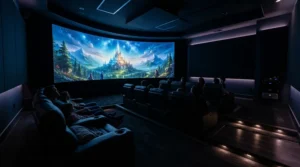
Curved Projector Screen vs Flat Screen vs Ultrawide Monitor
| Option | Typical size | Strength | Weakness | Best for |
|---|---|---|---|---|
| Curved fixed-frame screen (e.g. Lunette 2 100-inch) | 92-180″ | Huge picture, no bezels, velvet framing | Needs dark room, projector lag, wall space | Dark-room immersion |
| Flat fixed-frame screen | 80-150″+ | More choice, usually cheaper | No curve benefit for 2.35:1 | Budget big-screen play |
| Curved ultrawide monitor | ~34-49″ | Low lag, bright rooms, desk-friendly | Much smaller angle | Competitive and bright-room play |
The table shows a simple split. Monitors win on responsiveness and ambient light, flat projector screens win on cost, and a curved projector screen for gaming wins only on the combination of scale and frame, with a real premium to pay. A good gaming TV or monitor will typically beat a projector on input lag, so if you play competitively, that matters more than size. If your gaming is story-driven and your room goes properly dark, the Lunette 2 100-inch or the Lunette AcousticPro 100-inch make a stronger case.
Setup Guide: Installing and Tuning Your Curved Screen
Before you drill
Elite says the wall brackets should sit at least 4-6 inches below the ceiling, because the frame has to be lifted above the brackets and lowered onto them. For larger sizes, such as the Lunette 2 180-inch, the centre support bar slots into the groove along the top of the frame’s rear. Use a spirit level, mark twice, drill once.
Projector settings
Pick a projector that has a genuine game mode. RTINGS’ gaming projector roundup covers input lag and refresh-rate support across dozens of tested models. Switch on game mode, then centre the image and focus on the middle before checking the edges. If your projector offers digital geometry correction, check reviews for whether it adds processing lag.
Your first 30 days
Common mistakes: leaving the projector in cinema mode (the lag shows up in fast games), sitting off-centre so the curve looks odd, and cleaning with the wrong cloth. Elite’s care sheet says a moist cotton cloth is fine for CineWhite. Re-check frame tension after a few weeks, particularly on fabric you stretched yourself.
Real-World Scenarios: Three Gamers, Three Rooms
The console player in a box room. If you’ve got a PS5, a 2.8-metre-deep spare room and evenings-only play, the Lunette 2 100-inch at around 2.5-3 metres gives roughly 40-48 degrees of picture. Add a projector with a proper game mode, blackout curtains and you’re set. Budget: screen in the £800-£1,000 range, plus projector.
The sim racer with a garage unit. With a wall that’s at least 3.3 metres wide and a fixed rig, the Lunette 2 2.35:1 suits ultrawide-rendered sims. Calculate FOV from your seat distance, then set it in-game. Budget: £1,500-£2,000 range for the screen alone.
The mixed cinema-and-games lounge. If you want a centre speaker hidden in the picture, the Lunette AcousticPro 100-inch or Beamax A-Velvet Curved with an acoustic fabric makes sense, provided your projector has the light to compensate. Budget: roughly £800-£1,100 range for the screen.
✨ Don’t Miss These Carefully Selected Picks!
🎮 Ready to take your game nights up a notch? Click any highlighted product name to check current pricing and availability. These screens help you build a bigger, more immersive picture your whole household will love!
Features That Actually Matter (And Those That Don’t)
Matters: projector input lag, because the screen can’t fix it. Seating distance, because it sets your viewing angle. A black, light-absorbing border, because it frames the picture. Aspect ratio, because it decides whether your games fill the frame. Surface choice, because it dictates room-light tolerance.
Matters, but only sometimes: acoustic transparency. If you’re hiding speakers, it’s gold. If you’re not, you’ve paid for light you’ve thrown away.
Doesn’t matter much: “3D ready” badges (irrelevant for most gaming) and wide viewing-angle claims. Elite quotes 180 degrees for CineWhite, while some retailers list 160, but a single player seated centrally hardly tests either number. “4K ready” is a similar shrug: any decent matt surface resolves it at these sizes.
The biggest myth to retire: that curvature itself makes games better. It’s a nice-to-have, not a performance feature.
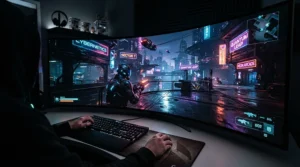
FAQ
❓ Is a curved projector screen worth it for gaming?
❓ Do I need a special projector for a curved projector screen for gaming?
❓ What size curved screen suits a small UK living room?
❓ Can a curved projector screen work in a bright room?
❓ How much does a curved projector screen for gaming cost in the UK?
Conclusion
So, is a curved projector screen for gaming worth chasing? Honestly, it’s a considered luxury rather than a performance upgrade. The curve is gentle, the immersion boost on 16:9 is modest, and the projector’s lag matters more than any frame. But the right screen in the right dark room still delivers a big, bezel-free picture that a monitor can’t.
For most people, the Lunette 2 100-inch is the sensible centre of gravity. Tighter budgets should look at the Lunette 2 92-inch. Ultrawide fans and racers should weigh the Lunette 2 2.35:1, and anyone hiding speakers should compare the Lunette AcousticPro 100-inch and Beamax A-Velvet Curved. If you’re building a proper dedicated room, the Lunette 2 180-inch is the dramatic option, and the Silver Ticket Curved Fixed Screen is worth watching once UK stock and pricing are confirmed.
Whichever you choose, measure your wall, plan your seating distance, and pair the screen with a projector that has a genuine game mode.
Recommended for You
- Curved Screen For Ultra Wide Projection: 7 Best Picks (2026)
- Curved Projector Screen: 7 Best Picks, Honestly Compared (2026)
- Acoustic Transparent Screen For Small Cinema Room: 7 Best (2026)
Disclaimer: This article contains affiliate links. As an Amazon Associate, I earn from qualifying purchases. If you purchase products through these links, we may earn a small commission at no additional cost to you.
✨ Found this helpful? Share it with your friends! 💬🤗
