
In This Article
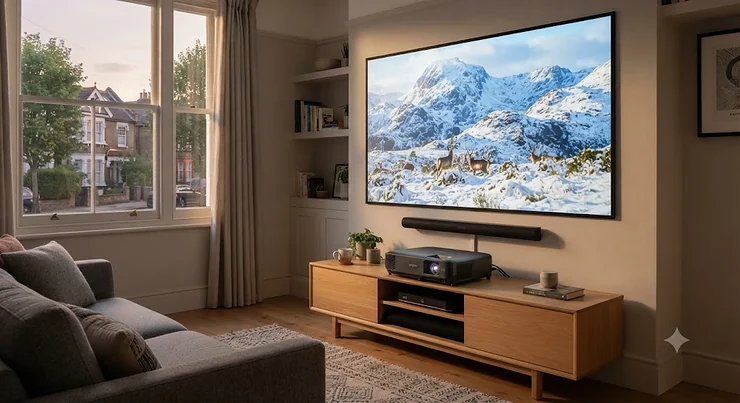
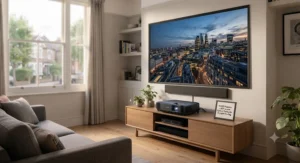
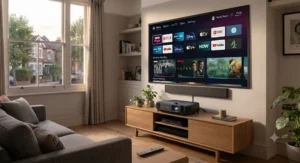
Somewhere between “I’ll just buy a bigger telly” and “I’ll build a proper cinema room,” there’s a genuinely brilliant middle option, and it’s been quietly getting better every year: the 4K ultra short throw projector. Sit one on a low cabinet, a few inches from your wall or screen, and it throws a 100-inch-plus image without a single cable trailing across your ceiling. No scaffolding, no drilling into a listed building’s plasterwork, no arguing with a landlord about mounting brackets.
What is a 4K ultra short throw projector? It’s a projector that sits within a few centimetres of the wall or screen rather than metres back, using an angled mirror and wide lens to fill a large image from close range, while native or pixel-shifted 4K resolution and a laser light source deliver sharp, bright, colour-accurate pictures without a bulb to replace.
That “laser” part matters more than most listings let on, and it’s where the real differences between models start to show. Some use a single blue laser diode bounced through a phosphor wheel. Others use pure red, green and blue lasers working in unison. A few, like Formovie’s ALPD system, split the difference. Each approach changes colour accuracy, cost, and how the picture behaves in a room with the curtains open — something Which? highlights in its TV vs projector comparison as one of the main reasons households are increasingly choosing projectors over ever-larger TVs, given how much cheaper a bright wall-sized image has become compared with an 85-inch-plus panel. This guide covers seven real models spanning budget, mid-range and flagship territory, with the specs translated into what they actually mean for your living room, not just your spec sheet.
Quick Comparison Table
| Projector | Laser Type | Peak Brightness | Screen Size Range | Best For |
|---|---|---|---|---|
| Hisense PT1 | Triple Laser (RGB) | ~2,500 ANSI lumens | 80″-150″ | Best value entry into laser TV |
| Epson EH-LS650 | Single-laser 3LCD | ~3,600 lumens (colour & white) | 90″-130″ | Bright, sunlit living rooms |
| Formovie Theater | ALPD 4.0 RGB+ | ~1,800-2,800 ISO lumens | 80″-150″ | Colour accuracy on a budget |
| Hisense PX3-Pro | TriChroma (RGB) | ~3,000+ lumens | 80″-150″ | Console gaming and movies |
| XGIMI Aura 2 | Dual/RGB laser hybrid | ~2,300 ISO lumens | 80″-150″ | All-round mid-range pick |
| Hisense PX1-Pro | TriChroma (RGB) | ~2,200 ANSI lumens | 90″-130″ | Flexible home cinema, no bundled screen |
| AWOL Vision LTV-3000 Pro | Triple RGB Laser | ~2,000-3,000 ISO lumens | 80″-150″ | Flagship cinephile setup |
Looking across the table, the spread of “peak brightness” figures is the first thing worth sitting with, because ANSI and ISO lumens aren’t measured the same way, and a manufacturer’s headline number rarely survives contact with a real room. The Hisense PT1 and Formovie Theater sit at the accessible end, while the Epson EH-LS650 and Hisense PX3-Pro push harder into daytime-viewing territory. If your lounge has south-facing windows and no curtains you’re prepared to close, that difference in real-world brightness will matter more than any other spec on this list.
💬 Found a model that’s caught your eye already? Scroll down for the full breakdown — or jump straight to today’s price on Amazon.
Top 7 4K Ultra Short Throw Projectors: Expert Analysis
1. Hisense PT1 — best value laser TV for movie night beginners
The Hisense PT1 is Hisense’s entry point into proper triple-laser UST projection, and it undercuts its siblings by quite some margin. Its RGB triple-laser engine claims around 2,500 ANSI lumens and 110% of the BT.2020 colour gamut, which in practice means punchy, natural colour that doesn’t need calibrating out of the box — a genuine step up from the single-laser-plus-phosphor budget models that dominated this category a few years ago. Dolby Vision, HDR10+ and IMAX Enhanced certification are all present, alongside Dolby Atmos and DTS:X audio support, so you’re not missing format compatibility just because you’ve spent less.
Based on the spec comparison with Hisense’s pricier Laser Cinema range, what most buyers overlook about the PT1 is that it’s aimed squarely at people who want a “just works” big-screen experience rather than a reference-grade home cinema centrepiece — and for that specific job, it does the job well. Reviewers consistently note that its VIDAA smart platform (the UK model runs VIDAA rather than Google TV) is straightforward if occasionally sluggish navigating menus, and that its gaming input lag is respectable rather than class-leading.
Pros:
- ✅ Genuine triple-laser colour for a relatively low outlay
- ✅ Full HDR format support including Dolby Vision
- ✅ Sits comfortably in most living rooms without a dedicated screen
Cons:
- ❌ VIDAA smart platform feels less polished than Google TV rivals
- ❌ Input lag trails the gaming-focused Hisense PX3-Pro
At around £1,700-£1,999 at the time of research, with retailers regularly discounting further, the Hisense PT1 is the projector to check first if this is your family’s first laser TV.
2. Epson EH-LS650 — best for bright, sunlit living rooms
Where most UST projectors in this list use DLP chips, the Epson EH-LS650 sticks with Epson’s 3-Chip 3LCD approach paired with a single-laser light source. The headline number worth explaining here is Epson’s “colour brightness equals white brightness” claim — many single-chip DLP projectors are bright in white light but noticeably dimmer and less saturated in coloured scenes, whereas 3LCD architecture keeps colour and white output matched.
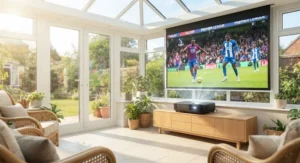
What that means in practice, based on the spec sheet and aggregated professional testing, is a projector that holds up unusually well against ambient light, which is exactly the scenario where most UST projectors start to look washed out. This is the model to consider if your curtains rarely stay closed during a Sunday afternoon film. Reviewers consistently flag Epson’s menu system and lens memory presets as some of the most user-friendly in the category, though the design leans more “sensible black box” than “designer centrepiece” next to some of its more sculptural rivals.
Pros:
- ✅ Matched colour and white brightness holds up in daylight
- ✅ 3LCD engine avoids the “rainbow effect” some DLP rivals show
- ✅ Straightforward setup with generous lens memory presets
Cons:
- ❌ Less striking industrial design than flagship RGB-laser rivals
- ❌ Smart platform typically relies on an external streaming stick
Priced in the £2,100-£2,300 range at the time of research, the Epson EH-LS650 is a sound pick for households that refuse to plan movie nights around the sun.
3. Formovie Theater — best ALPD laser colour accuracy for the price
The Formovie Theater was built around Appotronics’ ALPD 4.0 RGB+ laser system — a hybrid approach using a blue laser diode alongside dedicated red and green laser elements rather than a full three-laser RGB engine. On the spec sheet that translates to roughly 107% coverage of the BT.2020 colour gamut and a claimed 30,000-hour laser lifespan, with brightness figures ranging from around 1,800 ISO lumens on the standard model up to 2,800 ANSI lumens on the higher-spec Premium version.
Here’s what the spec sheet won’t tell you, but independent testers note: the hybrid ALPD design largely eliminates the visible speckle artefact that pure RGB-laser projectors can sometimes show on flat, bright surfaces, while still delivering colour saturation that noticeably outpaces older single-laser designs. Paired with Bowers & Wilkins-tuned speakers, this is a projector that takes audio as seriously as picture, which is rarer than it should be at this price point. It also picked up recognition in an independent Laser TV Showdown comparison test, which lends some third-party weight to the marketing claims.
Pros:
- ✅ ALPD hybrid laser avoids visible speckle on bright scenes
- ✅ Bowers & Wilkins audio is unusually good for a bundled speaker
- ✅ Strong colour gamut coverage backed by independent testing
Cons:
- ❌ Android TV interface can feel cluttered with pre-installed apps
- ❌ Premium version’s extra brightness comes at a real price jump
Expect to pay somewhere in the £2,300-£2,500 range for the standard model at the time of research, making the Formovie Theater a strong pick for anyone who cares equally about sound and picture.
4.Hisense PX3-Pro — best for console gaming and movies alike
The Hisense PX3-Pro pairs a TriChroma (pure RGB) triple-laser engine with genuinely gaming-focused hardware: dual HDMI 2.1 inputs supporting 4K at 120Hz, plus a 1080p/240Hz mode for PC gamers with the graphics horsepower to push it. Hisense claims around 3,000 lumens and 110% BT.2020 coverage, and independent lab measurements have found it can exceed those claims in peak brightness modes, with excellent native contrast for a DLP-based UST design.
What most buyers overlook about the PX3-Pro is that its “Designed for Xbox” certification isn’t just marketing — the low input lag and wide colour gamut make a genuine difference in fast-paced titles, not just in cinematic HDR content. Reviewers consistently praise its handling of dark scenes as unusually strong for a UST projector, calling out particularly and specifically the shadow detail as a step above rival models in its class, though most also note that its built-in speakers are the weakest link in an otherwise excellent package.
Pros:
- ✅ HDMI 2.1 inputs support genuine 4K/120Hz console gaming
- ✅ Excellent shadow detail and native contrast for a UST design
- ✅ TriChroma laser delivers accurate, vivid colour out of the box
Cons:
- ❌ Built-in audio is middling; a soundbar is strongly recommended
- ❌ Blacks can look slightly grey compared with OLED-level contrast
At around £2,400-£2,500 at full price, with £1,600-£1,800 deals appearing regularly at UK retailers, the Hisense PX3-Pro offers a genuinely rare combination: it’s as convincing for Sunday-night films as it is for Saturday-night Xbox sessions.
5. XGIMI Aura 2 — best all-round mid-range pick
The XGIMI Aura 2 sits in a similar bracket to the AWOL Vision LTV-3000 Pro on paper, claiming around 2,300 ISO lumens, a 1,000,000:1 dynamic contrast ratio, and IMAX Enhanced certification alongside Dolby Vision support. What sets it apart in practice is XGIMI’s own Android TV-based smart platform, which independent comparisons have repeatedly rated as slicker and more responsive than several premium rivals’ interfaces — a detail that matters far more day-to-day than most spec sheets suggest.
Based on the spec comparison with pricier RGB-laser rivals, the Aura 2 uses a hybrid laser-phosphor light engine rather than a full triple-laser system, which is the honest explanation for why it costs meaningfully less than the AWOL Vision LTV-3000 Pro while covering a broadly similar colour gamut on paper. Reviewers consistently note its 60W Harman Kardon speaker system punches well above its price bracket, making it one of the few UST projectors in this list that could realistically skip a separate soundbar for casual viewing.
Pros:
- ✅ Slick, responsive Android TV smart platform
- ✅ Harman Kardon audio genuinely strong without external speakers
- ✅ IMAX Enhanced certification and solid dynamic contrast
Cons:
- ❌ Hybrid laser engine falls slightly short of pure RGB rivals in colour purity
- ❌ 25,000-hour laser lifespan is good but not class-leading
Typically available through UK retailers in the £1,800-£2,200 range at the time of research, the XGIMI Aura 2 is the projector to shortlist if you want flagship-adjacent features without the flagship invoice.
6. Hisense PX1-Pro — best flexible home cinema, no bundled screen
The Hisense PX1-Pro occupies an interesting spot in Hisense’s line-up: it’s the TriChroma Laser Cinema model built for buyers who want to choose their own screen rather than take Hisense’s bundled ALR panel. Its motorised digital lens focus lets it project anywhere from 90 to 130 inches, with 2,200 ANSI lumens of peak brightness and 107% BT.2020 colour coverage from its RGB triple-laser engine.
Here’s what the spec sheet won’t tell you: reducing the bundled-screen cost is precisely why the PX1-Pro can be more affordable than its Laser TV siblings despite sharing the same core laser engine, so buyers who already own or plan to buy their own ambient-light-rejecting screen get a genuine saving. Reviewers consistently highlight its colour accuracy and BT.2020 coverage as excellent for the money, though they also flag the lack of a native Netflix app on its Android-based platform and the absence of 3D support as real trade-offs against Hisense’s more recent models. Worth noting: this model has since been superseded in Hisense’s own line-up, so stock varies and it’s worth double-checking current availability before committing.
Pros:
- ✅ Excellent colour accuracy from a proven TriChroma laser engine
- ✅ Flexible screen size from 90″ to 130″ with motorised focus
- ✅ Lets you choose your own screen instead of a bundled one
Cons:
- ❌ No native Netflix app on its built-in smart platform
- ❌ Availability is inconsistent as newer Hisense models take over
Prices vary considerably by retailer and stock levels, typically landing somewhere in the £1,800-£2,400 range at the time of research — so the Hisense PX1-Pro rewards a bit of shopping around.
7. AWOL Vision LTV-3000 Pro — best premium flagship for cinephiles
The AWOL Vision LTV-3000 Pro leads with a pure Triple RGB Laser engine — separate red, green and blue lasers rather than a blue-laser-plus-phosphor hybrid — delivering around 2,000 ISO lumens sustained brightness with peaks closer to 3,000 lumens, plus 107% BT.2020 and 147% DCI-P3 colour coverage. It’s also notable as the first UST projector with a genuinely built-in centre-channel speaker, aimed at keeping dialogue clear without a separate soundbar.
Based on the spec comparison with the mid-range XGIMI Aura 2, the case for spending more here comes down to colour purity and audio integration rather than raw brightness numbers alone. Reviewers consistently describe its image quality and daylight usability as outstanding for a UST design, with one independent long-term reviewer reporting it held up well after a year of regular use. That said, genuine user reviews on major UK retail listings also include at least one report of a unit developing dead pixels after the return window closed, which is a useful reminder to test any UST projector thoroughly during its statutory return period rather than assuming premium pricing guarantees zero manufacturing variance.
Pros:
- ✅ Pure Triple RGB Laser delivers exceptional colour purity
- ✅ Built-in centre-channel speaker for genuinely clear dialogue
- ✅ Handles ambient light unusually well for a UST projector
Cons:
- ❌ Premium pricing puts it well above mid-range rivals
- ❌ Android-based smart platform lags behind Google TV competitors
At around £3,300-£3,500 at the time of research, the AWOL Vision LTV-3000 Pro is the projector for buyers who’ve decided a projector is replacing their TV permanently, not supplementing it.
Benefits vs Traditional Alternatives
| Factor | 4K UST Projector | Traditional Long-Throw Projector | Large Flat-Panel TV |
|---|---|---|---|
| Installation | Sits on furniture, no ceiling mount | Usually ceiling-mounted, cabling required | Wall-mounted or on a stand |
| Screen Size | 80″-150″ typical | 80″-300″+ possible | Capped around 85″-100″ before cost soars |
| Ambient Light Handling | Good with ALR screen; varies by model | Generally weaker without a dedicated room | Excellent |
| Typical Cost for 100″+ | £1,700-£3,500 (see models above) | Similar projector cost + screen + mounting | £2,000-£6,000+ |
| Best For | Hisense PT1, XGIMI Aura 2 for flexible living rooms | Dedicated cinema rooms, light-controlled | Bright rooms, no space for a screen |
The headline takeaway from this table is cost-per-inch: getting a genuinely huge image from a flat-panel TV means paying a steep premium once you cross 85 inches, whereas every model in this guide comfortably clears 100 inches for a fraction of that outlay. Traditional long-throw projectors can still out-brighten and out-size a UST model at the very top end, but they demand a properly darkened room and permanent ceiling wiring that a UST design simply doesn’t need. For most living rooms doing double duty as a lounge and a cinema, the ultra short throw format is the more realistic long-term investment.
✨ Ready to See Prices for Yourself?
🔍 Take your home cinema up a notch with any of the models above. Click through to check today’s availability and current pricing on Amazon before you decide — stock and offers shift regularly on these seven picks.
Practical Usage Guide: Setup, Calibration and the First 30 Days
Getting a UST projector right on day one saves weeks of frustration later. Start with placement: because these projectors sit inches from the wall, even a small shift in position dramatically changes focus and geometry — measure twice before you commit to a permanent shelf position, and use the digital keystone correction sparingly, since heavy correction can soften image sharpness noticeably.
For the first week, resist the urge to max out brightness and colour settings. Most of these projectors ship in a “vivid” or “dynamic” picture mode designed to impress in a bright showroom, not to look accurate in your lounge. Switching to a “cinema,” “filmmaker,” or “movie” preset, then nudging brightness up only as much as your room’s ambient light genuinely demands, gets far closer to what the source material intended. If you’ve paired the projector with an ambient-light-rejecting (ALR) screen, recalibrate again once it’s mounted, since ALR screens change how a projector’s colour and contrast settings should be tuned.
A common mistake in the first 30 days is neglecting the intake and exhaust vents. Laser light engines run hot, and dust build-up around vents is one of the more preventable causes of early brightness fade. A monthly wipe-down with a dry microfibre cloth, keeping the unit at least 10cm from walls or furniture on either side, and avoiding thick rugs or carpets directly underneath, all meaningfully extend the 25,000-30,000 hour laser lifespans manufacturers quote. Finally, register your warranty immediately — UK consumer law gives you strong statutory rights, but manufacturer registration often unlocks faster support if something does go wrong.
Real-World Scenarios: Matching Buyers to Models
Picture three different households, because the “best” projector genuinely depends on who’s asking. First, a young couple in a rented one-bedroom flat with south-facing windows and no appetite for drilling into walls: the Epson EH-LS650‘s daylight-friendly 3LCD brightness and simple setup make it the sensible pick, sitting on a sideboard with zero permanent installation.
Second, a family of four with two teenagers who’ve been begging for a “proper gaming setup” for their Xbox Series X: here, the Hisense PX3-Pro‘s HDMI 2.1 inputs and low input lag do the heavy lifting, delivering both weekend film nights and competitive gaming sessions from the same box, provided a soundbar joins the shopping list to cover its weaker built-in audio.
Third, a couple in their fifties converting a spare room into a proper home cinema, willing to invest in an ALR screen and blackout curtains: the AWOL Vision LTV-3000 Pro or the Formovie Theater both make sense here, trading some day-to-day flexibility for genuinely reference-quality colour and contrast in a room built specifically for the job. In each case, the deciding factor isn’t really “which projector is best” in the abstract — it’s how much light control the room allows and what the household actually does with its evenings.
Your Buyer’s Decision Framework
If choosing between seven genuinely capable projectors feels overwhelming, a simple priority checklist cuts through most of the noise. If your room stays bright during the day and you can’t commit to blackout curtains, prioritise brightness and daylight performance — look at the Epson EH-LS650 or Hisense PX3-Pro first. If gaming matters as much as film night, check HDMI 2.1 support and input lag specifically, which narrows things toward the Hisense PX3-Pro or XGIMI Aura 2.
If budget is the primary constraint and you want genuine triple-laser colour without flagship pricing, start with the Hisense PT1. If you already own, or plan to buy separately, an ambient-light-rejecting screen, the Hisense PX1-Pro avoids paying for a bundled screen you don’t need. And if you’ve decided the projector is replacing your TV outright, in a room you can properly control for light and sound, the AWOL Vision LTV-3000 Pro justifies its price with colour purity and built-in centre-channel audio that the mid-range models simply can’t match.
How to Choose a 4K UST Projector
Cutting through marketing language takes a structured approach. Here’s the process worth following:
- Measure your room and wall space first. Throw ratios below 0.25:1 need only a few inches of clearance, but screen size still depends on ceiling height and wall width — measure before falling in love with a specific model.
- Decide on ambient light tolerance honestly. If you can’t reliably darken the room, prioritise brightness (lumens) and consider a proper ALR screen rather than a plain white wall.
- Check the laser type, not just the lumens figure. Pure RGB triple-laser engines generally deliver better colour purity than single-laser-plus-phosphor designs, though hybrid systems like ALPD narrow that gap.
- Confirm HDR and gaming format support matches your sources. Dolby Vision, HDR10+, and HDMI 2.1 at 4K/120Hz aren’t universal even among premium models, so check against what you’ll actually connect.
- Factor in audio separately. Built-in speakers vary wildly in quality across this category; budget for a soundbar if the model you want has a known weak spot.
- Read aggregated review sentiment, not just star ratings. A 4.5-star average can hide a recurring, specific complaint that matters enormously to your use case.
- Confirm current UK pricing and stock before deciding. UST projector pricing shifts fast with seasonal sales, so treat any figure as a snapshot rather than gospel.
A frequent buying mistake worth flagging on its own: assuming a higher lumens number always means a brighter-looking picture. ANSI and ISO lumens are measured differently, manufacturers sometimes quote peak rather than sustained brightness, and screen gain, ambient light and viewing angle all affect perceived brightness far more than the number on the box.
4K UST Projector Lumens: What the Numbers Actually Mean
Lumens confusion is probably the single biggest source of buyer’s remorse in this category, so it’s worth untangling properly. ANSI lumens is the industry-standard measurement, calculated by averaging brightness readings across nine points on a projected image, giving a genuinely comparable figure between brands that use it consistently. ISO lumens, by contrast, is a newer standard some manufacturers prefer, and while it’s also a legitimate measurement, it isn’t always directly comparable to an ANSI figure without checking which standard a specific listing actually uses.
Then there’s the gap between claimed and measured brightness. Independent lab testing has repeatedly found some UST projectors exceeding their claimed lumens in peak “vivid” picture modes, while calibrated “cinema” modes tuned for accuracy typically measure noticeably lower — which is completely normal, not a defect, since accurate colour temperature and raw brightness are somewhat in tension with each other. What most buyers overlook is that measured brightness on UST projectors also has a wide accuracy range depending on the angle you measure from, given how close these units sit to the screen.
Practically, this means a 2,200-lumen model and a 3,000-lumen model from the same manufacturer, using the same measurement standard, will show a real difference in a lit room — but a 2,200 ANSI lumen figure from one brand and a 2,300 ISO lumen figure from another aren’t reliably comparable without digging into how each brand tests. When comparing lumens across models, always try to confirm whether you’re comparing like for like, and weight it alongside the room you’ll actually be using the projector in.
ALPD Laser Technology Explained
ALPD stands for Advanced Laser Phosphor Display, a technology developed by Appotronics — the parent company behind Formovie — and it sits in an interesting middle ground between cheaper single-laser-plus-phosphor designs and pricier pure RGB triple-laser systems. Traditional laser projectors generate light using a single blue laser diode shone through a rotating phosphor wheel, which converts some of that blue light into yellow, then filters it into red and green. It’s efficient and long-lasting, but it can’t match the colour purity of dedicated lasers for each primary colour, a fundamental limitation covered in more general depth in this overview of laser video display technology for anyone wanting the underlying optics explained.
ALPD’s newer “RGB+” variants, like the version found in the Formovie Theater, add dedicated red and green laser elements alongside the blue laser-phosphor base, narrowing the colour gap with full RGB systems while keeping costs and laser speckle artefacts down. What most buyers overlook about ALPD, based on the spec comparison with pure RGB alternatives, is that it isn’t simply a cheaper compromise — it’s a genuinely different engineering approach that trades a small amount of ultimate colour purity for better speckle suppression and typically lower manufacturing cost, which is precisely why the Formovie Theater manages excellent colour coverage at a price well below the AWOL Vision LTV-3000 Pro‘s pure RGB engine. Reviewers consistently note that in blind side-by-side viewing, the practical difference between a well-implemented ALPD system and a full RGB triple-laser engine is far smaller than the price gap between them would suggest.
Samsung Freestyle vs Hisense PX1-Pro: Why This Comparison Doesn’t Quite Add Up
This is a comparison worth addressing honestly rather than forcing an answer that doesn’t reflect reality, because the Samsung Freestyle (including the current 2nd Gen model) and the Hisense PX1-Pro aren’t actually competing products. The Samsung Freestyle 2nd Gen is a portable, battery-optional 1080p LED projector rated around 230 ANSI lumens, designed to be carried between rooms, gardens, or on holiday, and it explicitly isn’t a 4K or ultra short throw design — it’s a standard-throw unit that needs to sit metres back from a wall to fill a screen. The Hisense PX1-Pro, by contrast, is a fixed, ultra short throw 4K laser projector rated at 2,200 ANSI lumens with a triple-laser engine, designed to be a permanent living room fixture.
Based on the spec comparison, putting these two head-to-head only really makes sense if you’re deciding between two entirely different use cases rather than two rival products in the same category: portability and casual, low-commitment viewing versus a fixed, high-brightness, colour-accurate home cinema setup. If what you actually want is a projector to take camping or to a friend’s garden for a World Cup night, the Samsung Freestyle line remains a genuinely popular, well-regarded choice at a fraction of the PX1-Pro‘s price. If you want a proper big-screen replacement for your living room TV, the Hisense PX1-Pro is doing a fundamentally different job, and no amount of Samsung’s portability innovation changes that. The honest answer to “which one should I buy” is almost always “it depends which problem you’re solving,” not “which one wins.”
Pros — Samsung Freestyle 2nd Gen:
- ✅ Genuinely portable with optional battery base
- ✅ Auto keystone and levelling correct wonky projection instantly
- ✅ Much lower price point for casual, occasional use
Cons — Samsung Freestyle 2nd Gen:
- ❌ 1080p resolution, not 4K, and not an ultra short throw design
- ❌ 230 lumens struggles in anything but a dark room
4K Ultra Short Throw Screen Compatibility
Not every UST projector needs a dedicated screen, but most benefit enormously from one, and compatibility genuinely matters here. Standard matte white walls work reasonably well with brighter models like the Hisense PX3-Pro or Epson EH-LS650 in dim rooms, but an ambient-light-rejecting (ALR) screen — sometimes called a CLR (ceiling-light-rejecting) screen for UST use specifically — is designed with a fine ridge structure that reflects light coming from the projector’s low, close angle back to the viewer while absorbing overhead and ambient light from other directions. That’s precisely why UST-specific screens look meaningfully different from a standard projector screen designed for a ceiling-mounted long-throw unit.
Throw ratio is the compatibility figure to check most carefully: most models in this guide sit between roughly 0.19:1 and 0.25:1, meaning a 100-inch image needs the projector positioned only 20-25cm from the wall, but screen size and throw ratio must match precisely, or you’ll end up with a picture that overshoots or undershoots your screen’s edges. Which? has noted that Laser TV-style projectors are genuinely distinct from traditional long-throw units precisely because they sit almost flat against the wall they project onto, which is exactly why a screen bought for one category rarely suits the other. If you’re buying a screen separately from your projector, always confirm the manufacturer’s recommended throw ratio range and gain rating before purchasing, since a mismatch here causes far more disappointment than any brightness or colour spec on this list.
Safety, Regulations and UK Compliance
A few practical compliance points are worth knowing before you buy. All UST projectors sold legitimately in the UK must carry UKCA marking (or CE marking during the current transition period) confirming they meet UK electrical safety and electromagnetic compatibility standards — always check for this marking on the packaging, particularly with grey-import listings that skip official UK distribution. Genuine UK-market units also come with a UK three-pin plug as standard rather than requiring an adapter, which is worth confirming before ordering from overseas sellers.
On disposal: laser projectors count as electrical and electronic equipment under the UK’s WEEE regulations, meaning they shouldn’t go in general household waste when they eventually reach end of life. UK government guidance confirms that electrical and electronic equipment becoming waste falls under specific regulatory requirements for compliant treatment and recycling, and most retailers and local recycling centres now offer free electrical take-back schemes, so it’s worth checking your council’s arrangements rather than simply binning an old unit. Finally, always register your product’s warranty and retain proof of purchase — UK consumer protection law gives you strong statutory rights on faulty electricals regardless of retailer, but registration typically speeds up any support process considerably.
Long-Term Cost & Maintenance
The sticker price is only part of the total cost of ownership here, and it’s worth running the numbers properly. Unlike lamp-based projectors, every model in this guide uses a laser light source rated for roughly 20,000-30,000 hours — at even a generous four hours of daily viewing, that’s comfortably 15-20 years before brightness meaningfully degrades, which is a genuinely different maintenance proposition to older bulb-based projectors that needed £150-£250 replacement lamps every 1,500-3,000 hours.
Where ongoing costs do creep in: an ALR or CLR screen, if you choose to add one, typically runs from around £300 for smaller sizes up to £1,000-plus for a large, high-quality motorised model — a cost worth factoring into your total budget from the outset rather than treating it as an afterthought. A soundbar, recommended for several models on this list with weaker built-in audio, adds a further £200-£600 depending on quality. Electricity costs are modest; these units typically draw less power than an equivalent large OLED TV running at similar brightness, though exact figures vary by model and usage pattern. Routine maintenance is genuinely minimal — occasional dust removal, keeping vents clear, and avoiding excessive heat exposure — which is precisely why the total cost of ownership curve on a UST projector tends to flatten out far more favourably over five-plus years than either a bulb-based long-throw projector or a comparably sized flat-panel TV.
Frequently Asked Questions
❓ What is the difference between a 4K UST projector and a normal projector?
❓ Do 4K UST projectors need a special screen?
❓ How many lumens do I need for a bright room?
❓ Is ALPD laser as good as RGB triple laser?
❓ Can I use a 4K UST projector for gaming?
Conclusion
Choosing between these seven projectors really comes down to being honest about your room and your habits, rather than chasing the single highest lumens or contrast figure on a spec sheet. The Hisense PT1 earns its place as the sensible starting point for anyone new to laser TV, the Epson EH-LS650 solves the daylight problem better than most rivals, and the Hisense PX3-Pro remains the strongest pick for households split between film nights and gaming sessions. Further up the range, the Formovie Theater‘s ALPD engine and Bowers & Wilkins audio punch well above their price bracket, the XGIMI Aura 2 offers flagship-adjacent polish at a mid-range cost, the Hisense PX1-Pro rewards buyers who already have their own screen sorted, and the AWOL Vision LTV-3000 Pro justifies its premium price for anyone building a genuine dedicated home cinema.
Whichever you choose, always check current UK pricing and stock before committing, since this category moves quickly and today’s best deal can shift within weeks.
🚀 Found Your Perfect Match?
🔍 Compare today’s live pricing on any of these seven models before you commit. Click through on the highlighted names above to check current availability — the best home cinema upgrade you’ll make this year might be sitting a few clicks away.
Recommended for You
- Ultra Short Throw Projector Installation: 7 Best UST Picks (2026)
- Ultra Short Throw Projector vs TV: 7 Best Picks for 2026
- Ultra Short Throw Projector: 7 Best UST Picks for 2026
Disclaimer: This article contains affiliate links. As an Amazon Associate, I earn from qualifying purchases. If you purchase products through these links, we may earn a small commission at no additional cost to you.
✨ Found this helpful? Share it with your friends! 💬🤗
