
In This Article
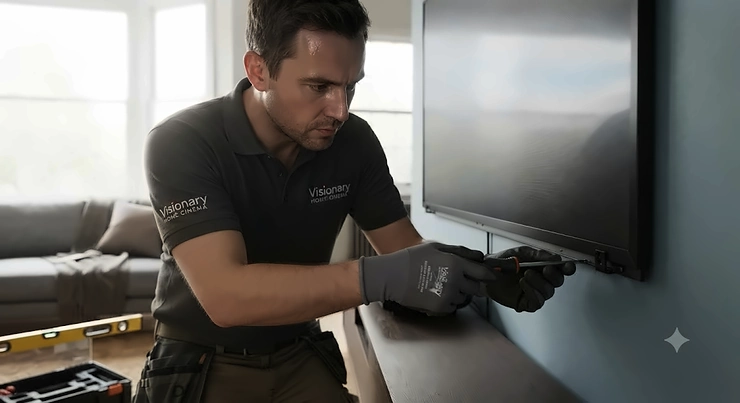
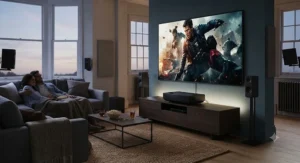
Swapping a telly for a cinema screen used to mean a ceiling mount, a drilled-out hallway, and a very patient electrician. Ultra short throw projector installation has quietly solved most of that hassle. Sit the unit on a low media bench, point it up at a screen or blank wall, and within minutes you’ve got a picture that would make most 65-inch OLEDs look modest. No beam crossing the room, no shadow-casting toddlers wandering into the light path, no ceiling brackets.
That said, “quick” doesn’t mean “thoughtless.” Get the throw distance wrong by even a few centimetres and your image either overshoots the screen or leaves an awkward border of bare wall. Pick the wrong screen material and daylight will wash out everything you paid for. This guide walks through real UK-available hardware — from sub-£1,300 budget picks to properly premium laser cinemas — alongside the throw distance maths, screen choices, and keystone quirks that decide whether your installation looks like a cinema or a school assembly. We’ve researched throw ratios according to Wikipedia’s own definition of the throw ratio and cross-checked every spec against UK retailer listings, so what follows should map straight onto your living room.
Quick Comparison Table
| Projector | Throw Ratio | Max Screen Size | Brightness | Best For |
|---|---|---|---|---|
| Hisense PX3-PRO | 0.22:1 | Up to 150″ | 3,000 ANSI lumens | Best all-round pick |
| Hisense PX2-Pro | 0.25:1 | Up to 130″ | 2,200-2,400 ANSI lumens | Value TriChroma colour |
| XGIMI Aura 2 | ~0.18:1 | Up to 120″ | 2,300 ISO lumens | Gaming & auto-alignment |
| Epson EH-LS800 | 0.177:1-0.25:1 | Up to 150″ | Up to 4,000 ANSI lumens | Brightest daytime rooms |
| LG CineBeam HU915QE | Ultra short | Up to 120″ | 3,700 ANSI lumens | Premium smart platform |
| Formovie Cinema Edge | 0.23:1 | Up to 150″ | 2,100 ISO lumens | Budget-conscious buyers |
| WEMAX Nova Pro | 0.23:1 | Up to 150″ | 2,100 ISO lumens | Affordable all-rounder |
Looking at the spread above, throw ratio is really the number that dictates your ultra short throw projector installation, not brightness or price. Every model here sits comfortably under 0.4:1, which is the technical threshold that separates true UST hardware from merely “short throw” units like many 0.5:1 classroom projectors. The Hisense PX3-PRO and Epson EH-LS800 both stretch to 150-inch screens, but they’ll need noticeably different depths of media unit to get there, which we’ll cover in the distance chart further down.
💬 Just one click — help others make better buying decisions too!😊
Top 7 Ultra Short Throw Projectors: Expert Analysis
1. Hisense PX3-PRO — best all-round TriChroma colour and brightness balance
The Hisense PX3-PRO currently sits at the top of most UK laser cinema shortlists, and the 0.22:1 throw ratio is a big reason why. That figure means a 120-inch image needs roughly 59cm of clearance behind the unit rather than the 70cm-plus some rivals demand — genuinely useful in a shallow media console. The TriChroma engine fires pure red, green and blue lasers rather than a single laser bounced through a phosphor wheel, and the practical upshot is 107%+ of the BT.2020 colour space, a wider gamut than the vast majority of flat-panel TVs on the market. Paired with 3,000 ANSI lumens, it stays watchable with the curtains open, which is where a lot of budget UST units start to look washed out.
Based on the spec comparison, the PX3-PRO is aimed squarely at buyers who want a TV replacement rather than a dedicated blacked-out cinema room — the brightness headroom matters more day-to-day than ultimate contrast. Reviewers consistently note the colour accuracy and dark-scene handling as standout traits for the category, while flagging that the built-in speakers, though Dolby Atmos-enabled, benefit from a soundbar in larger rooms. What most buyers overlook is that this model’s HDMI 2.1 ports support 4K/120Hz, so it doubles as a genuinely capable console gaming display, not just a movie box.
Pros:
- ✅ Widest colour gamut of any projector on this list
- ✅ Bright enough for daytime, curtains-open viewing
- ✅ HDMI 2.1 with 4K/120Hz for console gaming
Cons:
- ❌ Built-in speakers underwhelm in larger rooms
- ❌ Premium pricing compared with budget UST rivals
At around £2,000 depending on retailer and promotions, the Hisense PX3-PRO sits at the upper end of what most UK households will spend on a projector, but the combination of brightness, colour and gaming latency makes a strong case for it being the last screen upgrade you’ll need for years. Check current price before buying, as Hisense periodically bundles free soundbars or TVs with this model.
2. Hisense PX2-Pro — TriChroma colour accuracy at a friendlier price
The Hisense PX2-Pro is essentially the PX3-PRO’s little sibling, trimming the screen ceiling to 130 inches and the brightness to 2,200-2,400 ANSI lumens while keeping the same TriChroma laser engine and 107% BT.2020 colour coverage. The 0.25:1 throw ratio is only marginally longer than its bigger brother’s, so the placement maths barely changes — you’re trading some outright brightness and top-end screen size for a genuinely useful saving.
Here’s what to weigh: if your room already has decent light control (blinds, curtains, or a north-facing window), the PX2-Pro’s lower lumen count is far less of a compromise than the spec sheet suggests, because you won’t be fighting as much ambient glare in the first place. On paper this means buyers upgrading a smaller flat or spare room — where a 100-120 inch image is plenty — get almost identical picture quality to the flagship for meaningfully less outlay. Aggregated UK retailer reviews describe the colour performance as a genuine step up from single-laser rivals, with contrast singled out as the main area where it trails the PX3-PRO.
Pros:
- ✅ Same TriChroma laser engine as the flagship PX3-PRO
- ✅ Compact enough for smaller media units
- ✅ Strong value against similarly specced rivals
Cons:
- ❌ Lower peak brightness limits very bright rooms
- ❌ Screen size capped at 130 inches
UK retailers have discounted the Hisense PX2-Pro as low as the mid-£1,600s against a higher RRP, so it’s well worth checking current price before deciding between it and the PX3-PRO — the gap can shrink to a couple of hundred pounds during sales periods, which changes the value calculation considerably.
3. XGIMI Aura 2 — smartest auto-alignment and IMAX Enhanced certification
The XGIMI Aura 2 solves one of the more fiddly parts of ultra short throw projector installation almost entirely automatically. Point it roughly at your wall, run the auto-alignment routine, and the projector’s CMOS-based sensor corrects the image to a perfect square and adjusts colour temperature to compensate for a coloured wall — a genuinely useful trick if you’re not projecting onto a dedicated white or grey screen. It needs just 17.8cm of clearance to throw a 100-inch image, among the tightest distances of any model here, and carries IMAX Enhanced certification alongside Dolby Vision support.
Based on the spec comparison, the Dual Light engine — blending laser and phosphor sources — is what most buyers overlook as the reason the Aura 2 punches above its brightness figure; the hybrid approach is aimed at improving contrast and colour accuracy rather than chasing raw lumens. Reviewers consistently praise the Harman Kardon speaker system as one of the best built-in setups in this price bracket, while noting the Android/Google TV platform’s app selection can be inconsistent for UK-specific catch-up services. For gaming, XGIMI quotes 20ms input latency, competitive for a UST unit.
Pros:
- ✅ Auto keystone and colour correction via built-in sensor
- ✅ IMAX Enhanced and Dolby Vision certification
- ✅ Genuinely impressive built-in Harman Kardon audio
Cons:
- ❌ UK streaming app support can be patchy
- ❌ Among the pricier options on this list
The XGIMI Aura 2 launched in the UK at around £2,459, positioning it just above the Hisense PX3-PRO — reviewers generally frame the two as a straight choice between XGIMI’s smart setup features and Hisense’s raw colour performance, so weigh installation convenience against outright picture quality for your specific room.
4. Epson EH-LS800 — brightest 3-chip alternative for daytime-heavy rooms
Where the Hisense and XGIMI models lean on DLP chips, the Epson EH-LS800 uses 3LCD technology, and the practical difference shows up in raw brightness — UK listings put this at up to 4,000 ANSI lumens, comfortably ahead of most laser DLP UST rivals. The throw ratio sits around 0.177:1 to 0.25:1 depending on the specific configuration reported by retailers, letting it reach a 150-inch image without needing a particularly deep console. IMAX Enhanced certification and a Yamaha-tuned audio system round out a spec sheet built for buyers who want one box to replace both TV and soundbar.
What the spec sheet won’t tell you, but user reports suggest, is that 3LCD’s per-colour-channel approach tends to produce noticeably even brightness across the image compared with single-chip DLP rivals, which can show subtle colour fringing on high-contrast edges. Based on the spec comparison, this makes the EH-LS800 a strong pick for rooms that genuinely can’t be darkened — conservatories, open-plan kitchen-diners, anywhere with a big south-facing window. The under-20ms game mode latency is a pleasant surprise for a projector marketed primarily on picture quality.
Pros:
- ✅ Brightest model on this list at up to 4,000 ANSI lumens
- ✅ 3LCD colour evenness outperforms some DLP rivals
- ✅ Yamaha audio system reduces the need for a soundbar
Cons:
- ❌ UK pricing varies significantly between retailers
- ❌ Bulkier chassis than the XGIMI or Hisense units
UK retailer comparisons show the Epson EH-LS800 listed anywhere from around £1,650 up to £2,500-plus depending on bundle and stockist, so shopping around and checking current price matters more with this model than most — the spread is unusually wide for what is fundamentally the same hardware.
5. LG CineBeam HU915QE — premium pick for LG’s smart ecosystem
The LG CineBeam HU915QE is LG’s flagship ultra short throw entry, built around a 3,700 ANSI lumen laser engine — among the brightest true-UST figures on this list — and LG’s webOS smart platform, which UK reviewers have long rated as one of the more polished streaming interfaces on any screen, projector or television. For households already using LG TVs elsewhere in the house, the shared remote logic and app layout cut down the learning curve considerably.
Based on the spec comparison, the HU915QE’s standout advantage is consistency rather than any single headline spec: strong brightness, solid colour accuracy and a mature software platform combine into a projector that rarely surprises you negatively, which reviewers frame as the mark of a genuinely finished product rather than a first-generation UST experiment. Reviewers consistently flag the earlier HU715/HU915 series predecessors for strong image quality out of the box with minimal calibration needed, a trait that appears to carry through to this generation. The trade-off is that LG’s UST range tends to sit toward the premium end of UK pricing.
Pros:
- ✅ Among the brightest true-UST laser engines available
- ✅ Mature, well-reviewed webOS smart platform
- ✅ Strong out-of-the-box colour accuracy
Cons:
- ❌ One of the pricier options in this roundup
- ❌ Bulkier than the XGIMI Aura 2’s slimline design
Expect to pay around £2,480 for the LG CineBeam HU915QE at UK retailers, putting it in direct competition with the XGIMI Aura 2 and towards the top of what most home cinema buyers will realistically budget for a single projector.
6. Formovie Cinema Edge — budget-conscious pick without a cut-price feel
The Formovie Cinema Edge is where this list moves into genuinely affordable territory. Its 0.23:1 throw ratio needs just 49cm of clearance for a full 150-inch image — matching or beating some projectors costing twice as much — and it ships with Google TV including officially licensed Netflix, a detail that matters because plenty of budget UST projectors rely on sideloaded apps that break with software updates.
Reviewers consistently note that while the Cinema Edge’s picture doesn’t match premium models like the Hisense PX3-PRO for outright polish, the 2,100 ISO lumen output and 3,000:1 contrast ratio deliver a genuinely watchable image, with one comparative review specifically praising its performance on darker film scenes. Here’s what to weigh: this is honest mid-tier hardware rather than a flagship in disguise, and buyers should set expectations around HD-to-4K upscaling quality accordingly rather than expecting reference-grade black levels. MEMC motion smoothing helps with sports and fast-moving action, a feature some budget rivals skip entirely.
Pros:
- ✅ Licensed Netflix built into Google TV, no workarounds needed
- ✅ Compact 49cm throw distance for a 150-inch image
- ✅ Strong value relative to premium UST rivals
Cons:
- ❌ Picture quality noticeably behind premium models
- ❌ UK-specific pricing and stock levels vary by retailer
UK availability for the Formovie Cinema Edge is less consistently published than for the Hisense or XGIMI ranges, but where stocked it typically sits in the more affordable band relative to the premium models on this list — always check current price at the time of purchase rather than relying on older listings.
7. WEMAX Nova Pro — affordable all-rounder from an Appotronics-backed brand
The WEMAX Nova Pro shares its underlying ALPD laser technology and 0.23:1 throw ratio with the Formovie Cinema Edge — both brands trace back to the same parent company, Appotronics — but WEMAX positions the Nova Pro specifically for international online buyers, including the UK. It projects up to a 150-inch image from around 49cm away, with dual 15W speakers carrying Dolby Audio and DTS-HD certification for a genuinely respectable built-in sound stage.
Based on the spec comparison, the Nova Pro’s 2,100 ISO lumens and 3,000:1 contrast ratio put it in direct competition with the Cinema Edge, and the practical difference for most buyers comes down to smart platform preference — Google TV with Google Assistant here — and current UK pricing at the time you buy. What most buyers overlook is that the shared Appotronics engineering means picture quality between WEMAX and Formovie’s equivalent tier is genuinely very close, so this often comes down to whichever retailer has the better deal running. WiFi 6 support is a small but welcome inclusion for streaming 4K content reliably.
Pros:
- ✅ Dolby Audio and DTS-HD certified built-in sound
- ✅ WiFi 6 for more stable 4K streaming
- ✅ Competitive 150-inch maximum screen size
Cons:
- ❌ Very similar specs to the cheaper Formovie Cinema Edge
- ❌ Limited independent UK review coverage so far
Pricing for the WEMAX Nova Pro in the UK tends to track closely with the Formovie Cinema Edge, generally in the more affordable band of this list — as with any newer-to-market brand, it’s worth checking current price and stock across a couple of retailers before committing.
Practical Installation Walk-Through: Ultra Short Throw Setup Guide
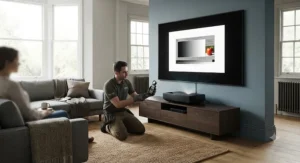
Getting ultra short throw projector installation right starts before the unit even leaves the box. First, measure your intended screen width and consult the manufacturer’s throw ratio to calculate the exact distance the lens needs to sit from the wall — we’ve broken this maths down in full in the next section. Second, check the surface: UST projectors are far less forgiving of an uneven wall or textured paint than long-throw models, because the image is being thrown at a steep upward angle across a very short distance, which exaggerates any surface irregularity into visible warping.
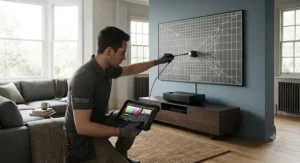
For the first 30 days, resist the urge to permanently fix anything. Run the projector on a temporary shelf or box at the target height, project a full-brightness white or grid test pattern, and check all four corners for squareness before committing to drilling or fixed installation. Most units, including several on this list, include multi-point keystone correction — use it sparingly, since digital keystone correction slightly softens image sharpness by stretching pixels rather than genuinely repositioning them. A common first-month mistake is powering the unit off at the wall between viewings; laser light sources handle standby far better than repeated hard power cycles, so use the remote’s standby function instead. Finally, route HDMI and power cables through the back or underside of your media unit rather than leaving them visible — with the projector sitting in plain sight rather than mounted overhead, cable tidiness has a much bigger visual impact than with a ceiling-mounted long-throw unit.
How Far Does a UST Projector Sit From the Wall?
An ultra short throw projector typically sits between 15cm and 60cm from the wall or screen, depending on the model’s throw ratio and your target image size. This is calculated as throw distance = throw ratio × screen width, so a projector with a 0.23:1 ratio throwing a 120-inch (16:9) screen — roughly 2.66 metres wide — needs about 61cm of clearance.
This single formula is the backbone of every UST projector placement guide, and it’s worth doing the sum yourself rather than trusting a showroom demo, because retail displays often use a different screen size than the one you’re planning at home. Most manufacturers, including several featured above, publish an online calculator, but the underlying maths per the standard definition of throw ratio never changes: distance divided by image width gives you the ratio, so rearranging for distance is straightforward once you know your target screen size. Measure from the front element of the lens, not the back of the projector’s chassis, since UST bodies vary in depth by several centimetres between brands.
UST Projector Screen Size at Distance: The Full Chart
Here’s a working UST projector distance chart using a representative 0.23:1 throw ratio, which covers the Formovie Cinema Edge, WEMAX Nova Pro, and sits close to several other models on this list:
| Screen Size (16:9) | Screen Width | Approx. Throw Distance (0.23:1) |
|---|---|---|
| 80″ | 1.77m | 41cm |
| 100″ | 2.21m | 51cm |
| 120″ | 2.66m | 61cm |
| 130″ | 2.88m | 66cm |
| 150″ | 3.32m | 76cm |
For projectors with a tighter ratio, such as the XGIMI Aura 2 at roughly 0.18:1, expect all of these distances to shrink further — a 100-inch image needs closer to 40cm rather than 51cm. Conversely, the Hisense PX2-Pro‘s 0.25:1 ratio pushes the same 100-inch image out to around 55cm. The practical takeaway from this table is that most UK media consoles, which typically run 40-50cm deep, comfortably suit a 100-120 inch installation on the tighter-ratio models, but buyers chasing a full 150-inch image should measure their actual console depth before assuming it’ll fit.
💬 Just one click — help others make better buying decisions too!😊
Real-World Scenario: Which UST Projector Suits Your Room?
The city-flat movie fan. A one-bedroom flat with a 3.2-metre-wide living room wall, light-controlled with blackout blinds, and a budget under £1,500. The Formovie Cinema Edge or WEMAX Nova Pro make sense here: the room’s light control means peak brightness matters less than throw distance and price, and both models’ 0.23:1 ratio comfortably delivers a 100-120 inch image from a shallow console against that wall.
The bright open-plan family room. A knocked-through kitchen-diner with a large uncovered window, used for everything from Saturday morning cartoons to evening films, budget flexible up to £2,500. The Epson EH-LS800‘s 4,000 ANSI lumen output is built precisely for this scenario — daytime ambient light simply won’t wash the image out the way it would on a 2,100-lumen budget unit.
The gaming and home cinema hybrid. A dedicated media room with reasonable light control, console and PC gaming as a genuine priority alongside films, budget around £2,000-2,500. The Hisense PX3-PRO‘s HDMI 2.1/4K120Hz support or the XGIMI Aura 2‘s 20ms latency and auto-alignment both fit — the PX3-PRO if colour accuracy for films is the priority, the Aura 2 if fuss-free setup and IMAX Enhanced certification matter more.
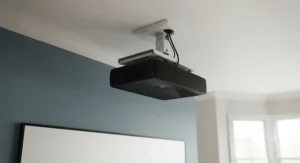
ALR Screen vs Grey Screen for UST Projectors
Ambient Light Rejecting (ALR) screens use a ridged or louvred surface structure that reflects light coming from the projector’s steep low angle straight back to the viewer, while deflecting light falling from above — ceiling lights, windows — away from the seating position. Grey screens, by contrast, simply use a darker-toned flat surface to improve perceived contrast and black levels, without the angle-dependent light rejection that ALR material provides.
For genuine ultra short throw projector installation, ALR is generally the better-suited technology precisely because UST units project from such a steep angle, which ALR surfaces are specifically engineered to exploit. A plain grey screen still improves on a painted wall, but reviewers and manufacturer guidance consistently note that pairing a bright UST laser engine with a proper ALR screen — as XGIMI explicitly recommends for the Aura and Aura 2 — produces noticeably better daytime contrast than a grey screen alone. Budget an additional £500-£1,500 for a quality 100-120 inch UST-specific ALR screen on top of the projector cost, and note that ordinary retractable or floor screens not designed for UST angles can produce a visible “hotspot” of uneven brightness where the steep beam concentrates.
UST Projector Keystone Correction Explained
Keystone correction digitally reshapes a trapezoidal or skewed projected image back into a proper rectangle, compensating for the projector not being perfectly perpendicular to the screen. Because ultra short throw units sit so close to the wall at such a steep angle, even a tiny placement error — a media unit that’s a centimetre out of level, or a wall that isn’t perfectly flat — shows up as a far more exaggerated distortion than it would on a long-throw projector sitting several metres back.
Basic two-point vertical keystone handles simple top-to-bottom skew, but the XGIMI Aura 2‘s automatic 8-point (or full auto-alignment) system and similar features on premium Hisense and Epson models correct all four corners independently, which matters far more for UST installs specifically because wall imperfections rarely skew evenly. The trade-off worth understanding: any keystone correction, digital by nature, stretches and resamples pixels rather than genuinely repositioning the lens optics, so image sharpness softens slightly the more correction is applied. The practical advice from installers is consistent — get the physical placement as close to level and square as possible first, and treat keystone correction as a fine-tuning tool rather than a substitute for careful initial setup.
How to Choose an Ultra Short Throw Projector
- Start with your wall or screen width, not the projector spec sheet — throw ratio only becomes meaningful once you know the image size you actually want.
- Check your ambient light levels honestly. A north-facing room with heavy curtains can comfortably run a 2,100-lumen budget model; a bright open-plan space needs 3,000 lumens or more.
- Decide on ALR versus a standard screen early, since it materially affects your total budget and the brightness figure you actually need from the projector.
- Prioritise HDMI 2.1 and low input lag if gaming matters, as not every UST model on the market offers 4K/120Hz support.
- Factor in built-in audio quality versus your appetite for a soundbar — models like the XGIMI Aura 2 and Epson EH-LS800 reduce the need for extra speakers, which can offset a higher purchase price.
- Compare real UK pricing across at least two retailers before buying, since promotional bundles and stock levels shift regularly on these models.
- Check the smart platform’s UK streaming app support, particularly for iPlayer and other catch-up services, before assuming Netflix and Prime Video coverage means everything you watch is included.
Common Mistakes When Installing a UST Projector
A recurring first mistake is measuring throw distance from the wrong point on the projector — always measure from the front lens element, not the back panel, or you’ll end up with an image that overshoots the screen edges. Another is skipping a proper level check on the media console itself; because UST units sit so close to the screen, even a couple of millimetres of tilt at the base translates into a visibly skewed image at the top of a 120-inch picture.
Buyers also frequently underestimate ambient light, assuming any “4K laser projector” will look fine with the curtains open — brightness varies by nearly 2x between the models on this list, and a 2,100-lumen unit in a sunlit room will disappoint regardless of resolution. Finally, a subtler mistake is buying a projector and a screen from different specification tiers — pairing a budget matte screen with a premium 4,000-lumen projector, or vice versa, wastes money on one end of the setup while bottlenecking the other.
Ultra Short Throw vs Traditional Long-Throw Projectors
A traditional long-throw projector needs several metres of room depth, usually a ceiling mount, and a cable run back to source devices — genuinely awkward in most UK homes, where box rooms and terraced living rooms rarely offer that kind of depth. UST projectors solve the space problem entirely, sitting on a media console directly below the screen, at the cost of typically higher per-unit pricing for equivalent brightness and generally requiring more careful screen selection to avoid hotspotting.
Image quality tells a more nuanced story. Long-throw projectors, particularly higher-end home cinema models, often edge out UST rivals on absolute black level and contrast in a fully darkened room, because their optics aren’t fighting the steep-angle distortion challenges UST lenses must correct for. For anyone converting a genuinely dedicated, light-controlled cinema room, a long-throw model paired with a fixed-frame screen may still deliver the sharper reference image. But for the far more common UK scenario — a living room that also functions as a family space during the day — the UST format’s TV-like footprint and daytime brightness options, like the Epson EH-LS800 above, make it the more practical everyday choice.
Long-Term Cost & Maintenance of UST Projectors
Every model in this guide uses a laser light source rather than a traditional replaceable lamp, which is arguably the single biggest cost advantage over older projector technology. Laser engines are typically rated for 20,000-30,000 hours — at roughly four hours of daily viewing, that’s upwards of 13 years before brightness meaningfully degrades, compared with lamp-based projectors that often need a £150-£300 replacement bulb every 2,000-4,000 hours.
Total cost of ownership, then, really comes down to the upfront purchase price plus the screen. A budget pairing — say the Formovie Cinema Edge with a standard matte screen — might land under £1,500 all-in, while a premium setup like the Hisense PX3-PRO with a dedicated ALR screen could reach £3,000-3,500. Factor in that most UST units draw broadly similar power to a large TV in active use, so running costs don’t differ dramatically between models. The genuine long-term saving over a lamp-based projector, or over replacing an ageing large-format TV, is the near-elimination of consumable replacement costs across the laser engine’s working life.
Safety, Regulations and Laser Class Compliance for UST Installations
Every consumer UST projector on this list uses a laser light source, and UK safety guidance is clear that this matters for installation, not just purchase. Consumer electronics housing lasers are required to meet specific classification standards, and UK guidance confirms that products containing Class 1 or Class 2 lasers are considered unlikely to cause eye or skin injuries under normal domestic use, which covers the enclosed, diffused laser engines used in the projectors featured here — these differ significantly from open-beam laser pointers or laser show equipment, which fall under much stricter workplace regulations.
For everyday installation, this translates into simple practical steps rather than any licensing requirement: avoid placing the projector where a curious child or pet could get their eye directly at the lens aperture during operation, and don’t attempt to open the casing, since the classification and safety testing only apply to the sealed, as-sold unit. None of the models featured require planning permission or building regulation sign-off for a straightforward console placement, unlike a ceiling-mounted long-throw installation involving structural fixings, which is itself a minor but genuine advantage of the UST format for renters and leasehold flat owners.
Buyer’s Decision Framework: Choosing the Right UST Setup
If your room gets strong daylight and you can’t reliably control it, choose a high-lumen model like the Epson EH-LS800 because anything under roughly 2,500 ANSI lumens will visibly wash out.
If gaming is a genuine priority alongside film and TV, choose a model with HDMI 2.1 and sub-25ms input lag, such as the Hisense PX3-PRO or XGIMI Aura 2, because standard UST units without these specs introduce noticeable lag on fast-paced titles.
If your budget is under £1,500 and the room is already light-controlled, choose the Formovie Cinema Edge or WEMAX Nova Pro because the brightness deficit against premium models matters far less once ambient light is already managed.
If you want the simplest possible ultra short throw projector installation with minimal manual adjustment, choose the XGIMI Aura 2 because its automatic alignment and colour correction remove most of the placement guesswork covered earlier in this guide.
Frequently Asked Questions
❓How far does a UST projector need to be from the wall?
❓ Do ultra short throw projectors need a special screen?
❓ Can I install a UST projector myself?
❓ How long do laser UST projectors last?
❓ Is a UST projector as bright as a TV?
Conclusion
Ultra short throw projector installation has gone from a niche enthusiast project to something most UK households can genuinely handle in an afternoon. The hardware itself has matured fast too — TriChroma laser engines like the one in the Hisense PX3-PRO, auto-aligning systems on the XGIMI Aura 2, and genuinely bright 3LCD options like the Epson EH-LS800 mean there’s now a sensible option whether your room is a light-controlled snug or a sunlit open-plan kitchen-diner.
The maths, though, doesn’t change regardless of budget: measure your wall, check the throw ratio, and decide honestly how much ambient light you’re actually dealing with before you fall for a spec sheet’s headline lumen figure. Get those three things right, and models from the budget-friendly Formovie Cinema Edge right through to the premium LG CineBeam HU915QE will reward you with a genuinely cinema-sized picture from a projector that fits neatly on a media console rather than dangling from your ceiling. As always, verify current pricing and stock with your chosen UK retailer before buying, since promotions on this category shift often.
✨ Don’t Miss These Exclusive Deals!
🔍 Take your home cinema setup to the next level with these carefully selected ultra short throw projectors. Click on any highlighted item to check current pricing and availability. These picks will help you create authentic big-screen movie nights your whole household will love!
Recommended for You
- Ultra Short Throw Projector vs TV: 7 Best Picks for 2026
- Ultra Short Throw Projector: 7 Best UST Picks for 2026
- Best LCD Projector 2026: 7 Top Picks (And Who Should Skip Them)
Disclaimer: This article contains affiliate links. As an Amazon Associate, I earn from qualifying purchases. If you purchase products through these links, we may earn a small commission at no additional cost to you.
✨ Found this helpful? Share it with your friends! 💬🤗
