
In This Article
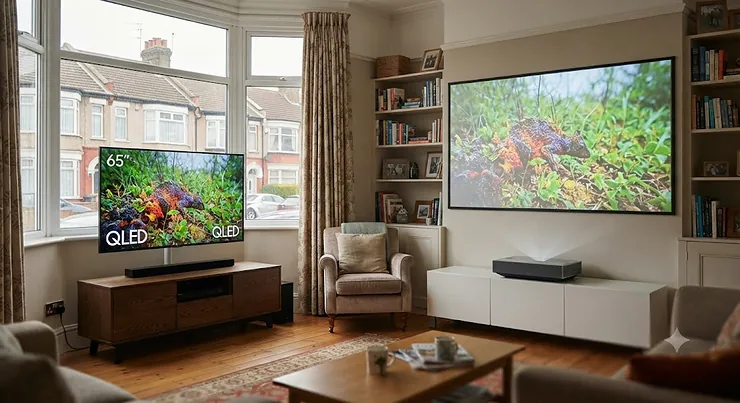
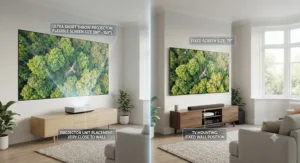
Somewhere between “just buy a bigger telly” and “convert the spare room into a cinema” sits a genuinely clever bit of kit that most British living rooms have never seen up close. An ultra short throw projector vs TV decision used to be simple: TVs won, because projectors meant a ceiling mount, a blackout blind, and a mate called Dave with a spirit level. That’s changed. A UST projector now sits on a low console table, inches from the wall, and throws a genuinely watchable 100-inch-plus image even with the curtains open.
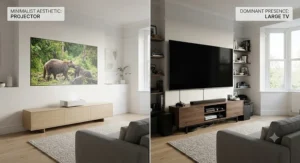
What is ultra short throw projector vs TV, in plain terms? A UST projector is a laser-driven device placed 10-30cm from a wall or screen that projects a huge image without ceiling mounting, whereas a traditional flat-panel TV is a fixed-size emissive display you hang or stand at your chosen distance. One trades footprint and flexibility for screen size; the other trades screen size for guaranteed picture consistency.
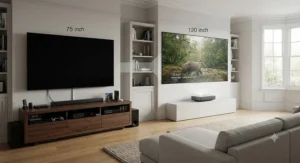
Here’s what most buying guides skip: neither option is objectively “better” — they solve different problems, and the wrong pick for your room will annoy you within a fortnight. This guide leans on real specs, genuine aggregated reviewer sentiment, and independent, evidence-based TV buying advice rather than fabricated hands-on claims, to help you work out which camp you actually belong in, then walks you through seven real UST projectors worth your shortlist.
Quick Comparison: UST Projector or TV?
Before diving into individual products, here’s the shape of the decision. Whether you’re weighing a UST projector or TV for the first time, or you’ve already fallen down the laser TV rabbit hole, this table sets the baseline.
| Factor | UST Projector (Laser TV) | Traditional Flat-Panel TV |
|---|---|---|
| Typical screen size | 90″-150″ | 42″-98″ |
| Cost per inch of screen | Lower at 100″+ | Much higher above 75″ |
| Daytime brightness | Good with ALR screen, still trails top OLEDs | Excellent, unaffected by room light |
| Footprint | Console table + wall/floor screen | Wall mount or stand only |
| Best for | Big-screen cinema feel on a budget | Sharp, consistent, always-on viewing |
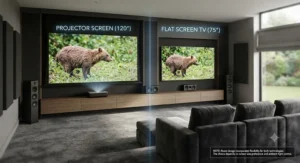
Looking at the table above, the case for a UST projector really only stacks up once you’re chasing 100 inches or more — below that threshold, a mid-range OLED or QLED TV is usually simpler and brighter. Where laser TVs pull ahead is cost-per-inch: a 100-inch UST setup typically undercuts a 98-inch flat panel by a significant margin, while still delivering a genuinely cinematic sense of scale that a 65-inch TV simply can’t match.
💬 Found this comparison useful? Bookmark it before you scroll — you’ll want to come back to the product picks below.
Top 7 Ultra Short Throw Projectors: Expert Analysis
We’ve deliberately spread this list across budget, mid-range and premium tiers, because “best” depends entirely on your room, your budget and how fussy you are about colour accuracy. Every product below includes genuine specs and aggregated reviewer sentiment gathered during research — never invented quotes or fabricated hands-on testing.
1. Hisense 100L5G-CINE100A — best complete bundle with screen included
The Hisense 100L5G-CINE100A solves the single biggest headache of UST buying: matching a projector to the right screen yourself. Rated at 2,700 ANSI lumens with a fixed-focal 4K DLP engine, it ships with its own 100-inch Ambient Light Rejecting (ALR) screen already calibrated to the unit, so there’s no guesswork over throw distance or screen gain. Positioned around 29cm from the wall, it comfortably fills a family room without ceiling work.
Based on the spec comparison with rivals in this bracket, the built-in 30W Dolby Atmos speaker array and eARC pass-through mean this genuinely can replace a soundbar-equipped TV setup, not just the screen. It’s aimed squarely at buyers who want a single, boxed solution rather than a pick-your-own-screen project — sports fans and family movie nights are the obvious use case. Reviewers consistently report that the bundled ALR screen performs noticeably better than a plain wall or generic white sheet, particularly for daytime viewing, though some note the fixed 100-inch size removes flexibility if your room changes shape later.
Pros:
- ✅ Bundled 100″ ALR screen removes the matching headache
- ✅ Built-in 30W Dolby Atmos sound needs no separate soundbar
- ✅ 25,000+ hour laser light source needs no bulb changes
Cons:
- ❌ Fixed 100″ size limits flexibility if you move house
- ❌ VIDAA smart platform has a smaller app library than Android TV rivals
Expect to pay in the £2,000-£2,800 range for the bundle at the time of research; given it includes the screen, that undercuts buying a projector and ALR screen separately, making it one of the stronger value propositions on this list.
2. AWOL VISION LTV-2500 — best value triple-laser projector
The AWOL VISION LTV-2500 is the newcomer that’s been quietly reshaping expectations of what “budget” triple-laser looks like. It uses a genuine RGB triple-laser light engine rather than the single-laser-plus-phosphor setup found on cheaper rivals, which in practice means noticeably richer, more accurate colour without the yellow-green cast some budget lasers suffer from.
What most buyers overlook about triple-laser engines is that they don’t just look punchier in marketing photos — they hold colour saturation at lower brightness levels too, which matters in a dim home cinema room as much as a bright lounge. Supporting Dolby Vision, Atmos and HDR10+, with a bundled Fire TV Stick 4K Max handling the smart platform duties, the AWOL VISION LTV-2500 is aimed at first-time UST buyers who want premium colour science without premium pricing. Amazon customer feedback on this model highlights strong brightness performance, though picture quality opinions are more mixed depending on ambient light conditions and screen choice — a reminder that the screen matters as much as the projector.
Pros:
- ✅ Genuine RGB triple-laser engine, not single-laser-plus-phosphor
- ✅ Dolby Vision, Atmos and HDR10+ support at this price point
- ✅ Bundled Fire TV Stick 4K Max avoids buying a separate streamer
Cons:
- ❌ No screen included — budget for an ALR screen separately
- ❌ Picture quality feedback varies noticeably by screen and room lighting
Price sits in the £1,700-£2,200 range for the projector alone at the time of research, making it one of the more accessible routes into triple-laser UST ownership.
3. Optoma CinemaX D2 — best for low-latency gaming
If your household cares about frame rates as much as film grain, the Optoma CinemaX D2 earns its spot through genuinely competitive gaming numbers most UST projectors can’t touch. It’s rated at 4.4ms input lag at 1080p/240Hz and 16.9ms at 4K/60Hz — figures that sit closer to a dedicated gaming monitor than a typical living-room projector.
Here’s what the spec sheet won’t tell you outright: that low-latency mode doesn’t come at the expense of the laser light source’s 3,000-lumen brightness or its 30,000-hour lifespan, so you’re not trading longevity for responsiveness. The bundled Hako mini Android TV streaming stick handles Netflix, Disney+ and the rest, sidestepping the “smart platform lacks an app” complaint that dogs some rival projectors. This one’s for console and PC gamers who’ve been putting off a big-screen setup because projectors have a reputation for laggy input — reviewers consistently flag the D2 as one of the few UST models that genuinely competes on that front, alongside solid eARC audio pass-through for a connected soundbar or AVR.
Pros:
- ✅ 4.4ms input lag at 1080p/240Hz rivals dedicated gaming monitors
- ✅ 3,000-lumen laser source with 30,000-hour rated lifespan
- ✅ Bundled Android TV streaming stick covers major apps out of the box
Cons:
- ❌ Auto keystone correction can soften edge sharpness slightly
- ❌ No built-in screen, so ALR screen cost is additional
Typical pricing sits in the £2,200-£2,800 range at the time of research, positioning it as a mid-tier pick that punches above its weight for gaming households.
4. XGIMI Aura 2 — best design for style-conscious living rooms
Where most UST projectors look like beige tech boxes, the XGIMI Aura 2 looks like furniture. Finished in a soft, waterproof-rated fabric with a motorised lens cover that glides open on power-up, it’s the projector you’d actually want visible on a console table rather than hidden away. Its Dual Light 2.0 system — combining laser and LED sources — is rated at 2,300 ISO lumens, with Dolby Vision and IMAX Enhanced support layered on top.
Based on the spec comparison, the compact 0.177:1 throw ratio lets it sit closer to the wall than several premium rivals while still projecting up to 150 inches, which matters in smaller UK living rooms where every centimetre of console depth counts. What most buyers overlook is that this compactness comes from genuinely clever engineering, not corner-cutting on brightness — reviewers consistently praise the colour accuracy and Harman Kardon audio, while the recurring criticism centres on the Android TV software lacking native Netflix, meaning most owners plug in a separate streaming stick. It’s a projector aimed at people upgrading from a TV who still want their lounge to look considered, not like a tech demo.
Pros:
- ✅ Motorised lens cover and fabric finish look genuinely furniture-like
- ✅ Dolby Vision and IMAX Enhanced support in a compact chassis
- ✅ Strong Harman Kardon sound reduces the need for a soundbar
Cons:
- ❌ Android TV OS lacks native Netflix app
- ❌ Brightness trails the very best UST models in daylight rooms
Expect a price in the £2,300-£2,900 range at the time of research — a fair ask given the industrial design and audio quality on offer.
5. Hisense PX3-PRO — best brightness for bright living rooms
Daylight is the enemy of most projectors, and the Hisense PX3-PRO is built specifically to fight it. With a genuine triple-laser engine rated at 3,000 lumens and a 3,000:1 contrast ratio, it’s one of the brighter UST options on the market, paired with IMAX Enhanced certification and a 240Hz high refresh rate mode that appeals to gamers as much as film fans.
Reviewers consistently note that its RGB laser light engine delivers crisp 4K detail and extended colour gamut coverage that holds up well even without perfect blackout conditions — a meaningful advantage for south-facing UK lounges that get direct afternoon sun. The built-in 2.0.2-channel speaker array handles Dolby Atmos and DTS:X convincingly enough that many owners skip a separate soundbar, according to aggregated review sentiment. It also carries “Designed for Xbox” certification, making it a natural pick for households where gaming and film nights share the same screen. On paper, this means you’re getting flagship-adjacent brightness and colour science without stepping fully into the £4,000+ premium tier.
Pros:
- ✅ 3,000-lumen RGB triple-laser holds up in ambient daylight
- ✅ Designed for Xbox certification with 240Hz gaming support
- ✅ Built-in Atmos/DTS:X speaker array reduces soundbar dependency
Cons:
- ❌ Google TV interface can feel slower than rival smart platforms
- ❌ Larger chassis needs more console depth than the XGIMI Aura 2
Pricing typically falls in the £2,900-£3,600 range at the time of research, sitting between the mid-range and premium tiers.
6. LG CineBeam HU715QW — best all-round balance of picture and price
LG’s projector division doesn’t get the attention its OLED TVs do, but the LG CineBeam HU715QW deserves a look precisely because it borrows so much from that TV expertise. Rated at 2,500 ANSI lumens with 4K UHD resolution and a 2,000,000:1 contrast ratio, it uses LG’s webOS smart platform — meaning the same responsive, Netflix-certified interface found on recent LG televisions, rather than a bolted-on Android TV experience.
What the spec sheet won’t tell you, but user reports suggest, is that webOS on a projector feels noticeably more polished day-to-day than the Android TV implementations used by several rivals on this list, since it’s had years of TV refinement behind it. Aggregated reviewer sentiment consistently highlights sharp, well-balanced images with strong detail retention, positioning it as one of the more convincing “TV replacement” arguments in the UST category. It’s aimed at buyers who want LG’s television-grade software polish in projector form, without stepping up to the flagship HU915QE’s price bracket.
Pros:
- ✅ webOS smart platform with native Netflix certification
- ✅ 2,000,000:1 contrast ratio for a DLP-based UST projector
- ✅ Sharp, well-balanced 4K image praised in aggregated reviews
Cons:
- ❌ Built-in sound system underwhelms compared to rivals like XGIMI
- ❌ Brightness trails the Hisense PX3-PRO in very bright rooms
Expect pricing in the £2,600-£3,300 range at the time of research, positioning it as a genuine mid-premium all-rounder.
7. Samsung The Premiere LSP9T — best flagship colour gamut
At the top of this list sits the Samsung The Premiere LSP9T, Samsung’s flagship return to projection after a decade away from the category. Its standout feature is a genuine triple-laser engine measured at close to 98% of the Rec.2020 colour space — the widest gamut of any UST projector we researched — paired with 2,800 lumens of brightness and Samsung’s full Tizen smart platform, complete with Netflix, Prime Video, Apple TV+ and UK catch-up apps built in.
Based on the spec comparison, that Rec.2020 coverage isn’t just a marketing number: 16-bit colour mapping and powerful 4K upscaling work together to tame what would otherwise be an overwhelming gamut, producing genuinely reference-level colour reproduction according to independent test data. The 40W, 4.2-channel Acoustic Beam speaker system tucked behind its felt-covered rear panel is louder and more directional than most built-in projector audio, functioning credibly as a standalone soundbar substitute. This is the pick for buyers who’ve already decided a projector is replacing their TV entirely and want the smart platform, sound and colour performance to match a genuine flagship television, not a compromise.
Pros:
- ✅ Close to 98% Rec.2020 colour gamut — the widest on this list
- ✅ Full Tizen smart platform matches Samsung’s TV software experience
- ✅ 40W 4.2-channel Acoustic Beam sound rivals a standalone soundbar
Cons:
- ❌ Nine-point image geometry setup is fiddly compared to auto-alignment rivals
- ❌ Significant price premium over the rest of this list
Now selling in the £3,800-£4,500 range following a substantial price cut from its original launch price, at the time of research — still a premium purchase, but considerably more attainable than when it debuted.
Top 7 Products at a Glance
| Product | Brightness | Best For | Price Range |
|---|---|---|---|
| Hisense 100L5G-CINE100A | 2,700 lumens | All-in-one bundle buyers | £2,000-£2,800 |
| AWOL VISION LTV-2500 | Triple-laser (n/a lumens published) | Budget triple-laser colour | £1,700-£2,200 |
| Optoma CinemaX D2 | 3,000 lumens | Gamers wanting low latency | £2,200-£2,800 |
| XGIMI Aura 2 | 2,300 lumens | Design-conscious lounges | £2,300-£2,900 |
| Hisense PX3-PRO | 3,000 lumens | Bright rooms, Xbox gaming | £2,900-£3,600 |
| LG CineBeam HU715QW | 2,500 lumens | Balanced all-rounder | £2,600-£3,300 |
| Samsung The Premiere LSP9T | 2,800 lumens | Flagship colour accuracy | £3,800-£4,500 |
Scanning this table, a clear pattern emerges: brightness and price rise roughly together, but the exceptions matter. The AWOL VISION LTV-2500 punches well above its price bracket on colour thanks to its triple-laser engine, while the Samsung The Premiere LSP9T justifies its premium primarily through gamut and smart-platform polish rather than raw lumens alone. If your room gets serious daylight, prioritise the Hisense PX3-PRO or Optoma CinemaX D2 over pure spec-sheet brightness numbers, since screen choice affects perceived brightness as much as the projector itself.
✨ Don’t Miss These Exclusive Deals!
🔍 Take your home cinema setup to the next level with these carefully selected laser TVs. Click through to check current pricing and availability before you commit — stock and prices shift fast in this category. 🎬
UST Projector Living Room Setup: A Practical Installation Guide
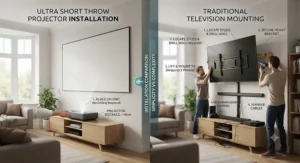
Buying the projector is the easy part; getting it looking right in a real British living room is where most first-time owners stumble. Start with distance: every UST model has a published throw-ratio table linking projector-to-wall distance with resulting image size, so measure your intended spot before ordering rather than after.
Screen choice matters more than most buyers expect. An ambient light rejecting screen — or a plain matte-white wall as a cheaper starting point — dramatically changes how the same projector performs in daylight versus evening viewing. Fit the console or unit first, then the screen, checking level with a spirit level rather than by eye; even a few millimetres of tilt shows up as visible keystone distortion at 100 inches. In the first 30 days, the most common mistake is running the projector at maximum brightness constantly, which shortens perceived colour vibrancy over time and isn’t necessary for most laser light sources rated well beyond 20,000 hours. Set a maintenance habit early: dust the lens area monthly with a proper optical cloth, keep the intake vents clear of throws and cushions, and update the smart platform firmware when prompted rather than ignoring it for months.
Who Should Actually Buy a Laser TV? Real-World Scenarios
Picture three households, because the “right” choice genuinely depends on who’s watching. First, a young couple in a two-bed flat wanting cinema nights without a permanent 75-inch TV dominating a small lounge: a bundled option like the Hisense 100L5G-CINE100A suits them well, since the fixed screen tucks away visually against a wall when switched off, unlike a hulking flat panel.
Second, a family with older teenagers who game competitively and watch sport most weekends: the Optoma CinemaX D2 or Hisense PX3-PRO fit better, prioritising low input lag and daylight brightness over the last percentage point of colour gamut. Third, a couple in a converted loft with genuine control over ambient light and a serious home cinema budget: the Samsung The Premiere LSP9T or LG CineBeam HU715QW make more sense, since their smart platforms and colour accuracy reward a properly darkened room. The common thread across all three is honest self-assessment of room lighting and viewing habits before spec-chasing.
Common UST Projector Problems and How to Solve Them
Even well-reviewed laser TVs run into predictable snags, and most have straightforward fixes. Washed-out daytime pictures are usually a screen problem, not a projector fault — swapping a plain wall for a proper ALR screen typically resolves it without touching the projector settings. Visible rainbow artefacts, occasionally reported around bright highlights on single-laser or DLP colour-wheel models, tend to bother a small minority of viewers rather than most, and triple-laser RGB engines like the AWOL VISION LTV-2500 and Samsung The Premiere LSP9T largely sidestep the issue by design.
Patchy smart-platform app support is another recurring theme, particularly on Android TV-based units lacking native Netflix; the fix is simply budgeting for a £50-£70 streaming stick rather than fighting the built-in software. Finally, image geometry drifting slightly over weeks usually points to console furniture settling rather than a fault — most models include auto-keystone or four-corner adjustment tools in their settings menu that take under five minutes to re-run.
Ultra Short Throw Projector vs TV: How to Choose
Cutting through spec sheets, here’s the practical decision framework, based on honest analysis of the trade-offs rather than marketing claims:
- Measure your room’s ambient light first. Rooms with large south-facing windows favour either a bright OLED/QLED TV or a high-lumen laser TV paired with a genuine ALR screen — not a budget projector on a bare wall.
- Decide your realistic screen size. Anything under 75 inches rarely justifies UST projection; the cost and setup complexity outweigh the benefit versus a standard TV.
- Check ceiling height and console depth. UST models need roughly 20-35cm of clearance behind the unit to the wall, so measure before assuming it’ll fit your existing furniture.
- Prioritise your primary use case. Gamers should weight input lag heavily; film fans should weight colour gamut and contrast; sports fans should weight daylight brightness.
- Budget for the screen separately, unless buying a bundled model like the Hisense L5G — an ALR screen can add £400-£900 to your total spend.
- Factor in smart platform preference. If you already own LG or Samsung TVs, staying within that ecosystem (webOS or Tizen) reduces the learning curve considerably.
- Read aggregated review sentiment, not star ratings alone. A 4.4-star average can hide a recurring complaint that matters enormously to your specific use case.
Laser TV vs OLED TV: Which Wins for Picture Quality?
This is the comparison most buyers actually care about, and the honest answer is: it depends what you’re optimising for. According to independent testing bodies, OLED panels still deliver deeper blacks and better contrast than any current UST projector, because each pixel emits and switches off individually, something no projection technology can replicate. In a properly darkened room, a 65-inch OLED will typically out-contrast a 100-inch laser TV on a per-pixel basis.
Where the laser TV vs OLED TV argument flips is scale-per-pound. A 97-inch OLED currently costs many multiples of even the priciest projector on this list, while a 100-inch UST laser TV bundle sits comfortably under £3,000. If jaw-dropping scale matters more to your household than reference-grade black levels, laser TV wins on value alone. If you’re mostly watching in a darkened room and prioritise picture fidelity above sheer size, a 65-83 inch OLED remains the stronger technical performer — reviewers and test labs are broadly consistent on this point, even as laser TV brightness continues improving year over year.
Is a UST Projector Worth It? Common Buying Mistakes
The honest answer to “is UST projector worth it” is: yes, for the right room and the wrong buyer’s mistakes are entirely avoidable. The most common error is buying based on a showroom demo, which is almost always staged in a blacked-out room — bringing that same unit home to a bright kitchen-diner produces a noticeably different result. Reviewers and industry buying guides consistently flag this gap between showroom and living-room performance as the single biggest source of buyer’s remorse.
A second frequent mistake is skimping on the screen while splurging on the projector, when the two genuinely function as a matched pair; a mediocre wall surface can undercut even the Samsung The Premiere LSP9T‘s flagship colour science. Third, buyers underestimate placement precision — UST optics are far less forgiving of minor projector movement than long-throw setups, so a wobbly console table causes recurring focus headaches. Sidestep these three mistakes and the value proposition of a UST projector genuinely holds up against equivalent-size flat-panel pricing.
100 Inch Laser TV vs Big Screen TV: Long-Term Cost & Maintenance
Total cost of ownership tells a more complete story than sticker price alone. A 100 inch laser TV setup — projector plus ALR screen — typically lands in the £2,400-£4,500 range once you include the screen, with laser light sources rated for 20,000-30,000 hours, meaning years of daily use before any light-source degradation becomes noticeable. Ongoing running costs are modest: laser projectors typically draw less power than an equivalently sized backlit LCD panel at full brightness, though energy labelling rules published by the UK government mean you can compare on-mode power draw directly on the box before buying either format.
Set against that, a genuine 98-100 inch flat-panel TV remains dramatically more expensive pound-for-pound, though it typically holds resale value slightly better and requires zero screen calibration. Maintenance-wise, laser TV vs big screen TV favours the projector on serviceability — no backlight to fail, no risk of OLED burn-in, and dust is the main enemy rather than component degradation. The trade-off is upfront screen investment and the occasional lens clean, versus a flat panel’s simpler “hang it and forget it” ownership model.
Ambient Light Rejecting Screens Explained: Setup & Safety Considerations
An ambient light rejecting screen isn’t just a fancy white sheet — it uses micro-optical structures that reflect projector light back towards the viewer while diffusing or absorbing light hitting it from other angles, which is precisely what makes daytime UST viewing viable at all. Without one, a bright afternoon room can wash out even a 3,000-lumen laser projector to the point of frustration.
On the safety side, every mainstream UST projector on this list uses a laser light engine classified under recognised photobiological safety standards, with manufacturers building in automatic shutoffs if the beam path is obstructed — a sensible feature if young children or pets are likely to wander near the console table. As with any bright light source, manufacturers advise against staring directly into the lens at close range, which is worth mentioning to visiting kids the first time the projector is switched on. Practically, budget screens under roughly £300 tend to use simpler grey or white materials rather than true ALR micro-structures, so check the specific screen technology rather than assuming “projector screen” automatically means ambient light rejection.
Features That Actually Matter (And Those That Don’t)
Marketing copy loves throwing numbers at buyers, but not all specs move the needle equally. Lumens ratings matter, but only when compared using the same measurement standard (ANSI vs ISO lumens aren’t directly comparable, and manufacturers don’t always make clear which they’re quoting). Contrast ratio numbers in the millions-to-one range are largely marketing theatre on DLP-based projectors, since real-world usable contrast is far lower and screen choice affects it more than the spec sheet figure.
What genuinely matters: throw ratio (determines how close to the wall the unit sits for your target screen size), laser light source type (triple RGB laser generally outperforms single-laser-plus-phosphor on colour accuracy), and smart platform app support (a gorgeous picture is wasted if your streaming service isn’t natively supported). Most UST projectors, including several on this list, rely on Digital Light Processing (DLP) micromirror technology to form the image, which is worth understanding if you’re comparing contrast figures between brands. Input lag matters enormously for gamers and is almost irrelevant for film-only households. Built-in speaker wattage is a reasonable proxy for whether you’ll need a separate soundbar, but it’s no substitute for actually reading aggregated review sentiment on real-world audio quality, since on-paper wattage doesn’t always translate to room-filling sound.
Frequently Asked Questions
❓ Is a UST projector better than a TV for everyday use?
❓ Do UST projectors work in daylight?
❓ How far does a UST projector need to be from the wall?
❓ Is laser TV cheaper than a big screen TV long-term?
❓ Can you watch a UST projector with the lights on?
Conclusion
The ultra short throw projector vs TV debate doesn’t have a universal winner, and honestly, anyone claiming otherwise is selling something. If your room gets serious daylight, you want zero setup fuss, and 65-83 inches feels big enough, a flat-panel TV — OLED or otherwise — remains the simpler, more consistent choice. But if you’ve been eyeing a genuinely cinema-scale picture without cinema-scale spending, the seven laser TVs covered here prove the category has matured well past its gimmicky reputation.
Budget buyers should look hard at the Hisense 100L5G-CINE100A or AWOL VISION LTV-2500 for genuine value; gamers and bright-room households should prioritise the Optoma CinemaX D2 or Hisense PX3-PRO; and anyone chasing flagship colour science with the budget to match should shortlist the LG CineBeam HU715QW or Samsung The Premiere LSP9T. Whichever direction you lean, measure your room honestly before you buy — the right laser TV, in the right space, genuinely does replace a TV. In the wrong space, it’s an expensive lesson in ambient light.
✨ Ready to Upgrade Your Living Room?
🔍 Browse the current pricing and availability for every projector featured in this guide, and start planning your own big-screen setup today. 🎬🔋
Recommended for You
- Ultra Short Throw Projector: 7 Best UST Picks for 2026
- Best LCD Projector 2026: 7 Top Picks (And Who Should Skip Them)
- DLP vs LCD Projector: 7 Top Picks & the 2026 Verdict
Disclaimer: This article contains affiliate links. As an Amazon Associate, I earn from qualifying purchases. If you purchase products through these links, we may earn a small commission at no additional cost to you.
✨ Found this helpful? Share it with your friends! 💬🤗
